I'm having an issue using using the for branch that stems from it not functioning as a loop, but rather trying to action everything at once.
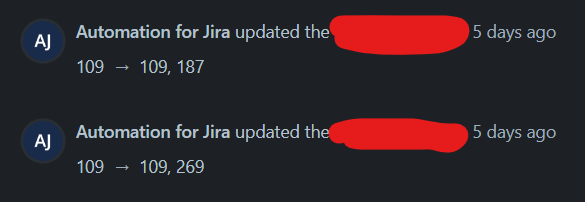
I have an automation that uses a for branch to look at all linked issues, and then pull a specific field from linked issues and write them to a filed on the trigger issue, with values being separated by commas. The field would already have a value in it, so the additional values would be added with the initial value. My initial idea to do this was to create a for branch that looked at each linked issue, get the field value, and then write to the trigger issue field taking the initial value and appending on the comma and new values. If the for branch functioned as a loop, this would work. However, I found out it does not loop through the actions, and instead tries to action each element at once. The results was the values not writing properly. Below is the issue history when I ran this (The original value is 109, and I want to 187 and 269):
My next idea to fix this is to instead write this to a label field, instead of a text field. Label fields have an "add" function, so I thought it wouldn't matter that multiple values would be added at the same time. However, I found that this still had issues. In this example, I want to add labels 269, 114, 187, and 268 to a custom label field that starts empty.
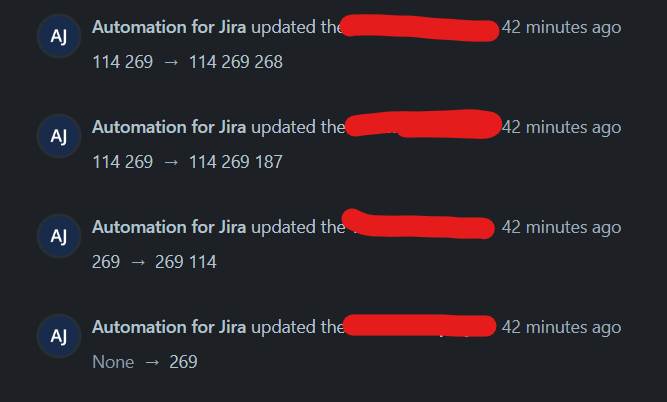
It appears that the "Add New" function does something similar to what I was doing in the previous example, where it looks at what the current labels added are and copies them into it and adds the new one. It still has the problem of when multiple adds are being done at the same time, it does not capture all of them.
I am wondering if there is a better way to achieve what I am looking to do. If there was a way to make the for branch function as a loop, this would solve my problem. Other creative ideas are most welcome.
Thanks!
Christian


