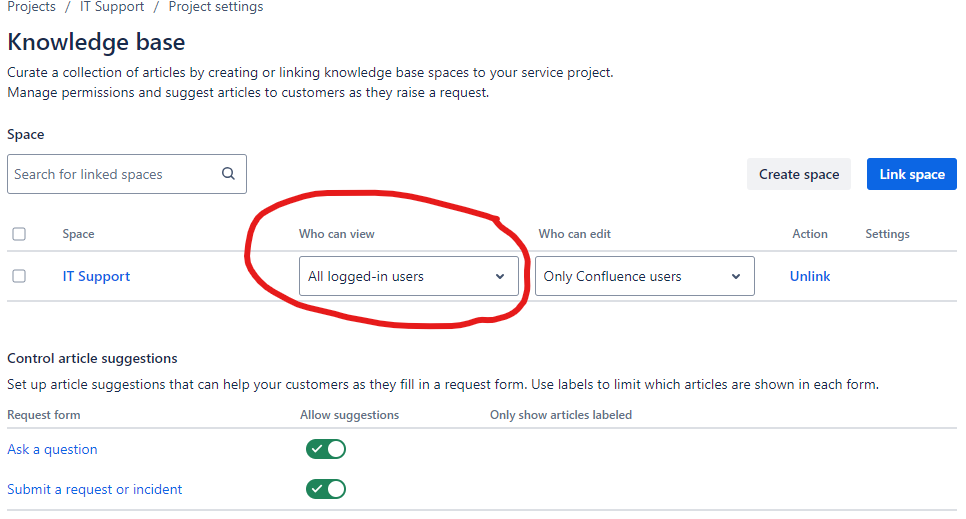
I cannot add this global confluence permission on my Free plan in one of my Organization according to this documentation:
https://support.atlassian.com/confluence-cloud/docs/give-access-to-unlicensed-users-from-jira-service-management/
I guess thats because I"ve created Confluence instance separately from JSM. Now I cannot choose "All logged-in users" option on project settings Knowledge base settings "who can view" dropdown.
However, if I create a new Organization and a JSM site for it when I go to Project Settings > Knowledge base it creates a new Confluence Instance with "all logged-in users" space view permission.
I dont want to recreate my misconfigured organization because we have a lot of tickets inside and I dont want to upgrade my free confluence license to Standard.
How can I reset/remove/recreate Confluence instance to enable that option again?