🎉 Exciting news for the Atlassian Community! 🚀
We're thrilled to announce the release of a new feature in the Cloud version of the Issue Templates for Jira app - Multiple Template Repositories.
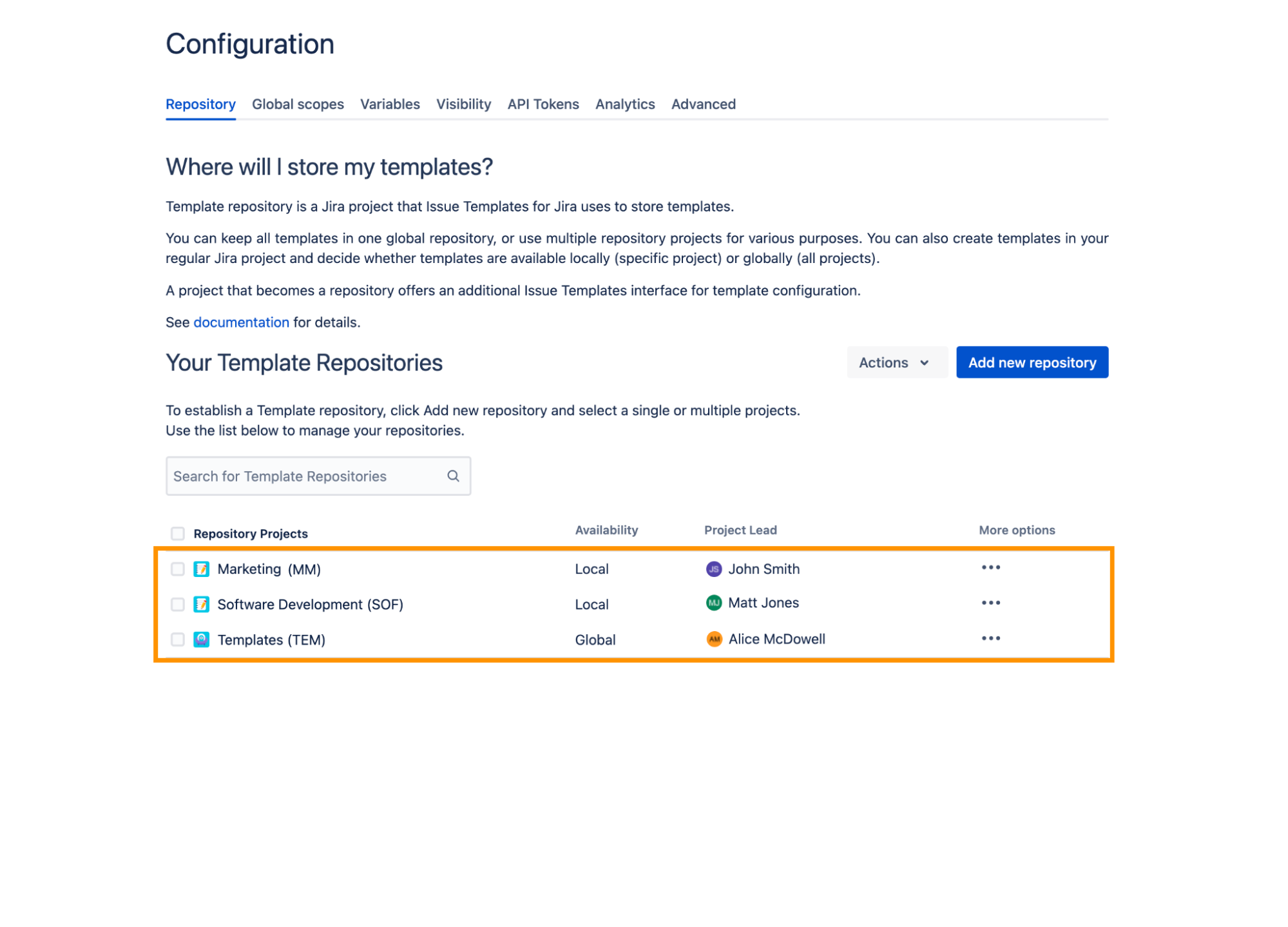
🌟 What's new?
Thanks to the feature, each team can have their own template repository stored within their project. In the previous Issue Templates version, all templates had to be in one shared repository. It means that whilst creating a template all custom project elements like issue types, custom fields, components, and versions were added globally. As a result, the global repository grew huge. It influenced the overall user experience. Moreover, too many available fields were confusing for the users.
Separate repositories in team projects solve this problem. They also make granting permissions simple. From now on, each team member sees templates from their project and doesn't need access to any external repository. What’s more, the cross-project collaboration gets much easier, too. The team's templates don't mix. This helps keep order in the Jira instance.
Read more about the feature configuration in the app’s docs >>
👥 Who benefits the most?
- Teams that deal with repetitive tasks that eat up time.
- Users that need templates across various projects with differing task types.
- Jira admins can now delegate configuration to PMs and leads.
- Project managers who get greater autonomy in their Jira project.
- Organizations that need simplified templates by keeping them project-specific.
- Teams that struggle with navigating through numerous global templates.
👩💼 Real-life scenario
Let’s take a Marketing team in a medium-sized IT company as an example of recipients of the new functionality.
Problem: The team constantly handles repetitive tasks like marketing campaigns and event promotions.
Solution: The marketing team implemented Issue Templates within their project.
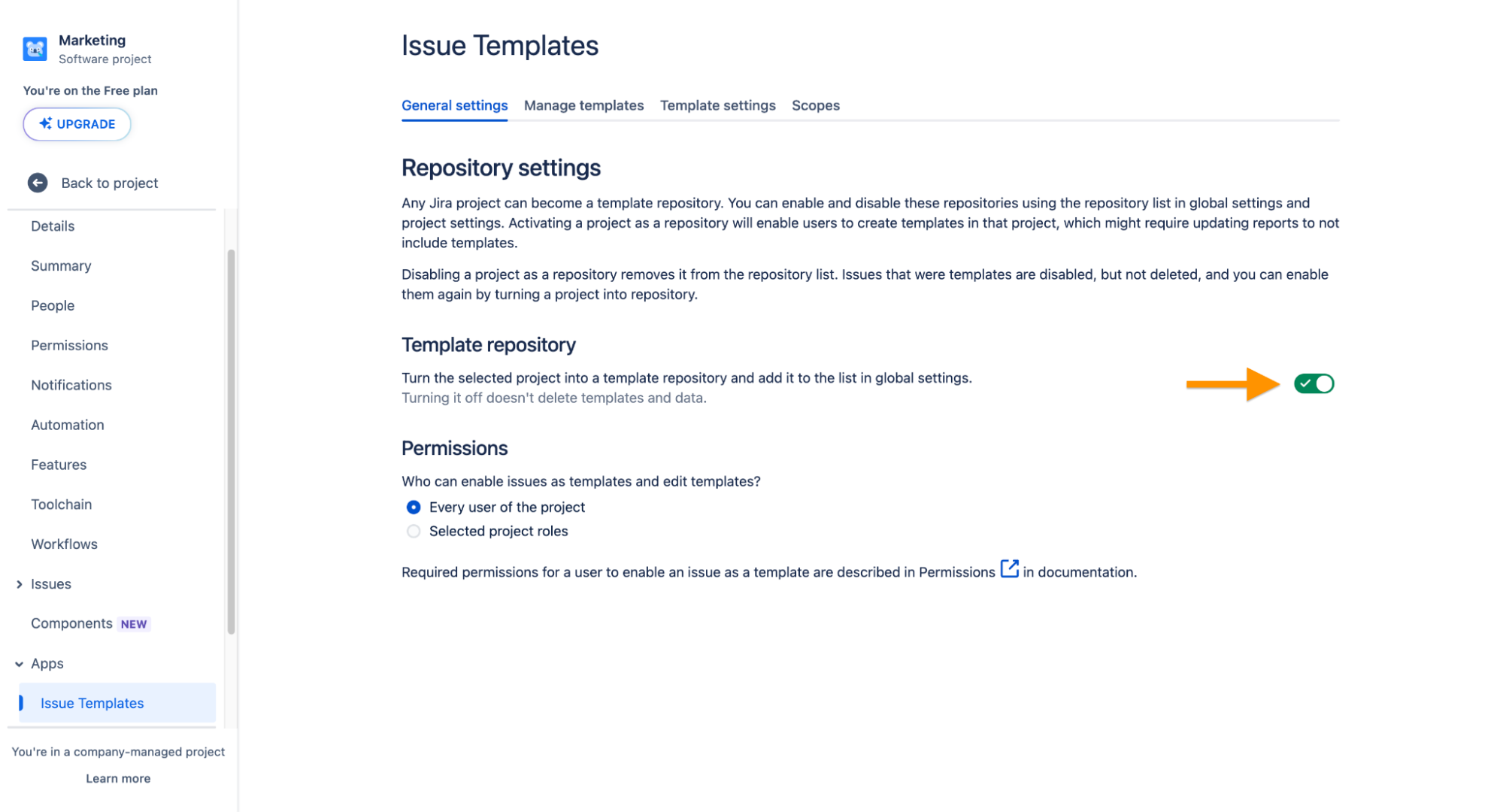
Now, they have their own template repository, and team members can create custom Jira ticket templates.
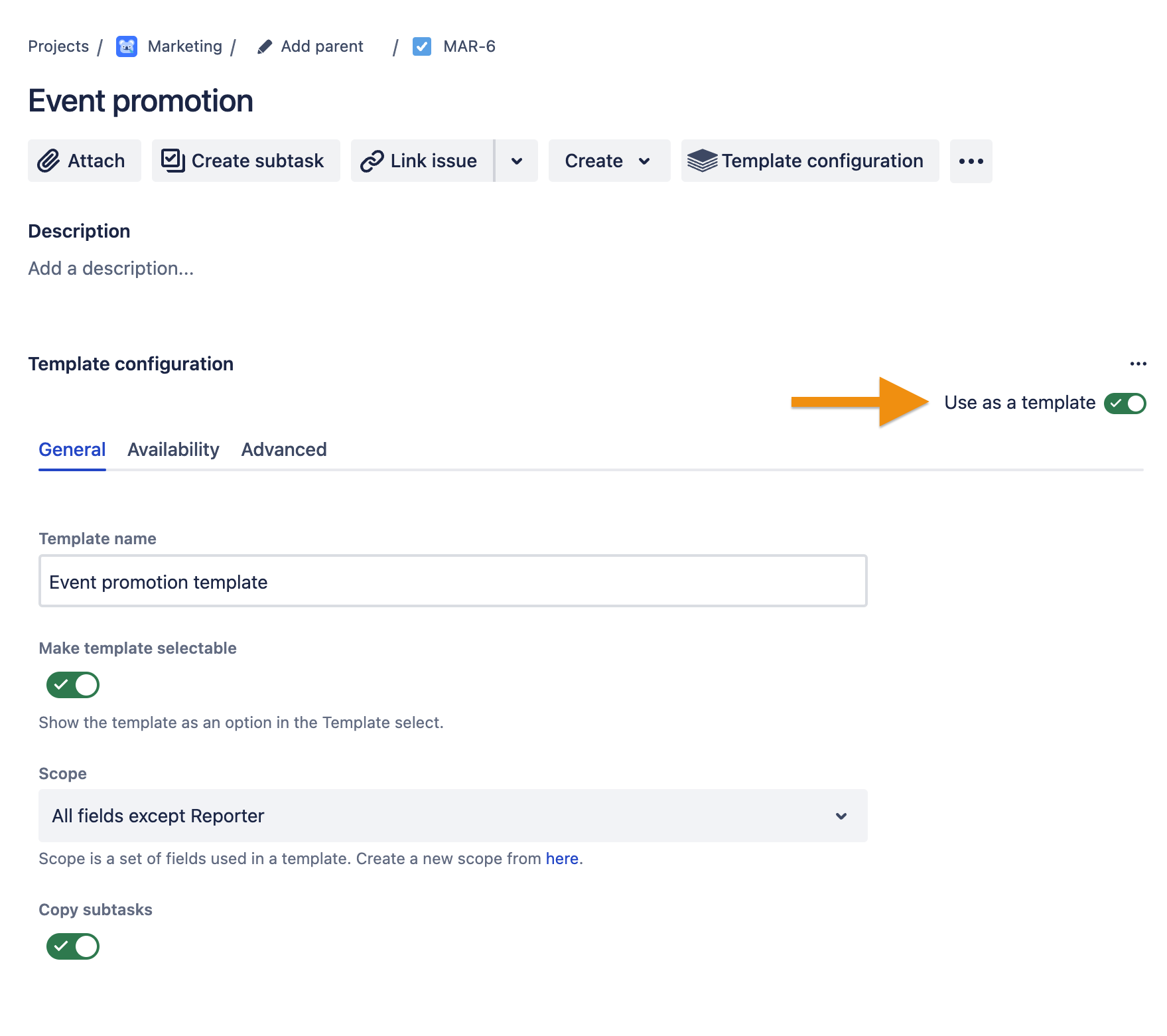
The repository doesn’t display templates from, for example, the development team. Thanks to this, marketing can only focus on the templates that are relevant to their tasks. It significantly speeds up the task creation process and minimizes the possibility of errors.
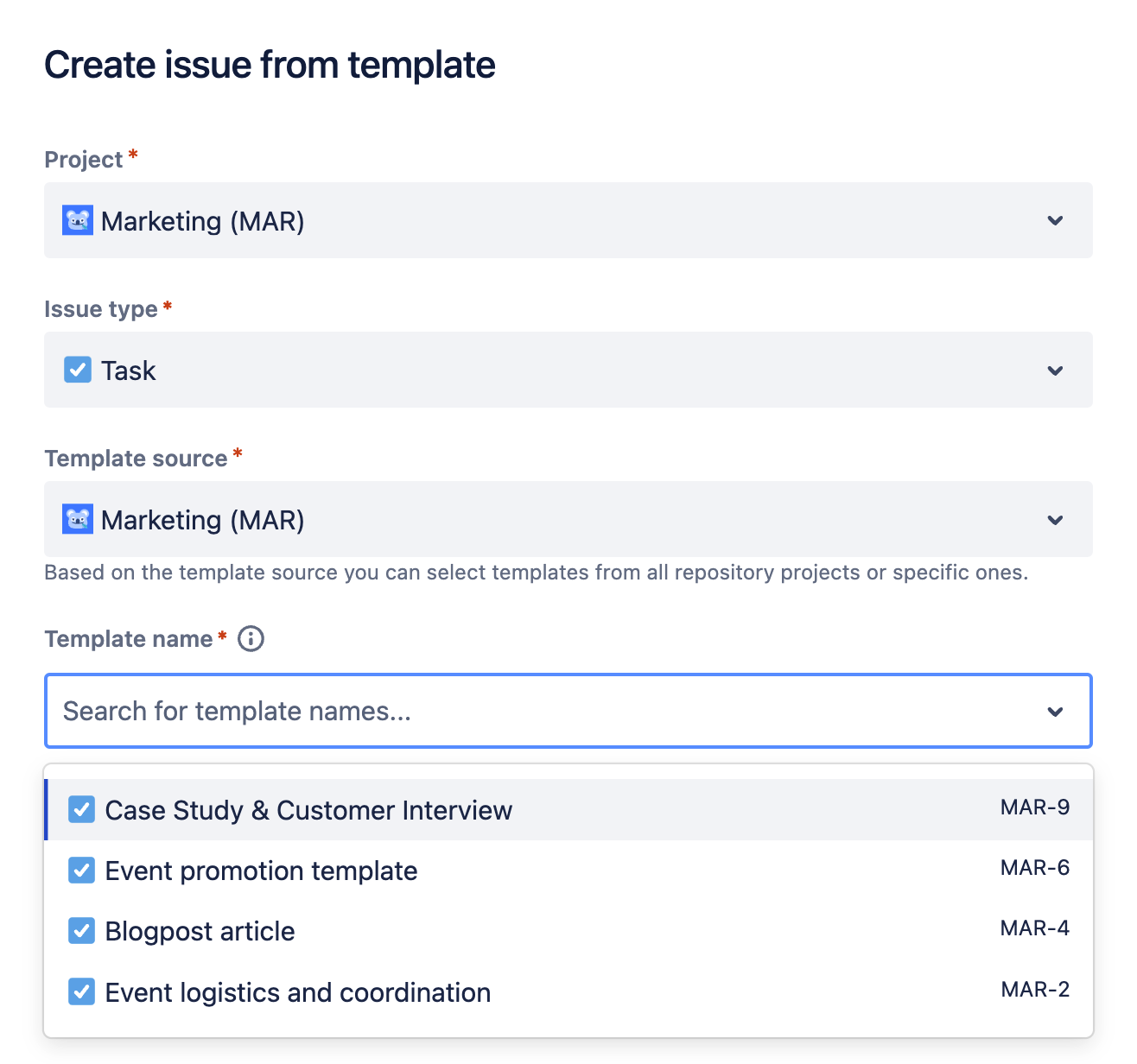
Results: Eliminated the need for a massive global repository, reducing clutter. Marketing team members enjoy improved efficiency and reduced errors.
Say goodbye to manual configurations and welcome customized templates tailored to your team's needs. No more worries about accessing external projects. Now, you can save templates directly within your project.
🚀 See it in action
Excited to see how Multiple Template Repositories in Issue Templates for Jira work? Book a demo session with one of our experts. We’ll be more than happy to guide you through the application and its new features.
Book a 1:1 demo session
Happy templating 🌟
Deviniti Team


