I'll also show you how to add rules easily to filter out unwanted records or issues from syncing so that you can create a precise integration solution to automate ticket creation and tracking.
First, you'll have to add Unito's Jira Two-Way Sync app from the Atlassian marketplace.
Then, you'll need to connect your ServiceNow instance to Unito (either through the Jira app or Unito's standalone sync platform).
Then you can configure your Jira ServiceNow integration by creating a flow with 2-way sync in 4 quick steps.
Step 1: Connect Jira and ServiceNow to Unito
- Click +create a flow From the Unito dashboard,
- Select Start Here to connect ServiceNow and Jira Software, Service Management or Data Center.
- Then +Choose account to specify the Jira project and ServiceNow table you plan on syncing.
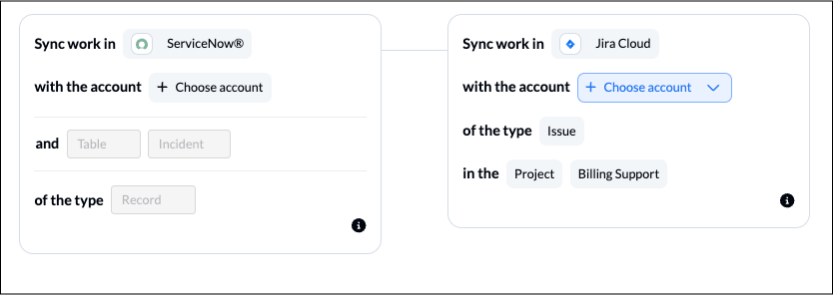
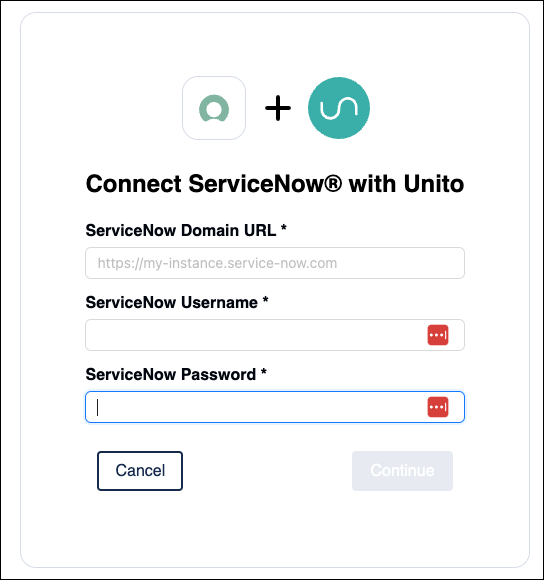
The first time you go through this process, you'll need to connect your account to Unito. For ServiceNow, you'll need your Domain URL, username and password.
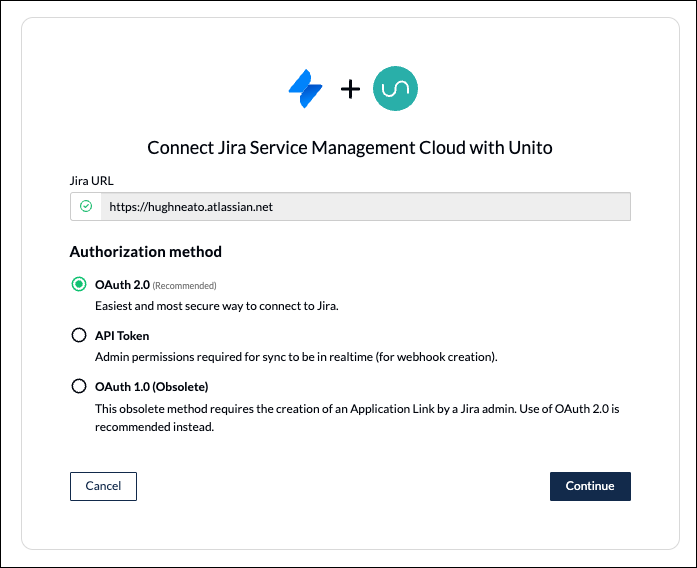
To connect Jira, you simply need to select OAuth 2 and follow the on-screen instructions.
Step 2: Set a directional flow for incident or task creation
The next step lets you tell Unito whether to automatically create issues or tasks in Jira, incidents/records in ServiceNow, or both simultaneously.
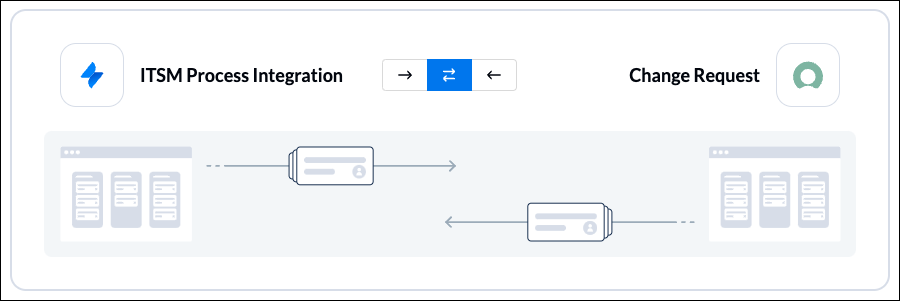
Items will only be created based on your manual activity in the other tool IF the action follows the rules set in Step 3.
Step 3: Add rules to filter unrelated data from syncing
This is extremely useful for filtering out unrelated data from syncing, particularly if your ServiceNow tables contain large volumes of data. You’ll want to apply rules that filter out all but the most essential incidents or issues.
Here's an example:
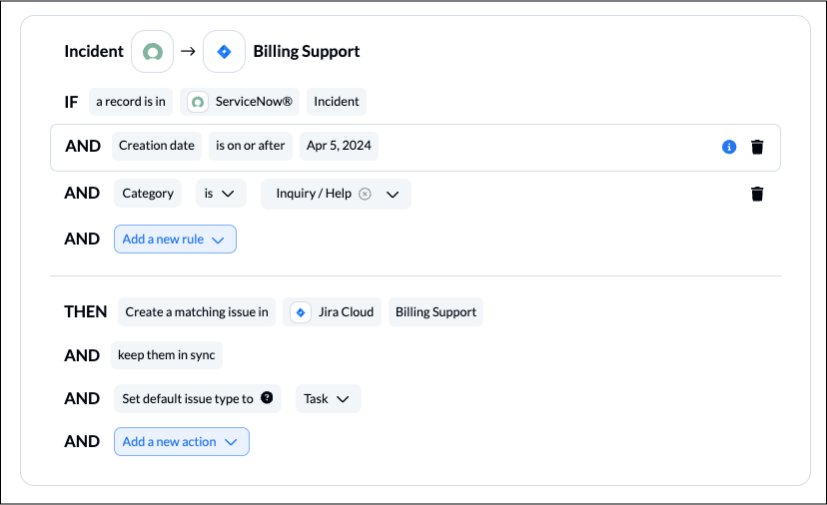
Any field supported by Unito can be applied to your rules to filter data from syncing. We generally recommend filtering by Choice fields in ServiceNow, or single-select fields in Jira.
Step 4: Link fields between Jira and ServiceNow
This step allows you to pick and choose exactly which fields to pair up between ServiceNow and Jira based on your setup in each tool. Here's an example from our demo:
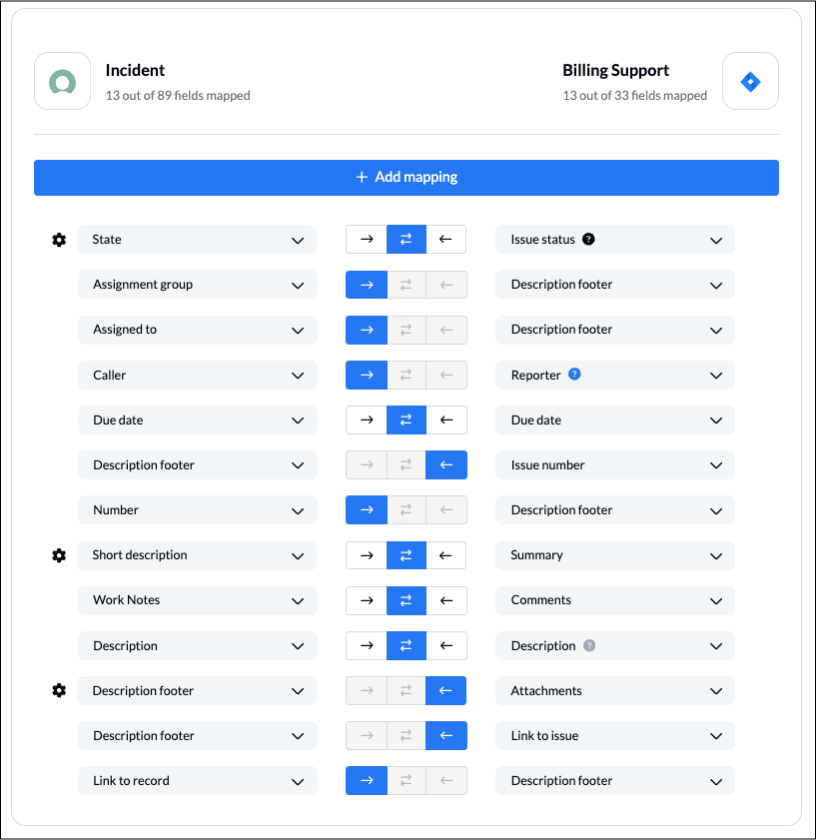
From there all you need to do is click launch and Unito will begin automating your workflow.
Get in touch with our integration experts to learn more about this 2-way Jira ServiceNow integration.
Here's a full list of supported apps and tools:
Atlassian products: Jira, Jira Service Management, Jira Data Center, Confluence, Bitbucket, Trello
Airtable, Asana, Azure DevOps, Basecamp, ClickUp, Eloqua, Favro, Facebook Ads Manager, GitHub, GitLab, Google Analytics, Google Ads, Google Calendar, Google Contacts, Google Forms, Google Sheets, HubSpot, Jotform, MeisterTask, Miro, Microsoft Excel, monday.com, MySQL, Notion, Pipedrive, PostgreSQL, Salesforce, Smartsheet, Snowflake, Stripe, SurveyMonkey, Typeform, Wrike, Xero, Zendesk, Zoho Projects, and more.
