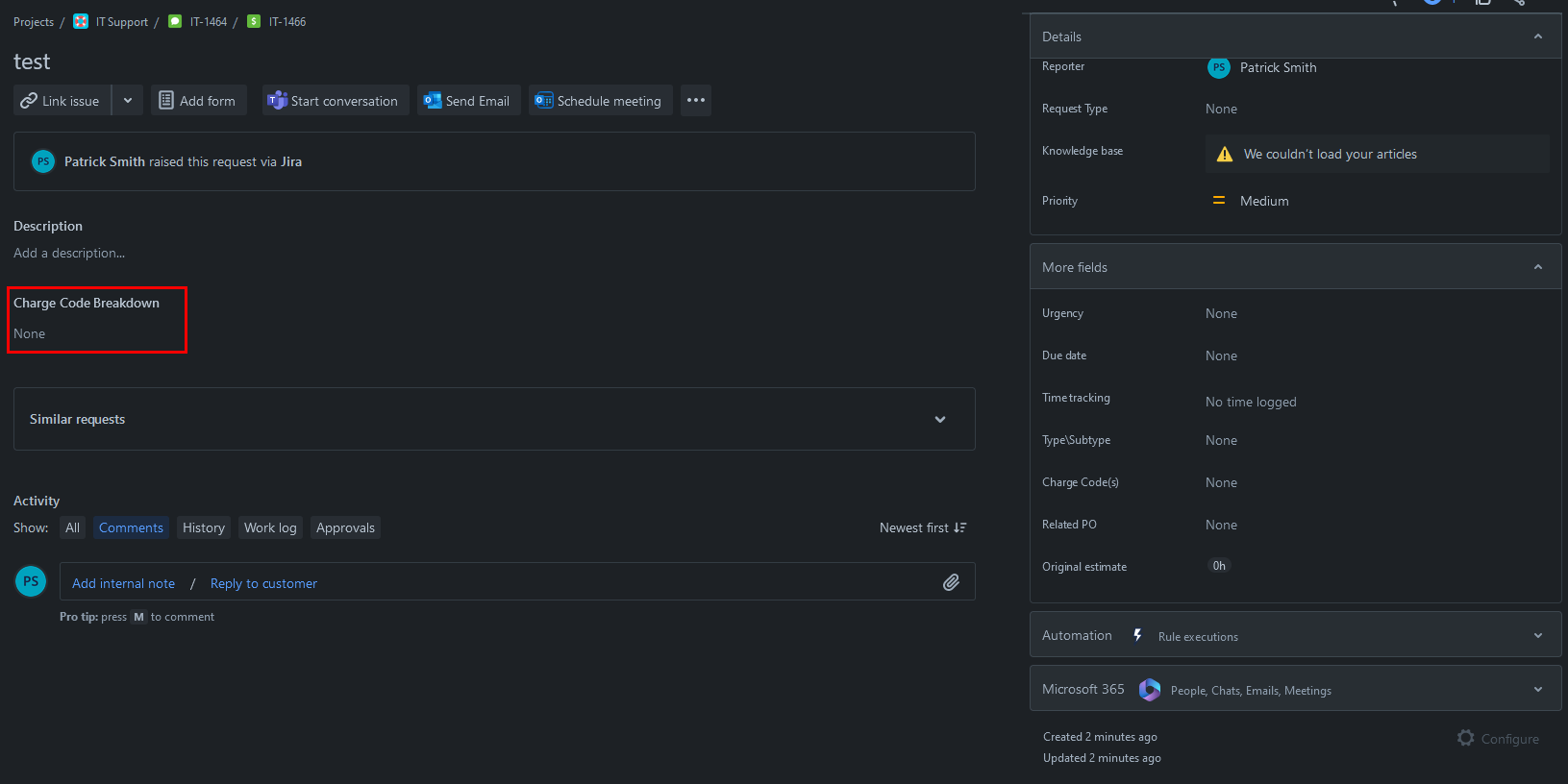
I created an issue type that is technically a sub-task. This does not have any request types associated to it (can't associate request types to sub-tasks), which means the "Configure"\gear icon in the bottom right of the issue view is greyed out, saying "You can't configure the layout of an issue while it doesn't have a request type".
I created a test sub-task using this new issue type and it has a custom field in the center of the issue view. If were we able to click on the "Configure"\gear icon, then you would normally put a field in the "Description Fields" section to make it show up in this area. (See picture)
I've searched for over an hour and have found absolutely nothing about how to configure which fields show up (and where) in the issue view of an issue that does not have a request type, and therefore the "Configure"\gear icon in the bottom right corner of the issue view. Yet, obviously there has to be some way since 1 single random custom field is showing up in the issue view while other custom fields aren't...
Now technically yes this is a sub-task but as far as I can tell it wouldn't matter if this was a sub-task (-1) or a normal level issue (0). If anyone is aware of any differences though (related to this issue) please let me know as well, as I'm still not resolved to have this as a sub-task and could re-do it as a normal level issue if needed...
Also, I don't think it's role\permission related as I've got full\top level access to everything.