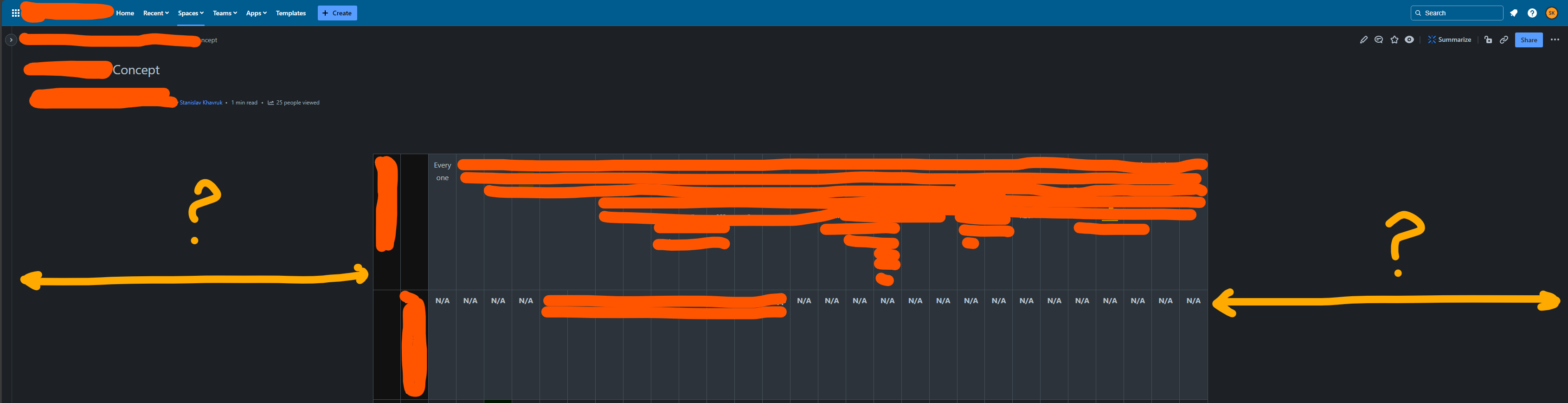
Hello, I'm frustrated with viewing and editing a very wide table in Confluence. I've tried using the "Make page full-width" button, but it only expands to occupy 25-50% of the screen space, leaving huge empty spaces on the left and right sides of the page.
All page content is contained within a single layout column, and the side space is not part of the layout.
However, I've noticed that the table becomes "readable" in History view mode. There, it renders in full width without weird margins on the left and right, and even without column shrinkage.
In the screenshots below, I demonstrate some results:
- The page after using "Make page full-width" and its borders.
- The page before using "Make page full-width" and its borders.
- The page in History comparison mode, where the table is rendered in full width as expected.
- The page in View or Edit mode, where table columns are shrunk and resizing the table cannot go beyond the empty left or right space.
Do you have any ideas on how to remove this empty space/margins on the page with the table? Or is it some kind of bug?