Hi all, I am a rookie, but I have searched for this to no avail.
I have a (test) team-managed "software" project. I have restrictions set up so I can make any task private to me, without restriction, or restricted to certain roles. Works well.
In "Issues", I can select a task, it opens full screen and if I click the padlock icon, I can edit the restriction level:
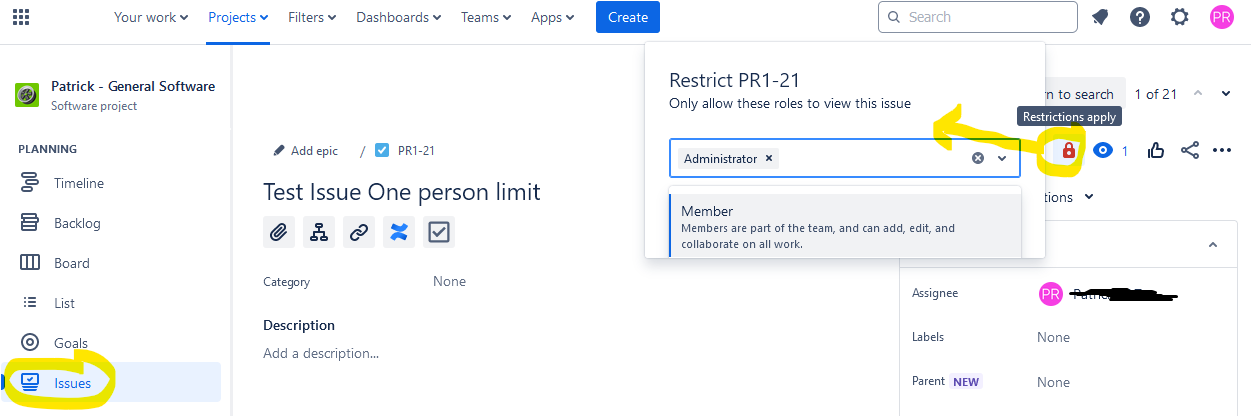
In "list" view (where I can see all issues and they handily nest and collapse hierarchically under their parent), or the "board" view, when I click a task, it opens in a modal. If I click the padlock there, I cannot edit the restriction level. It only gives me a "restricted" tooltip and no list.
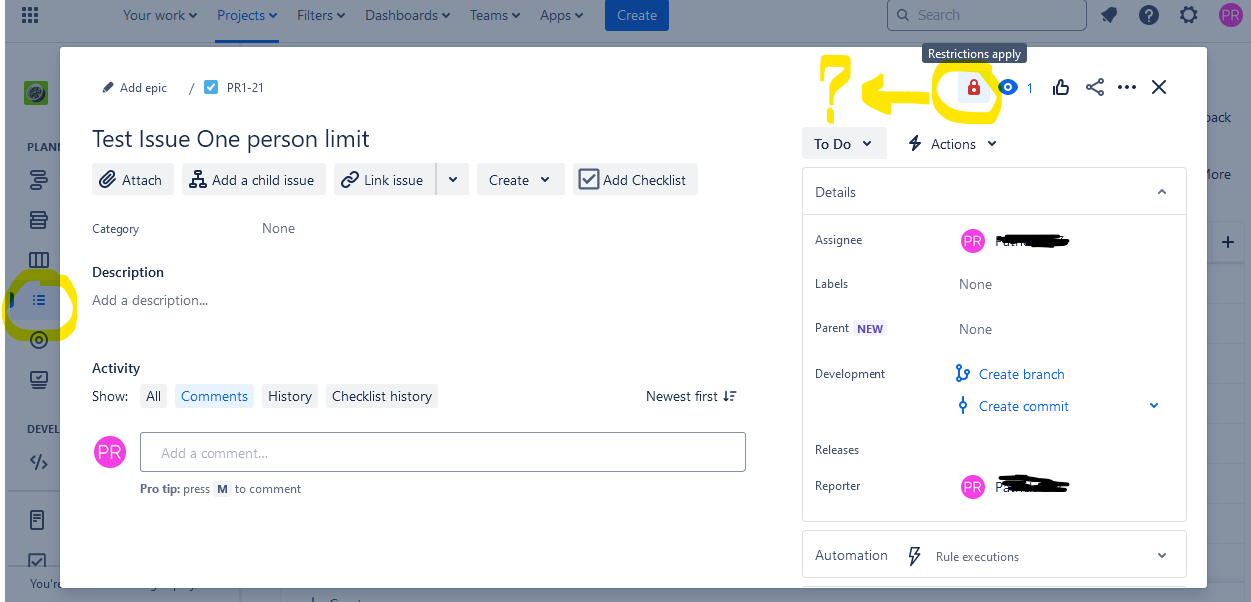
How can I make this function editable from these views? The "issues" view is pretty useless as it is just a long list of all sorts of task types mixed together.
I have already tried to open project settings > issues types > tasks to try and see if I can add "security..." field, but it does not exist.
Thanks!

