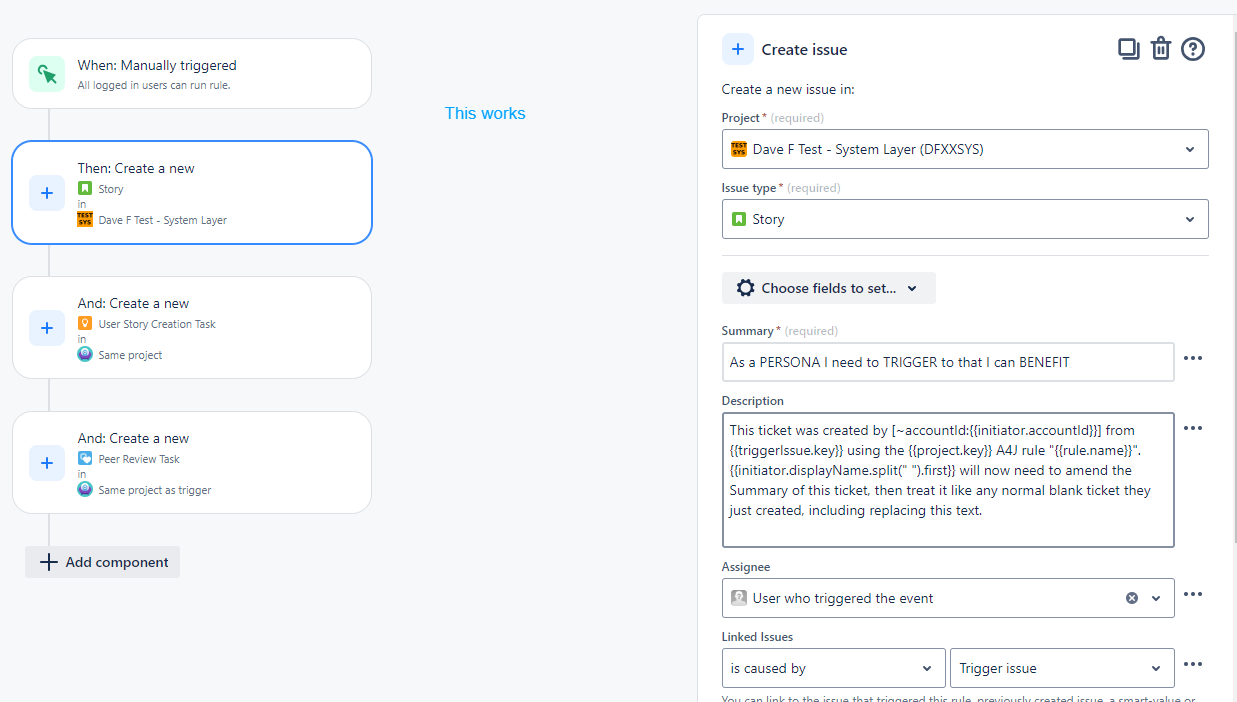
We have a business layer project where we track all design tasks for our Product Owners. The output of those Tasks will be 1 or more Stories in 1 or more system layer projects (one per code base). This is available only as an action in the PO project - we don't want it elsewhere
I had been creating a manual rule per code base project, which is limited to run in the PO's project, to create and link a Story ticket with some default text in the appropriate fields, assigned to them.
As we're starting to write stories for more code bases, the list or automations is growing, so I'd like to find a way to create a single rule that allowed the PO to input the project where they would like the Story created, but...
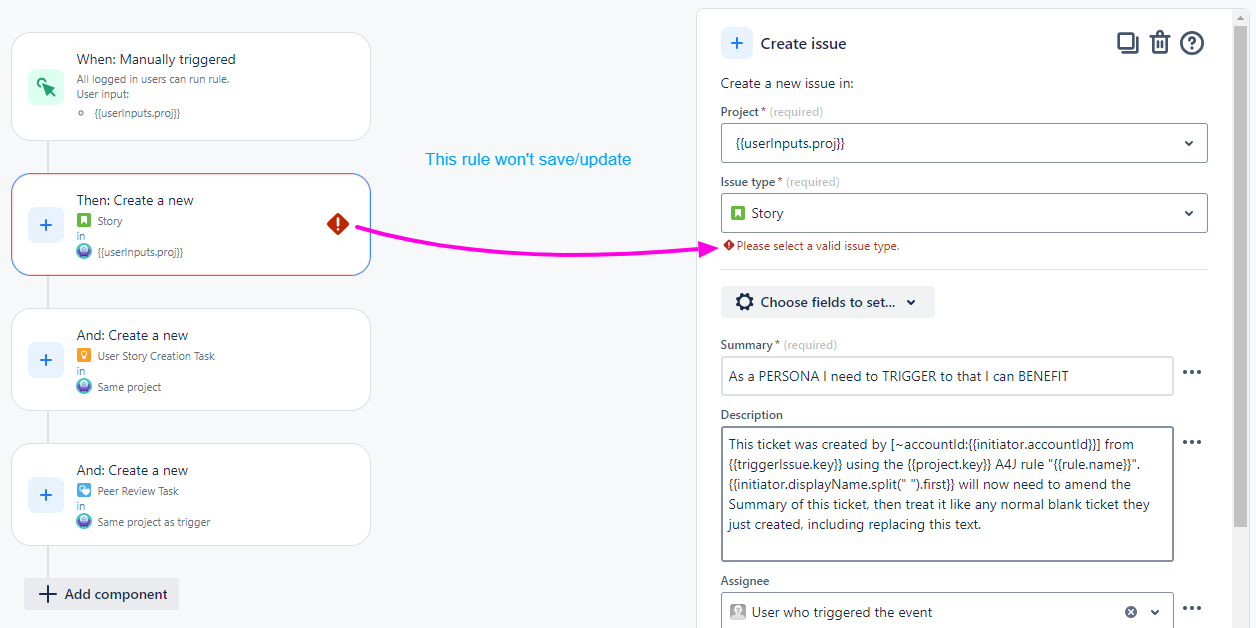
If I use the userinput smart variable from the prompt in the manual trigger step, the Create action can't find the Story issuetype. If I use a known project to set the issuetype, then put the smart variable into the Project field on the Create step, the rule won't save.
Is there a way to achieve the outcome we need - from the PO Task, a new linked Story in a code base project based on user input when running the rule?
Maybe a trick of cloning the Task, editing to clear the fields, link the tickets, move the clone to the desired project and change the issue type... but how to move projects in a rule without making the rule multi-project and thus available in other projects?