When configuring the Jira Svc Management Customer Portal, there are some areas I would like to hide or remove altogether.
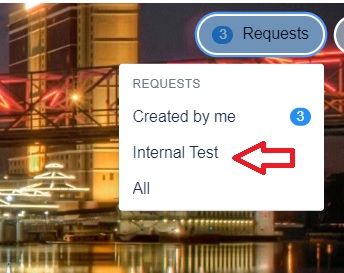
1) In the Service requests dropdown where you can view your created or all requests, an Internal Test Option is showing. How do I remove this?
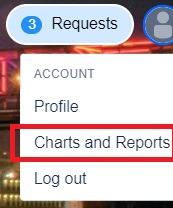
2) When clicking on my avatar to get to profile, etc, there is a 'charts and reports' option showing. How do I remove this?
3) On the requests list page where it shows all my requests I created listed, there is a Request Type dropdown showing. How do I remove this option as I only allow one request type to show?


