Objective
I want to create a base template for a scrum board that will allow me to easily create new boards customized issue types for all of my freelance clients.
Steps to Recreate
- Login to Jira, select the Projects dropdown then select create Project
- On the Project Templates screen, select Software development from the side bar then select Scrum in the page body. Select Use template on the modal to proceed.
- On the choose a project type panel, select "Select a team-managed project"
- Enter a name and key for the project detail panel then select next
According to the documentation, I should be able to do the following:
From the global navigation at the top of the page, select the search field (or press /) and select Go to all: Boards. Then select Create board in the upper right of the screen.
Find the board you want to copy and select Copy from the menu on the right side.
What I expect to happen
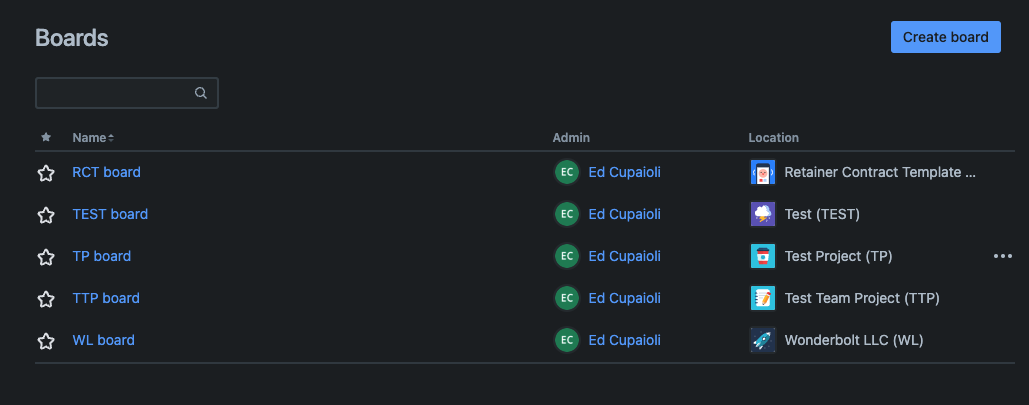
The three dots should appear next to my board on the Boards page
What actually happens
The three dots do not appear next to the board, RCT Board, I want to copy:
Additional Notes
The three dots appear next to a board that is company managed. However, the company-managed UI is extremely obtuse and documentation on the board is scant on how to modify and create issue types.

