This appears to have been been a feature for hosted Jira. I can't tell if it's available for Jira cloud.
Hi @Peter Thomas,
Welcome to Atlassian Community!
If you go to Board settings > Card layout there is a toggle at the bottom to enable Days in column, that will add the dots to the card.
I don't have the Card Layout option. Checking to see if this might be a permissions issue.
Note that is available only for Company Managed project boards.
There is a change request to add it to Team Managed project boards.
https://jira.atlassian.com/browse/JSWCLOUD-20809
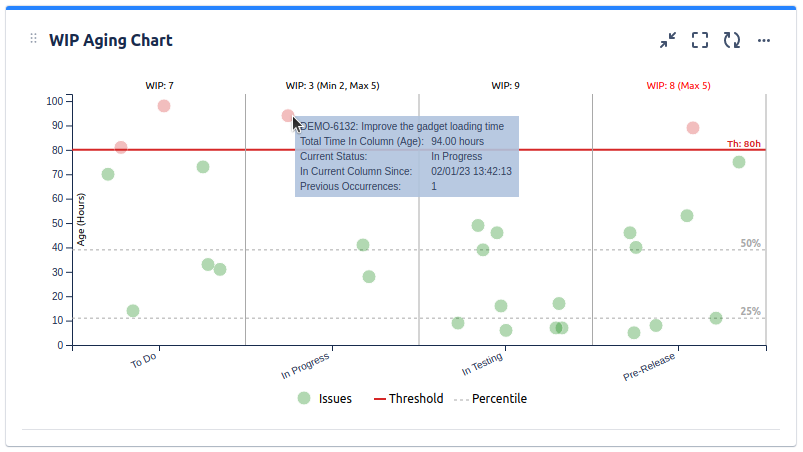
If an add-on could be an option for you, be aware that our Great Gadgets app offers a WIP Aging Chart gadget that displays the issues from a board by their age (time-in-column, or time-in-status, or time since creation, configurable at your choice).
It works with any type of boards, is highly configurable and gives you the option to set a threshold to easily identify the issues that took longer.
See also: https://community.atlassian.com/t5/Jira-Software-articles/Building-a-powerful-Kanban-dashboard-in-Jira-with-Great-Gadgets/ba-p/1664331
If you are on a free plan, this app is also free for up-to-10 users.
Hope this helps.
Danut.
This didn't work for me. The toggle is selected but there is nothing showing on the cards on the board
It looks like you're new here. Sign in or register to get started.