👋 Community - Avinoam from Confluence Automation here once more and this time with not one, not two, not three, but four new announcements 📣 🎉
New Rule Validations
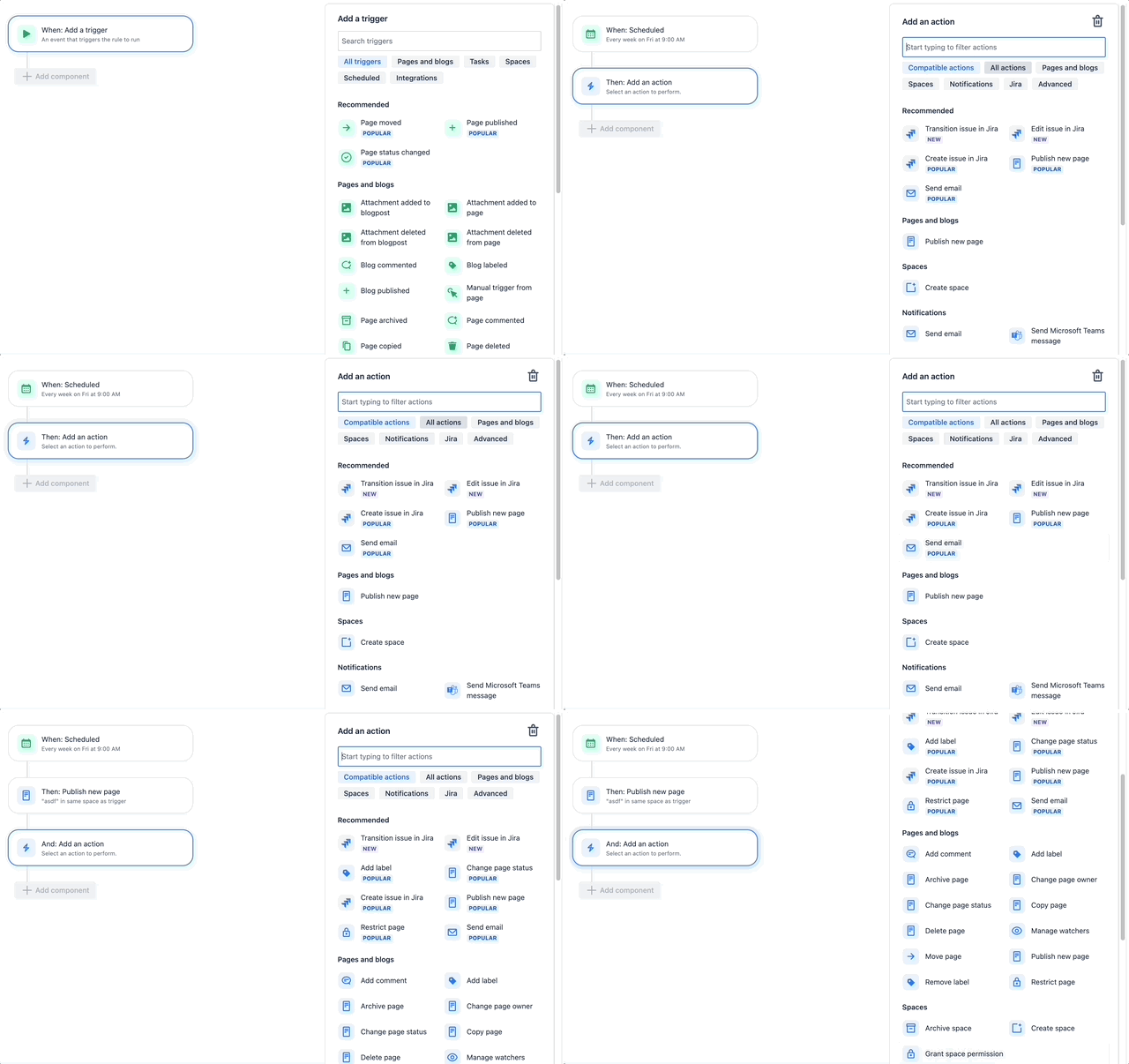
As of earlier this week we released a new capability directly into the rule builder that will essentially act like on the fly guardrails to help make sure you create compatible rules that will accurately execute as you intend them to instead of having to look through the audit log and figure out why they may have failed. Next time you start to add a component, in certain cases, you'll see that by default the components you're shown are only compatible ones to help guide which components are compatible for the creation of predictable and accurate rules.
As you can see in the example below, when you use the Scheduled trigger and then select the action to carry out, you can see that by default only "Compatible actions" are selected. Of course, you can still filter out actions based on all actions or any other available filter or search as always.
New Lookup Pages Action
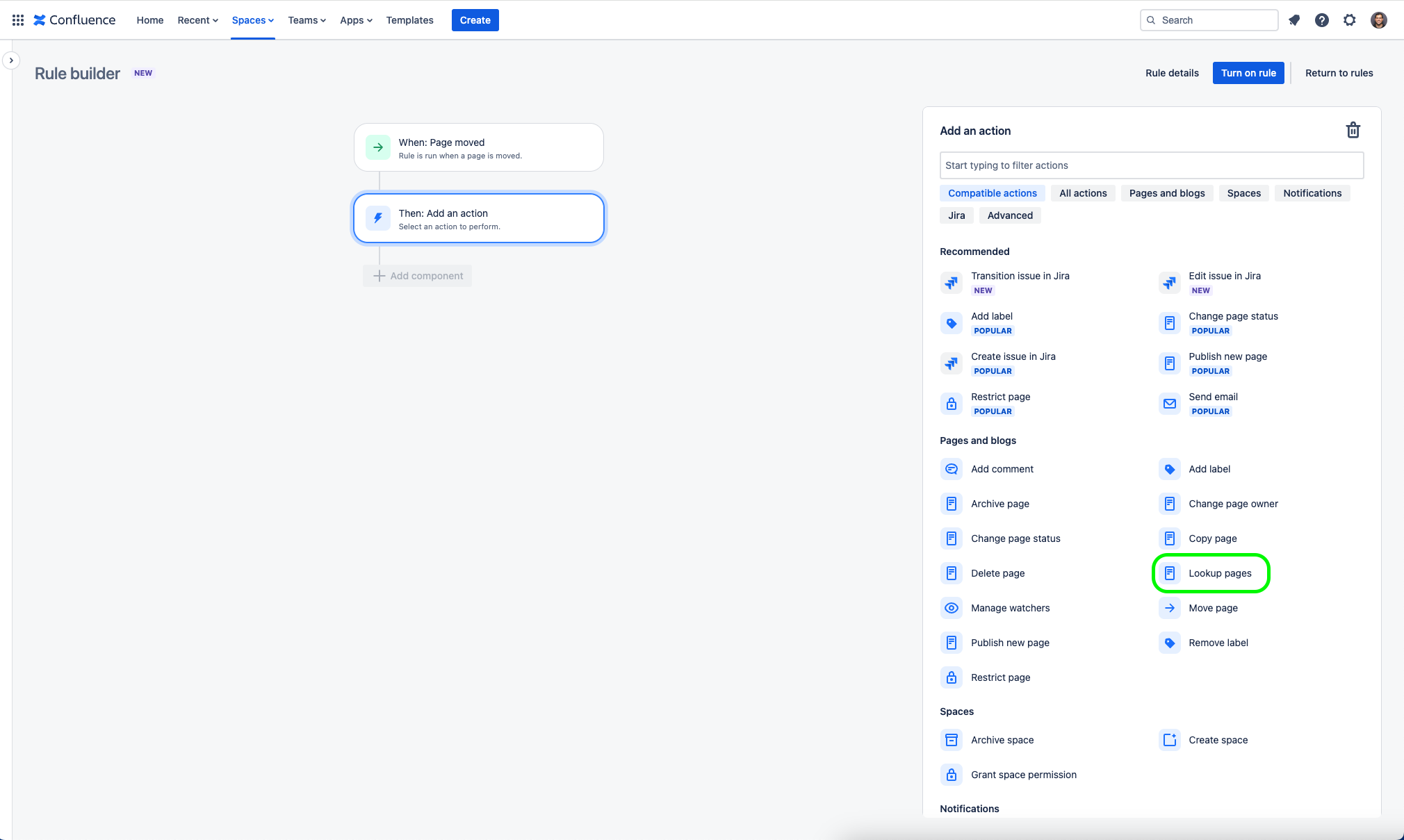
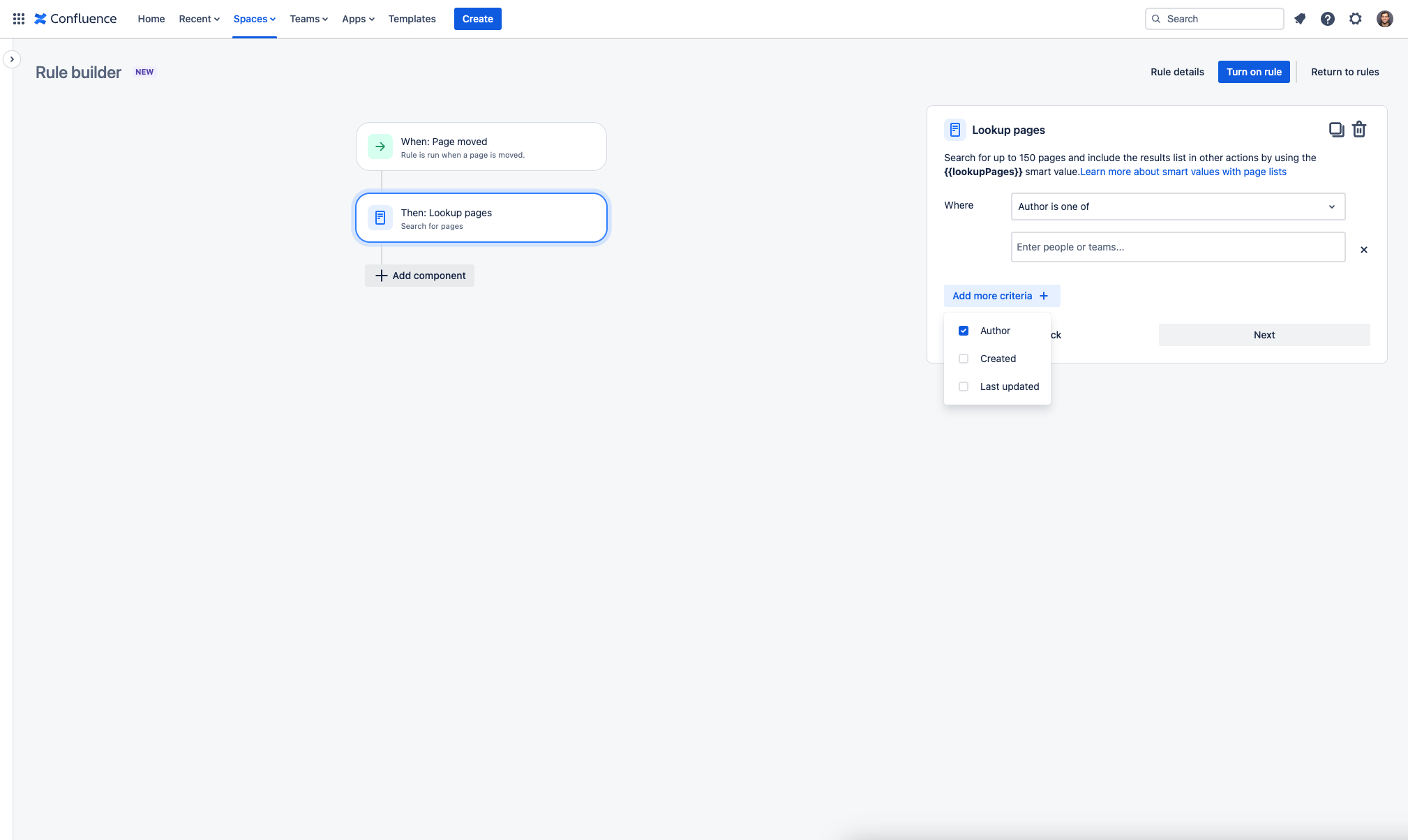
What is this component? Similarly to the Lookup issue action in Jira, the new Lookup pages action in Confluence takes a CQL search and saves the result (up to 150 pages) to the smart value {{lookupPages}}, which you can use in other components in your rule (or branch).
Now you can search for up to 150 pages based on their author, creation date, and when they were last updated, and include the results list in other actions by using the {{lookupPages}} smart value (you can learn more about smart values with page lists).
New Manual Triggers Template
When we first released manual triggers we included a template for it ("
Publish page with label and create Jira issue"). Now we've added a second template which also leverages the new transition and edit of Jira issue actions as well!
It's called "(Manual trigger) Change page status with comment and transition Jira issues" and you can find it in the Templates tab in Automation for Confluence.
When saved, and when an end user executes this manual triggers it will automatically change the Confluence page status and the related Jira issues status accordingly, and will finally add a comment to the Confluence page noting the reason for the change.
New Template Categories
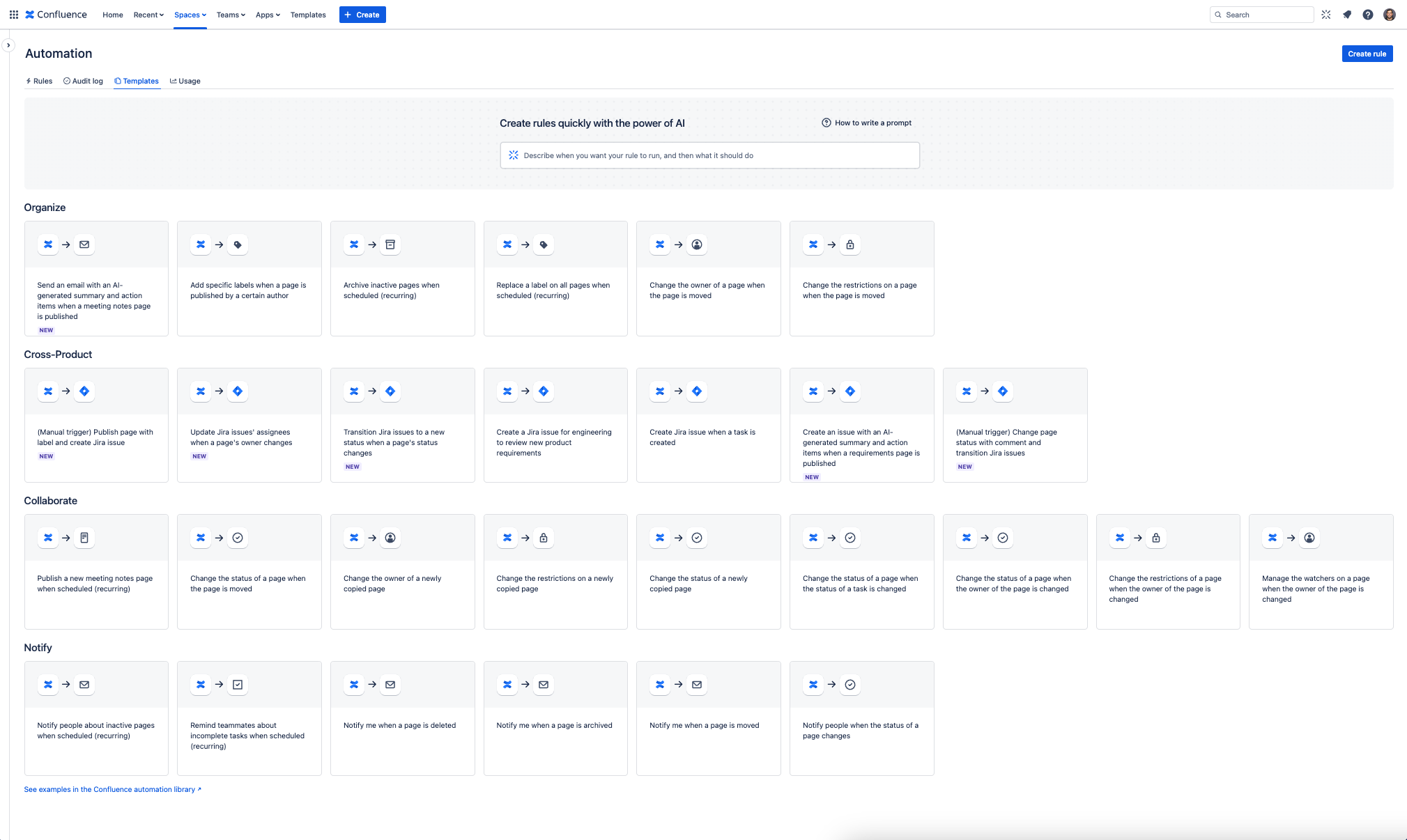
Last but not least, as we've nearly tripled the amount of available templates in Confluence Automation over the past few months, we refreshed the template categories to make them easier to find and to better match their purpose and value when deciding which one to use for creating your Confluence Automation rules.
Before the change we had two categories which were Organize and Approvals and nearly all out templates sat under Organize.
Today we have four distinct categories:
- Organize - to help you maintain a source of truth
- Cross-Product - to help you drive cross product work
- Collaborate - to help you drive productivity for your team
- Notify - to help ensure the right people are in the know
When it all this be available?
These are already available to all Confluence Premium and Enterprise customers!
We want to hear from you!
We’d love your feedback so please feel free to schedule time with us directly here or drop a comment on this post 


