Managing Confluence for hundreds or thousands of users, each with unique needs, is a difficult task.
Whether implementing a corporate intranet, a document repository, or even a collaborative project workspace, you can design Confluence to accomplish different goals. It all boils down to how you and your team structure and organize information across the site.
It’s even more crucial to have a clear and structured approach to knowledge management at the advent of Atlassian Intelligence. With relevant and accurate content, you can enable teams to leverage the power of AI for instant access to information for any purpose.
We’ll review some of the best practices and Confluence features for efficient knowledge management.
🏗 Building a solid and adaptive foundation that can scale with your teams
The key to effective knowledge management in Confluence lies in structure. Imagine a vast library with no organization, books scattered haphazardly. Like in a library, effective knowledge management requires clear categories, intuitive navigation, and consistent naming conventions. This makes it easier for users to find the information they need, regardless of their specific purpose or role.
Let’s start with the basics:
- Spaces: You can structure the spaces that mirror your business functions, projects, and teams, even for individual use with personal space. This helps to compartmentalize information for better permission controls and content management.
- Pages and subpages: Utilize a hierarchical structure for organizing content within each space. This allows for both broad overviews and deep dives into specific topics.
- Labels and categories: Use labels and categories to further categorize information and enable more granular search and filtering.
Regardless of how you might organize work into spaces and pages, the next important tip is to tie them together through a centralized homepage. You can utilize navigational macros or smart links to build an interconnected web of similar or related content, no matter where they live. That way, even if your site evolves over time, your team can still easily find relevant information following these links or page labels.
🔮 Atlassian Intelligence in Confluence: Unleashing the power of information
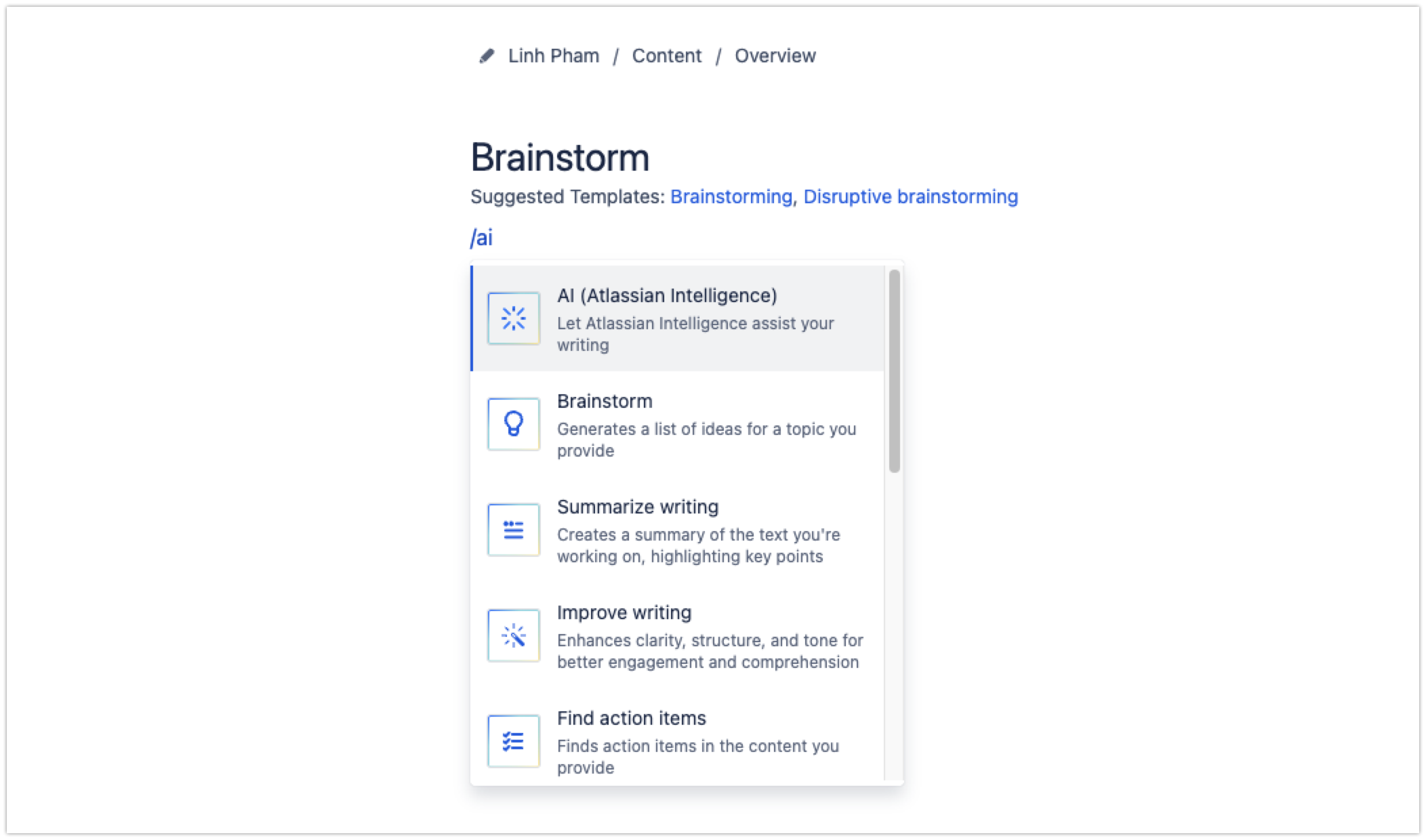
The advent of Atlassian Intelligence adds a new dimension to knowledge management in Confluence. The best part is you can enjoy Confluence AI's powerful features where you’re already doing work: from the editor or through Confluence search.
- Instant access: AI-powered search gives you immediate answers through search, so more going through each search result to look for the right information.
- Quick insights: Leverage page summary to save time on reading long content, plus the ability to generate meeting notes and action items. It can also demystify company-specific concepts, jargon, or acronyms on the spot.
- Optimized content creation: Let AI do the initial draft to get your creative juice flowing! Using AI suggestions, you can quickly spin up content based on prompts - no worries about writer’s block!
Read more about Confluence AI here: Use Atlassian Intelligence to help write or edit content
As you can see, the effectiveness of Atlassian Intelligence relies heavily on the existing content on your site. Imagine having tons of pages with contradicting content due to a lack of content life cycle management, it won’t help AI generate the most reliable information.
So, we’ll tackle the most important topic next: content management.
🗄 Best practices for content management
There are many common practices you’ve heard a lot about: using page templates to get started quickly, leveraging macros to build engaging pages, establishing governance and content workflows, etc. In fact, Atlassian has compiled the complete resource on Confluence best practices.
We’ll highlight only the key learnings from our experience maintaining internal and external Confluence content.
- Content ownership: You can easily assign or transfer page ownership to ensure accountability and quality for important content.
- Content moderation: Implement moderation processes to ensure the accuracy and relevance of information shared on your Confluence. Utilize native features like page status and automation rules (Premium feature) to maintain page relevancy.
- Content discoverability: Content is only useful when it’s getting seen. You’d want to encourage more users to review and share content openly across the site. Use macros that embed content from other pages can be a great way to achieve this.
🎊 New Year’s resolution: Tidy up Confluence for improved navigation and content management experience
We’re excited about the future of Confluence AI and how to make the most of it in 2024. If you’re looking to revamp your site to start taking advantage of recent Confluence feature improvements, we’ve got your back!
We’ve developed Pages Manager for Confluence to help you:
- Get a birds-eye view of content from all spaces across your Confluence site
- Review the space list and restructure page hierarchies right as simple as working on a spreadsheet - simply drag-and-drop
- Quickly gather information about your pages, such as authors, page status, labels, and restrictions
- You can perform bulk page operations like copy, move, archive, or delete while auditing the page info
- Last but not least, the app will display alerts for old pages so you can consider updating them
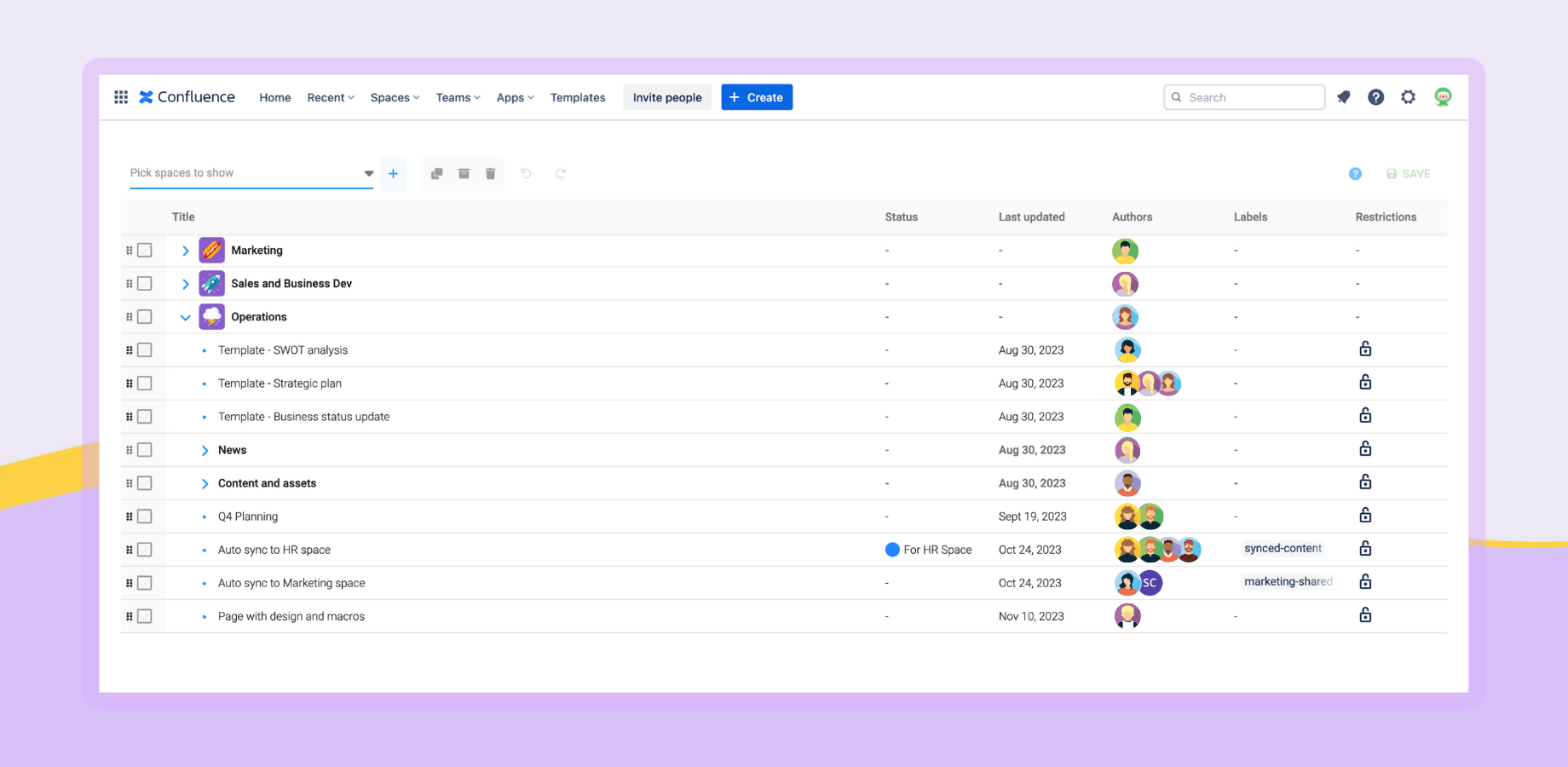
You can use it completely free! If you have any suggestions to improve it for your team, we’d love to hear from you!
Submit feature requests


