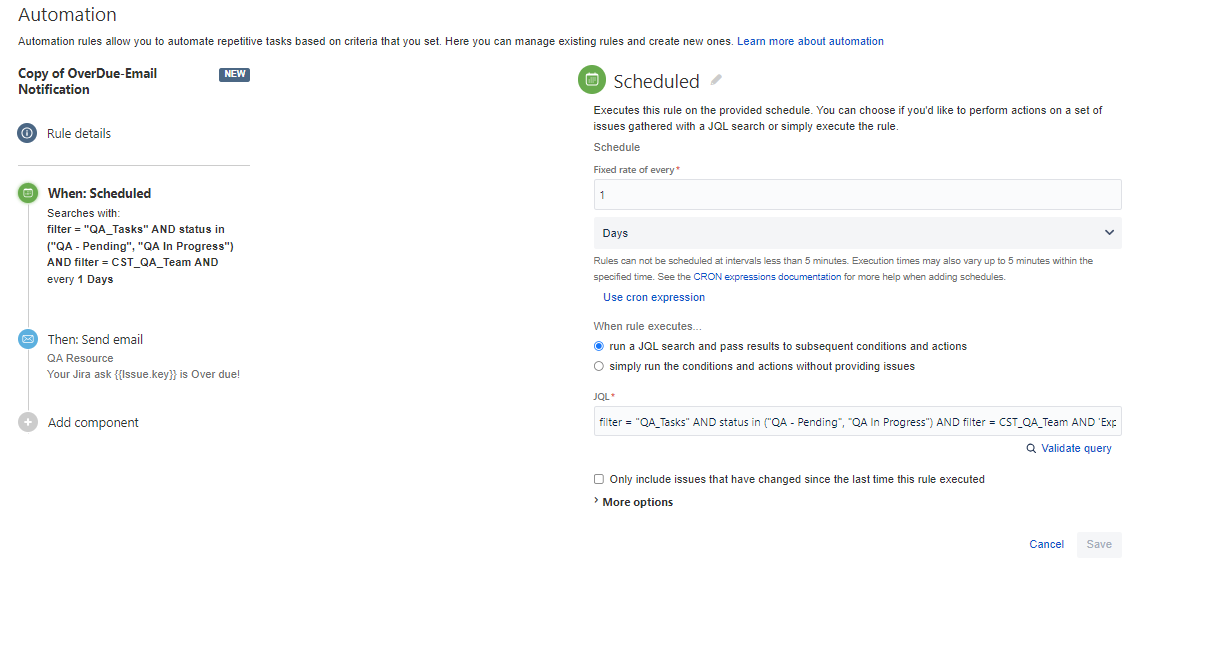
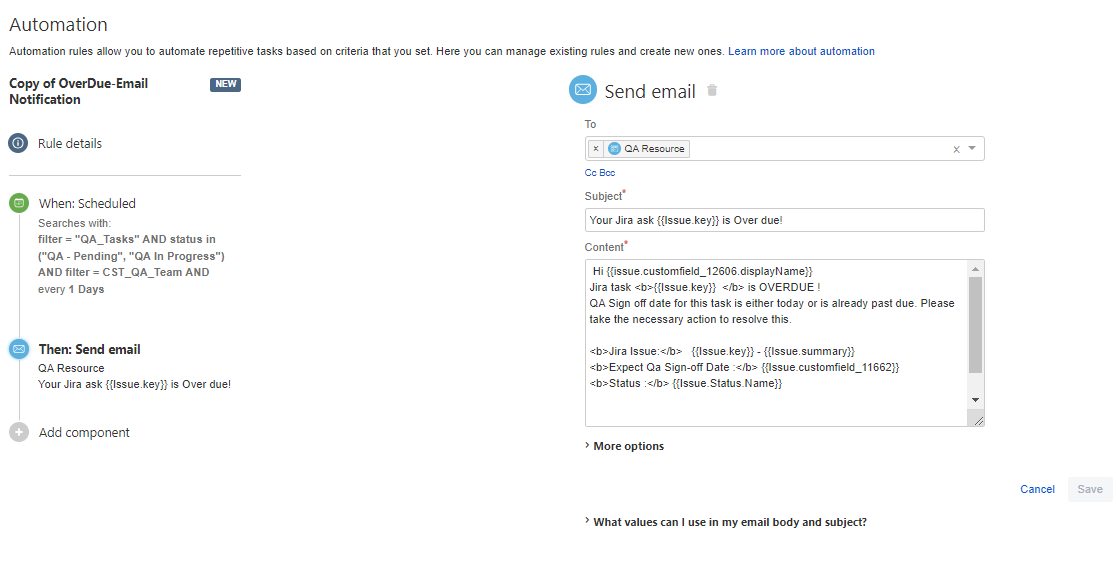
I want to find and cancel the scheduled email notifications in Jira. I have created a Jira automation rule to check if a task is overdue and send an email to the assigned resource. The JQL provides the correct Jira issues to be sent out via email. However, the emails are being scheduled to be sent out even when conditions in Jira are changed, and they should no longer pass the JQL query. I have now disabled this rule, but I am still receiving notifications for those Jira issues that were scheduled to be sent out earlier. How can I find the scheduled email notifications and cancel them in Jira?
Here is my automation rule and audit detail where a jira issue was selected but it shows scheduled to send email. Please help.