Hello Community,
I'm trying to create an automation rule to update the Company, Department and Office asset object fields based on the value in my "All branches" assets objects type field.
I have mobile VIP tech support agents that we're trying to accommodate, and updating three fields is two too many...
I'd like to be able to have them only fill out the "All Branches" (customfield_10217) field and to scrape the rest of the required info from that field.
I'm running into issues crafting the proper series of {{lookupObjects}} and edit issues to get this accomplished.
Asset Schema
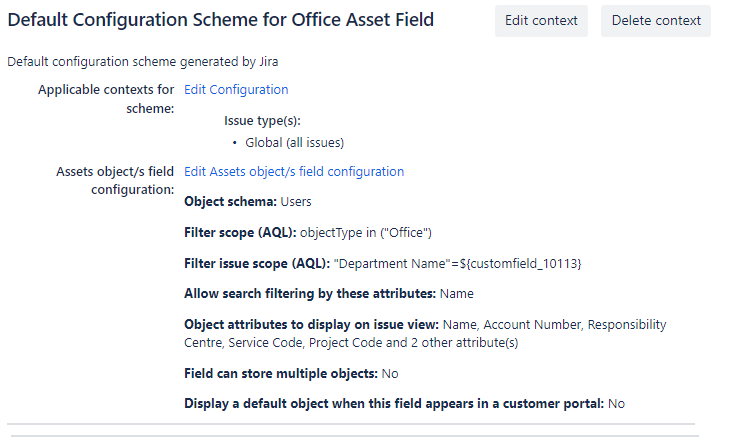
In Department I have a "Company Name" attribute, and in Office I have a "Department name" attribute. How it currently works is that the Department field will change what is populated based on the on the Company field selection, and the Office will depend on the Department field, based on Filter issue scope.
My "All Branches" field has the same Filter scope, but no Filter issue scope, as the Office asset field.
Custom Fields
My Company Field - customfield_10112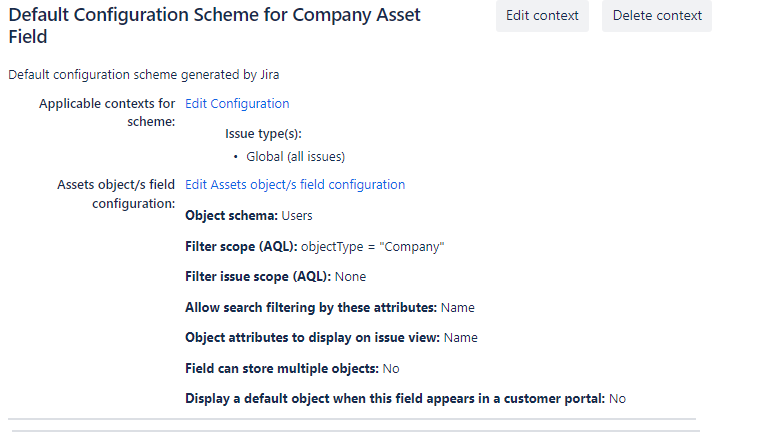
Department Field - customfield_10113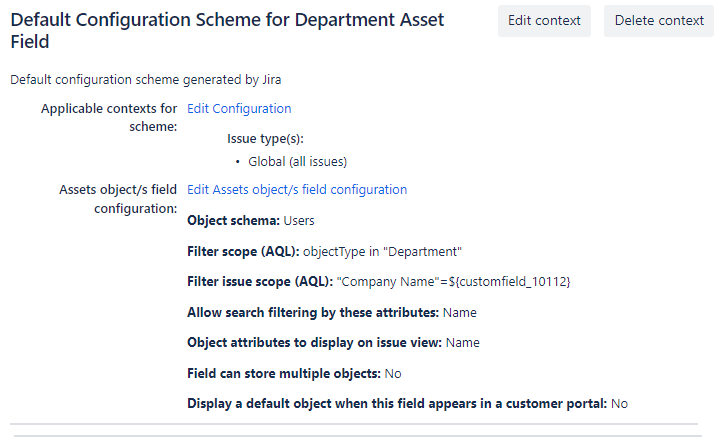
Office Field - customfield_10114
Automation rule errors
My automation rule can currently update the Office Asset Field with the All branches with no issue since they share a 1:1 link, and I can correctly query the lookup object and add it to the audit log, but when I try to edit the issue I encounter
"An error occurred while requesting remote information
Bad Request"
I've snipped my current automation rule, but I can't get it to populate Department yet, haven't even tried Company.
Hoping someone can steer me in the right direction for this.
Thank you


