Please see this post for the latest on Atlassian Intelligence capabilities now available! ➡️ https://community.atlassian.com/t5/Atlassian-Intelligence-Articles/Atlassian-Intelligence-AI-capabilities-are-now-available/ba-p/2554404
Hi everyone,
I’m Daniella, a Product Marketing Manager, posting on behalf of the Atlassian Intelligence team.
I’m excited to announce that we’re making Atlassian Intelligence beta features available for org admins to activate.
This means that the option to enable Atlassian Intelligence features is now available across Atlassian Cloud sites.
How to enable Atlassian Intelligence beta
-
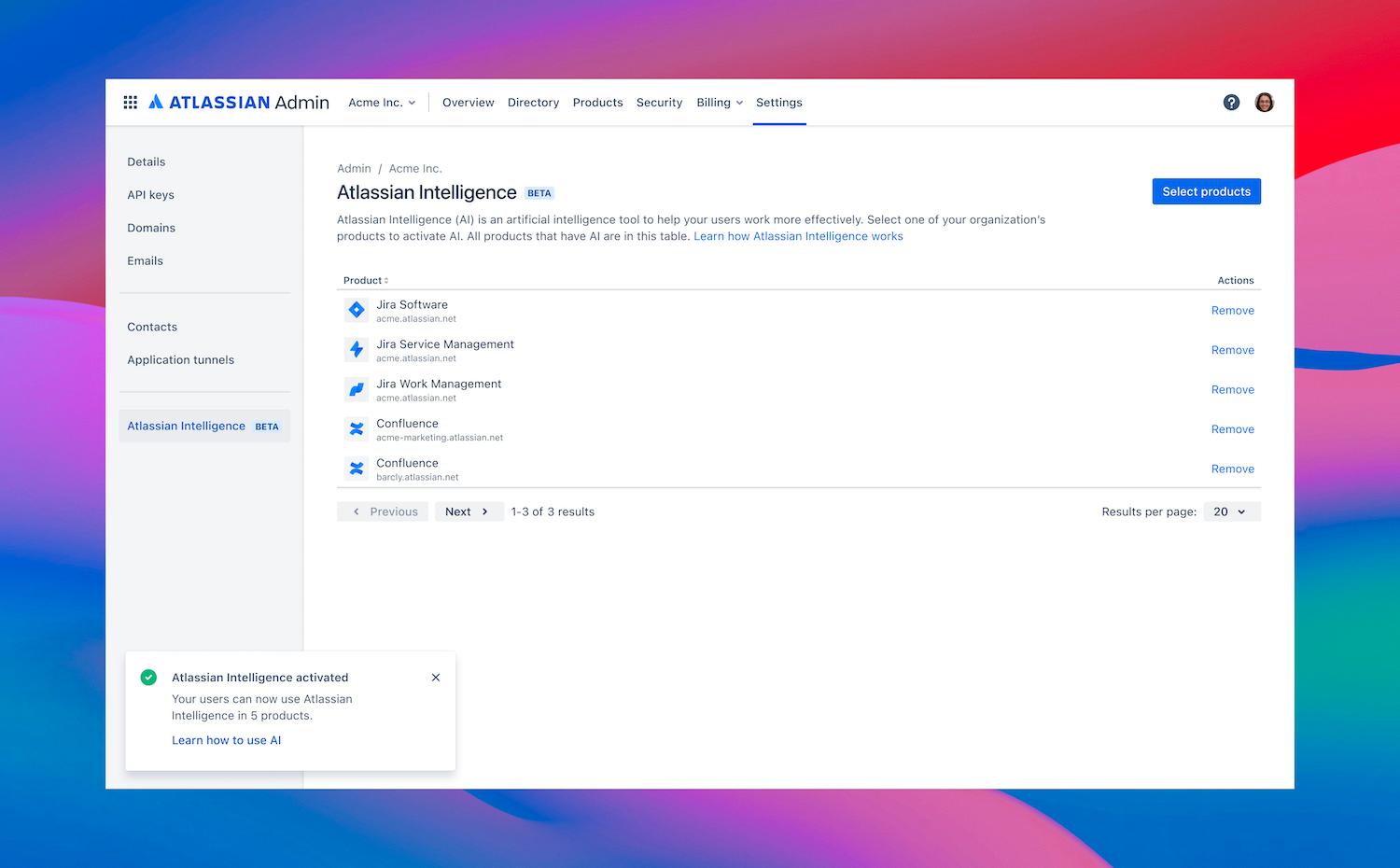
Go to admin.atlassian.com for Jira products, Confluence and Atlas, or Workspace settings on Bitbucket or Trello.
-
Locate the Atlassian Intelligence section and the option to Activate.
-
For those on admin.atlassian.com, you’ll see a list of products in your organization that you can activate Atlassian Intelligence for. Choose as many products as you’d like to activate Atlassian Intelligence for. ℹ️ Only products that have Atlassian Intelligence features available are shown here.
-
Once enabled, every user on your site will have access to Atlassian Intelligence!
What are the benefits of Atlassian Intelligence, and how can teams use it?
Below is a list of what’s currently available or coming soon in Atlassian Intelligence.
Note: Features and updates that are “coming soon” will roll out to your sites over the coming weeks and months. Be sure to check back on this post for updates!
Analytics ✨
| What? |
How admins can use it |
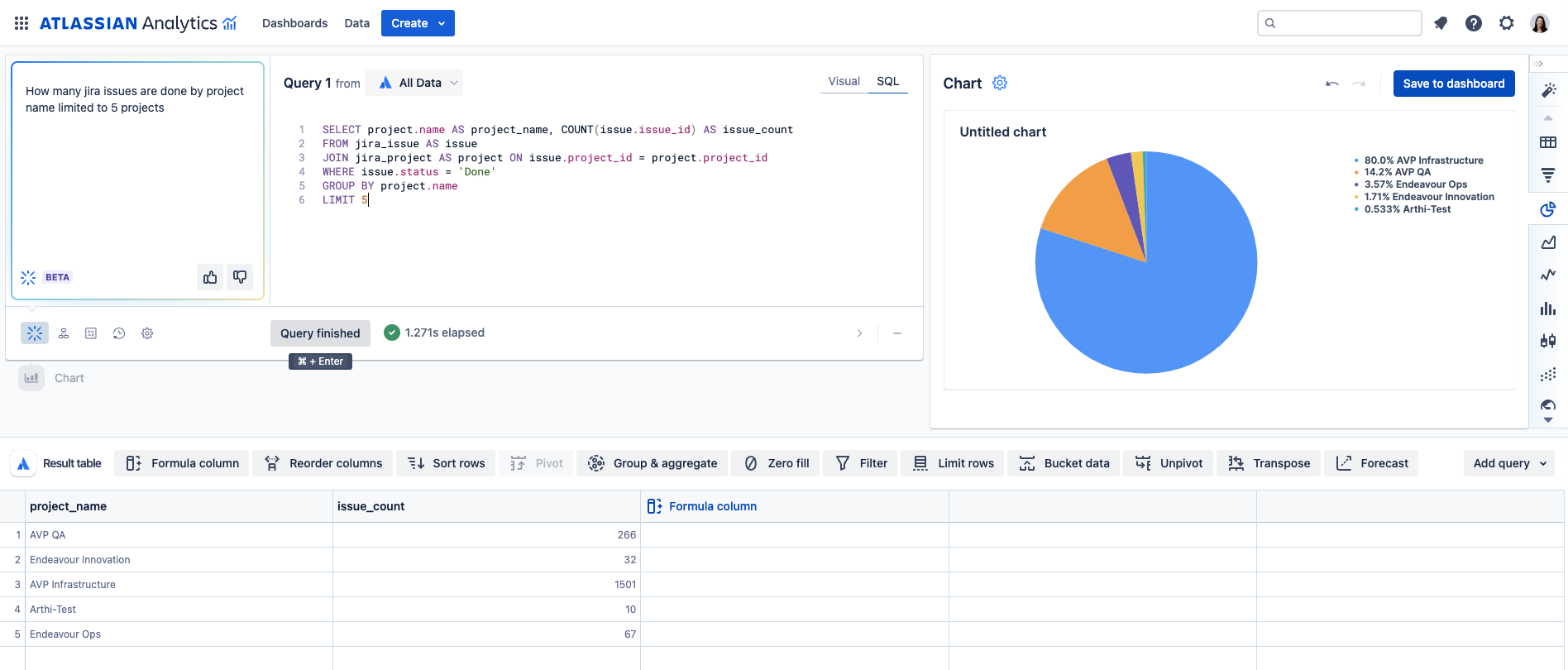
- Translate natural language questions into SQL
|
- Enterprise customers can
ask questions to understand and learn the schema of the Atlassian Data Lake
- These key answers can be used to build charts for use on Atlassian Analytics dashboards
|
How it looks / Learn how to enable it.
Jira Software & Jira Work Management ✨
| What? |
How teams can use it |
-
Generate, transform, and summarize content while you’re writing
-
[Jira Software] Use natural language instead of Jira Query Language (JQL) when filtering for issues
|
-
Generate release notes
-
Write user stories with acceptance criteria
-
Change the tone of your descriptions, comments, and responses to improve communication
-
Summarize your updates or comments and identify action items for a succinct overview
-
Brainstorm updates for user stories, edge cases, or TL;DRs for leadership
-
Brainstorm suggestions to remove a dependency, move work forward, or align on a solution
-
Identify and extract action items from selected content
-
[Jira Software] Easily access issues without needing to know JQL, even across complex criteria
-
[Jira Software] Better understand JQL, as the JQL translation string will be generated along with your search results
|
▶️ See it in action / Learn more:
Jira Service Management ✨
| What? |
How teams can use it |
|
|
-
Draft fast responses on tickets
-
Repurpose responses to publish new knowledge base articles
-
Generate responses based on information in your knowledge base
-
Summarize an issue’s activity history for a succinct overview of key points
-
Streamline intent creation using suggested intent templates based on historical ticket data
-
Automate common actions like software access or password resets
|
▶️ See it in action / Learn more:
Confluence ✨
| What? |
How teams can use it |
-
Generate, transform, and summarize content while you’re writing
-
Ask any question in the search bar and get relevant, contextual answers
-
Turn natural language to SQL in Atlassian Analytics (coming soon)
-
Understand your company’s jargon, products, and acronyms (coming soon)
-
Get a quick summary of the takeways on any page (coming soon)
-
Automate repetitive tasks (coming soon)
|
-
Make your writing more concise and readable, summarize long-winded content, clean up writing, fix grammar, or change tone, depending on your audience
-
Kickstart creativity by brainstorming ideas for content, or find action items for next steps
-
Search for answers and pages based on the latest information in Confluence
-
Highlight any word, acronym, or phrase and ask AI to explain it and provide context (coming soon)
-
Generate a quick summary of an entire page’s content without needing to spend hours reading (coming soon)
-
Describe a repetitive task to automate in simple terms, and Atlassian Intelligence will create rules to automate it (coming soon)
|
▶️ See it in action / Learn more:
Bitbucket✨
| What? |
How teams can use it |
| Generate, transform, and summarize content while you’re writing |
-
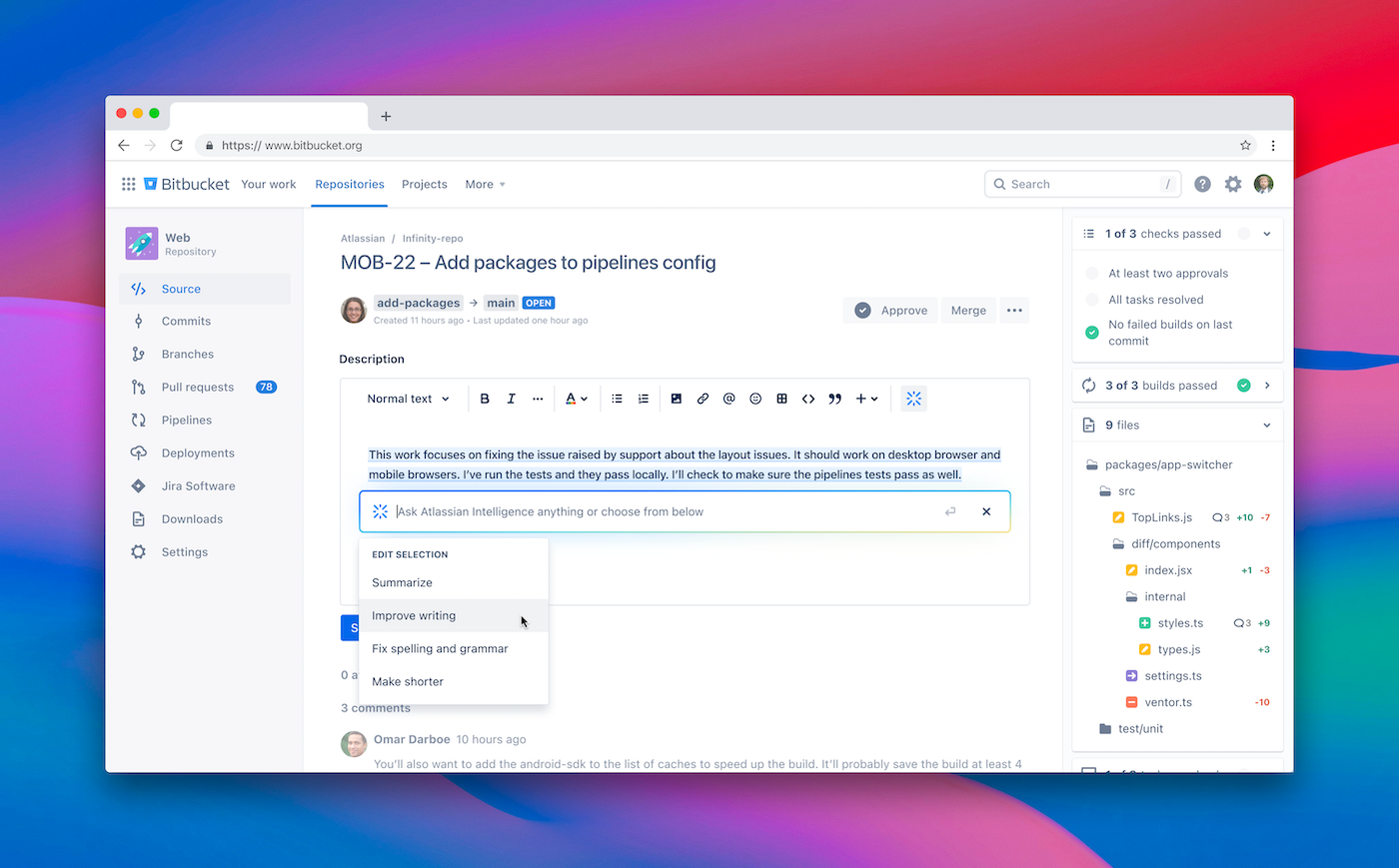
Assist in writing pull request descriptions
-
Generate comments using custom prompts
-
Change the tone of your description and comments to improve communication
|
▶️ How it looks:
Atlas ✨
| What? |
How teams can use it |
|
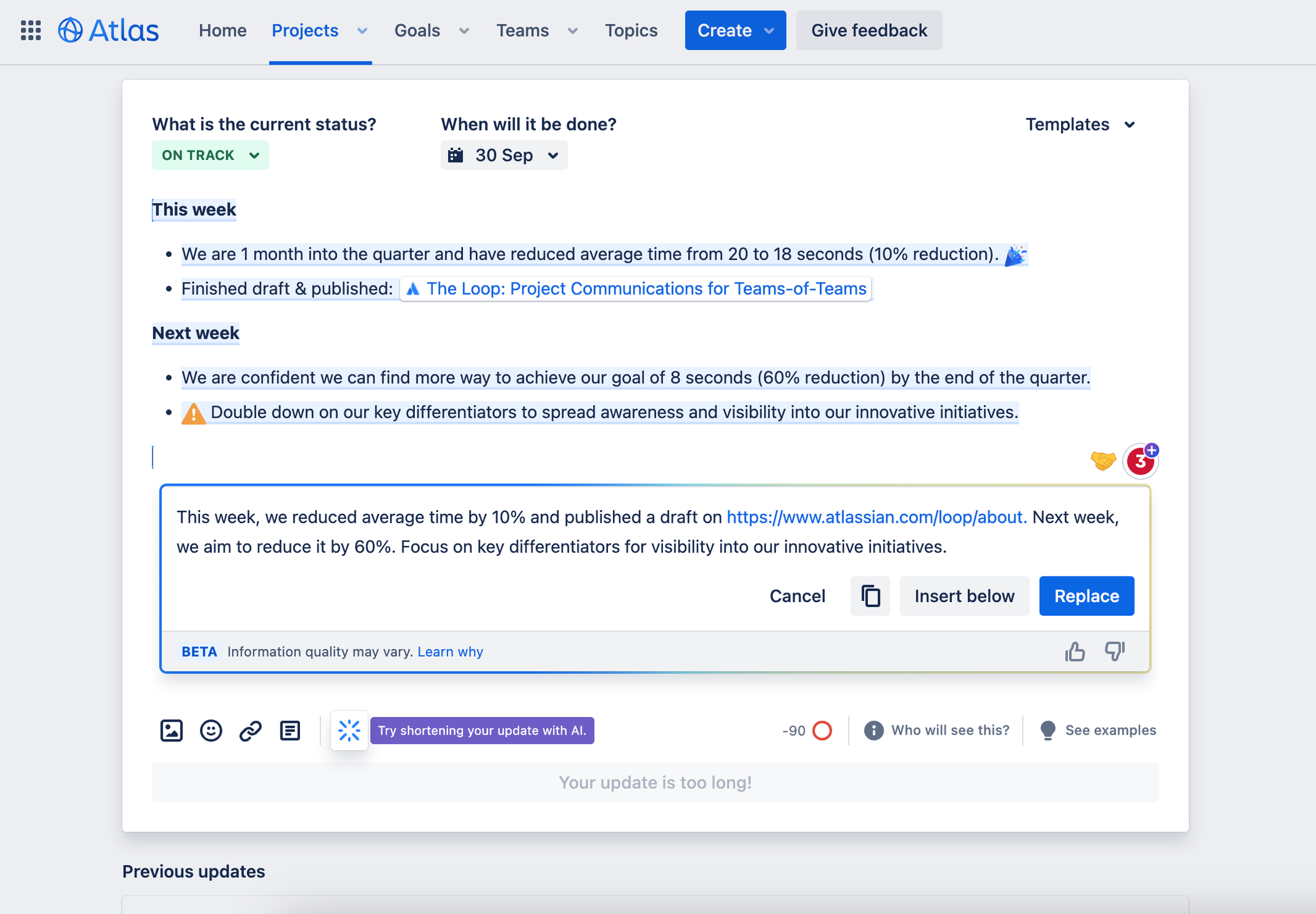
Shorten progress updates
|
Shorten weekly Atlas project updates to make them more concise and clear
|
▶️ How it looks:
Trello ✨
| What? |
How teams can use it |
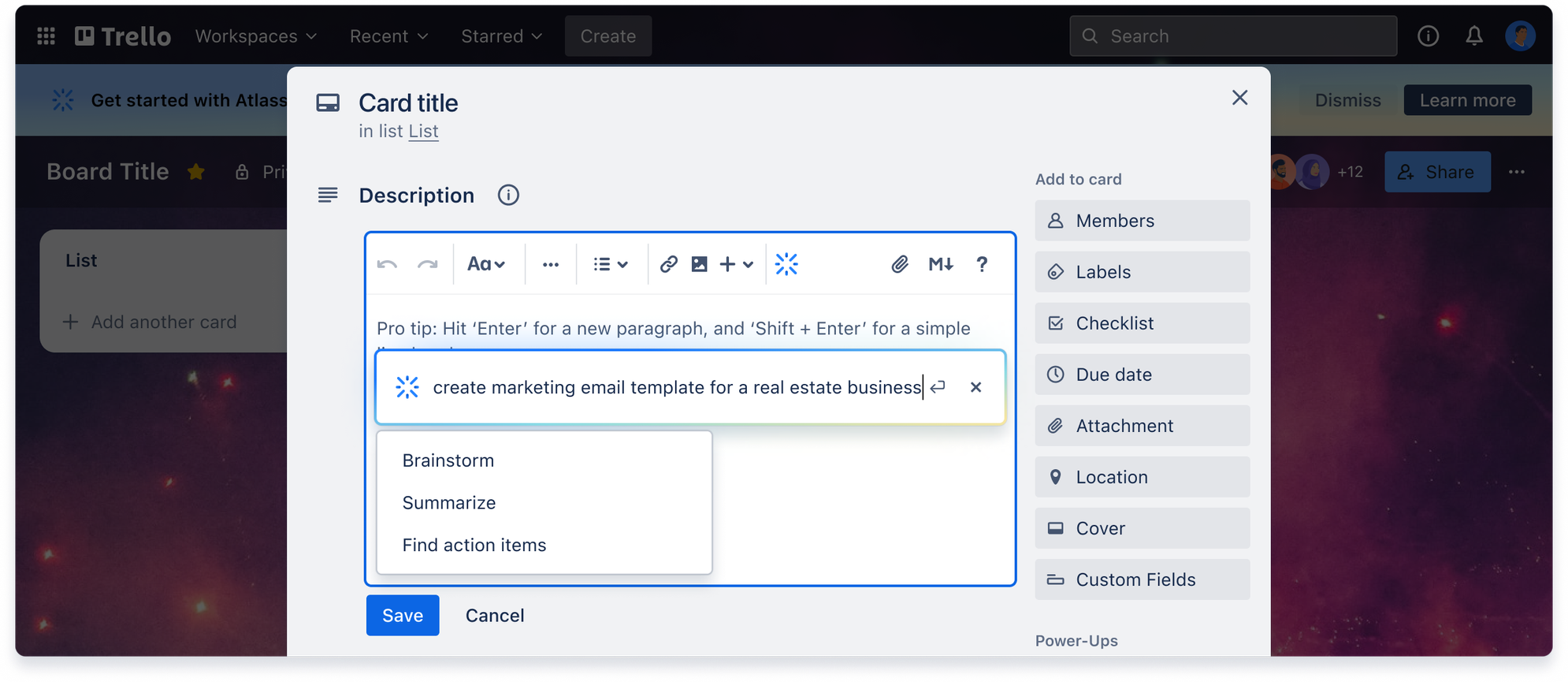
| Generate, transform, and summarize content while you’re writing |
-
Create clear and concise summaries of your ideas, kickstart your creativity, and save time summarizing notes
-
Generate text with custom prompts to create new content or to answer questions
-
Summarize content to improve communication and collaboration across your teams and stakeholders
|
▶️ Get more guidance in the Trello support article
Atlassian Intelligence is built for trust
Atlassian takes your privacy seriously, and we work together to handle your data responsibly. Our Privacy Principles and Privacy Policy are applied to Atlassian Intelligence. Additionally, in building, deploying and using Atlassian Intelligence, Atlassian is guided by its Responsible Technology Principles.
As users of our own products, we’re truly building the products and privacy protections we want to work within. Still have questions? Learn even more by visiting our trust center.
How can I share my feedback?
You can ask questions and share feedback in a couple of ways:
-
Share feedback directly in the product when prompted - your 👍 👎 and additional feedback helps us a ton!
-
Comment or ask questions in this post, or ask another question for the group
-
From time to time, we’ll also host AMAs and reach out for feedback in this Community group
As we continue to develop and iron out kinks, we’re eager to hear all you have to say about how you find Atlassian Intelligence features.
Cheers,
The Atlassian Intelligence team


