👋 Avinoam from the Confluence automation team here again and today I'm happy to announce how we're starting to make Automation for Confluence more discoverable and contextual!
Automation as a main item in the sidebar
Gone are the days of Automation being hidden away in Space Settings! Space Admins can now see Automation directly in the sidebar for better find-ability and quicker navigation.
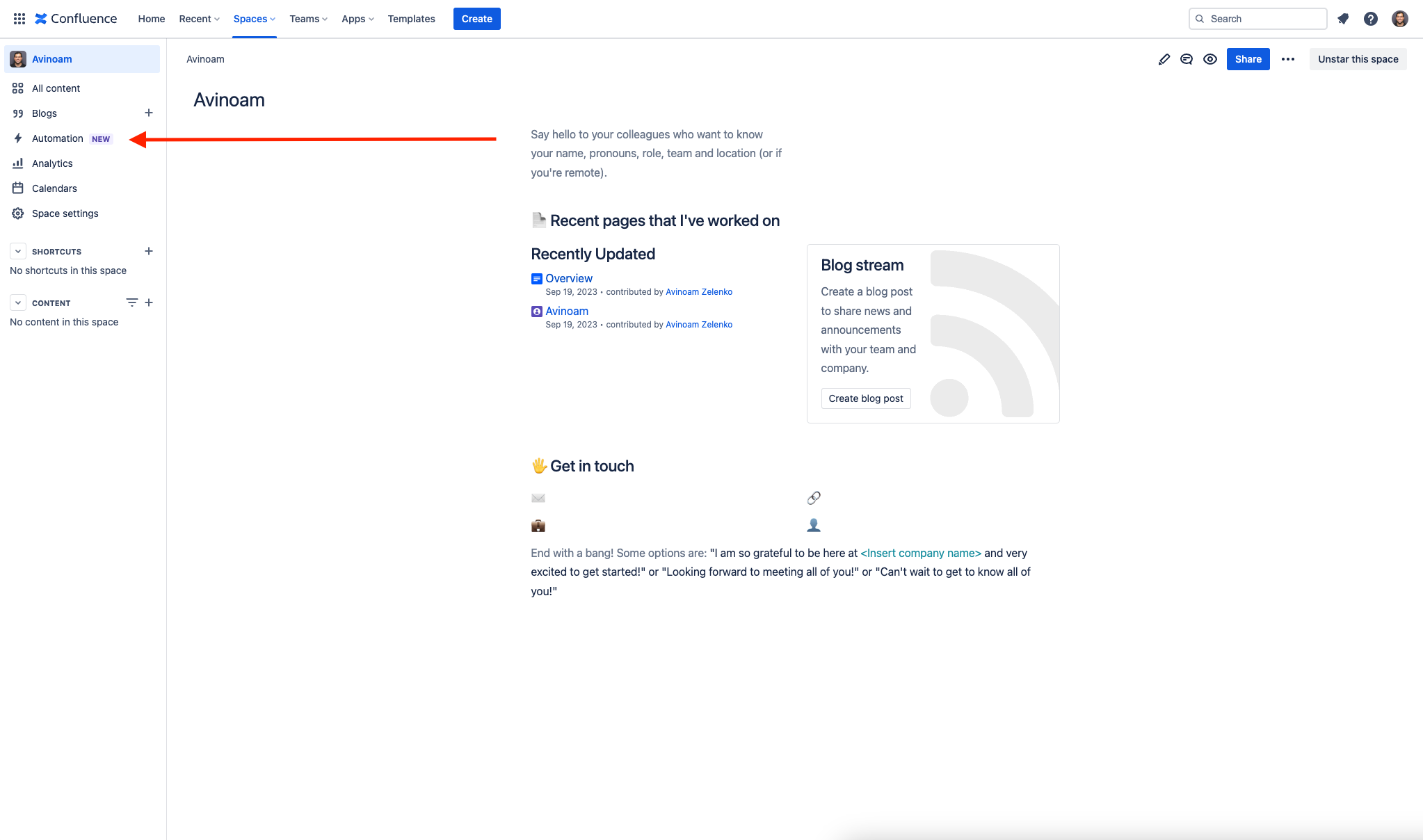
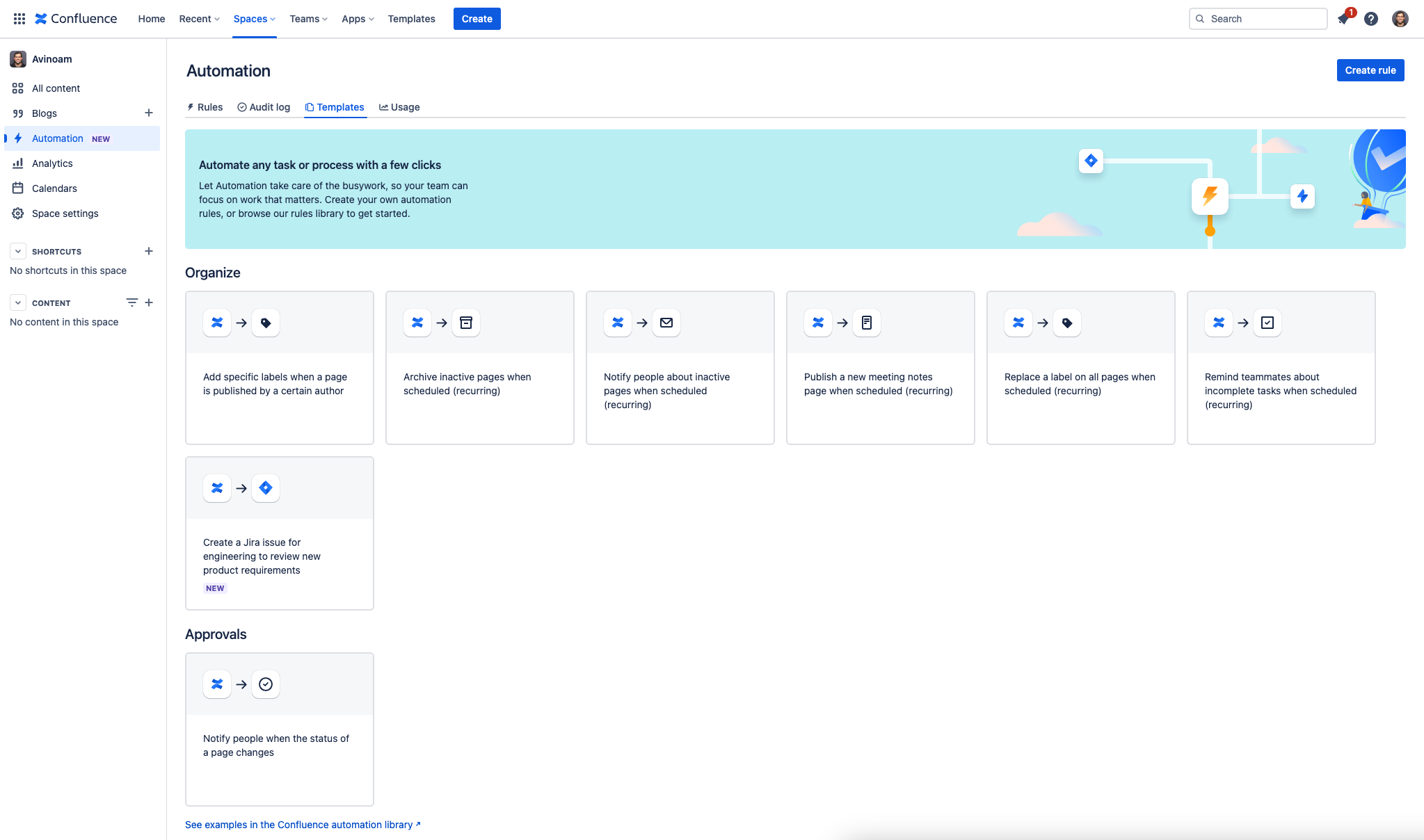
Clicking on Automation in the sidebar will land you right in the templates tab where you can choose which template you want to use to create your next rule. If you want to manage any existing rules, you can quickly navigate to the Rules tab within Automation.
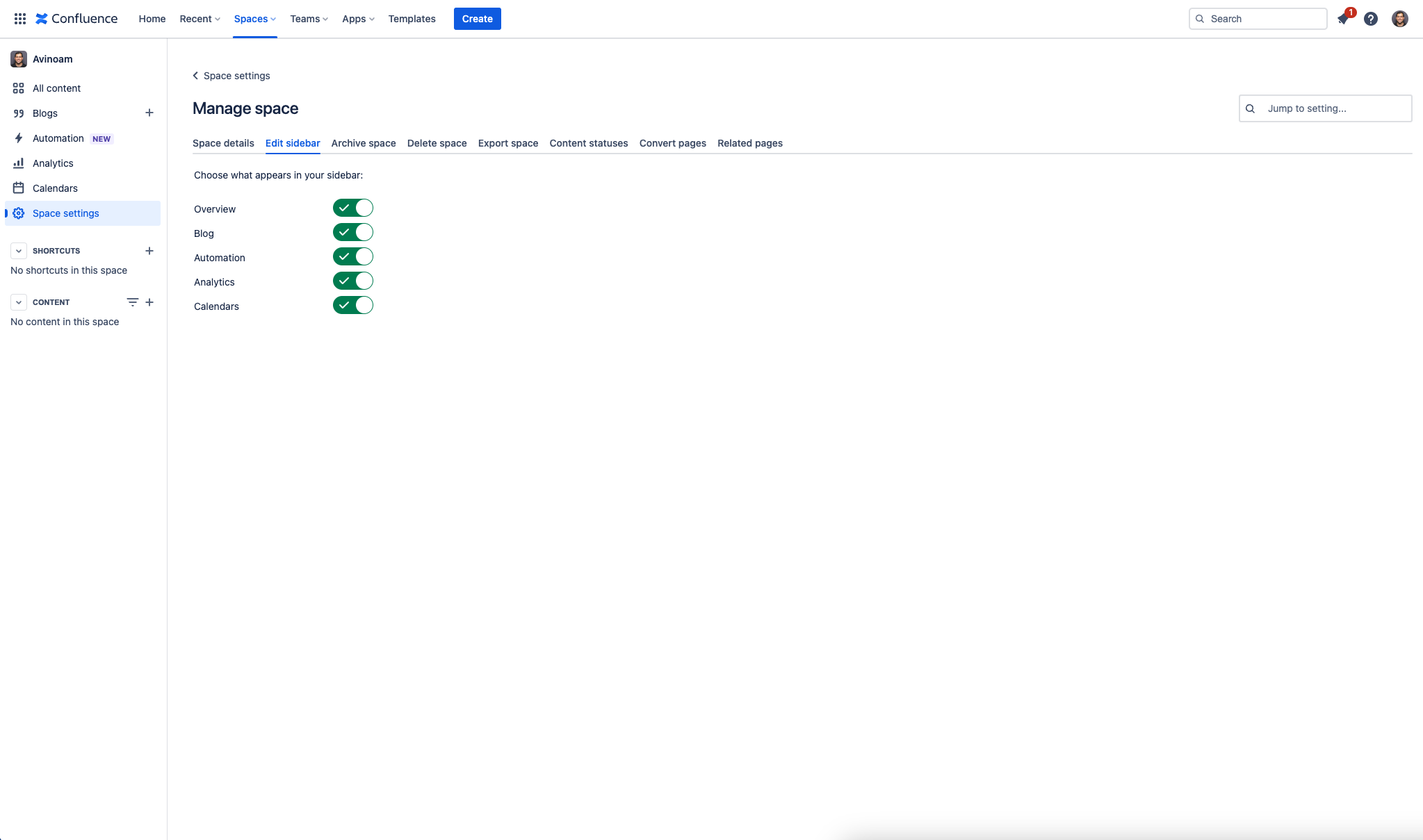
Space admins will also have control over displaying this, just like any other item in the sidebar.
Contextual Recommendations
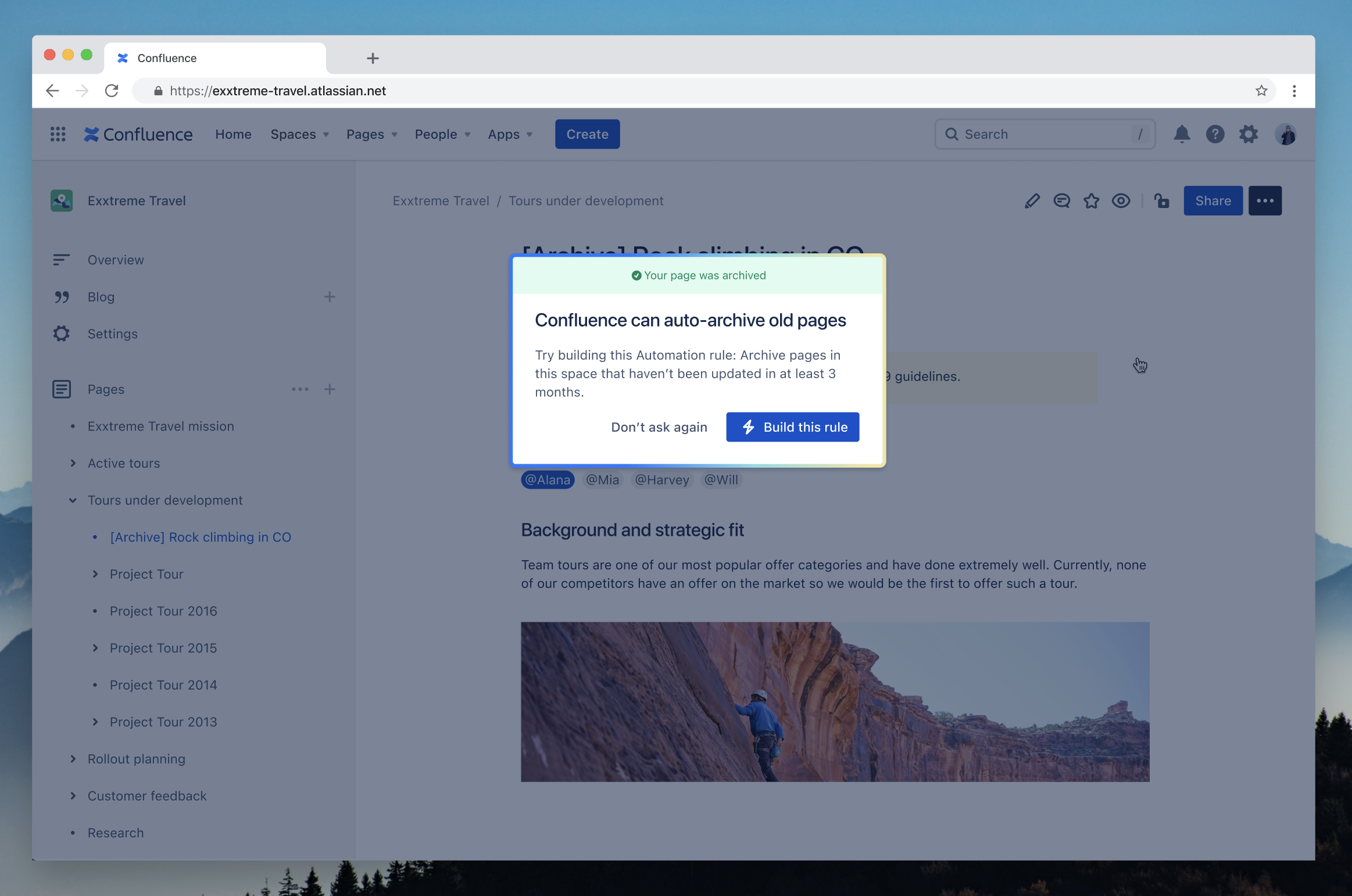
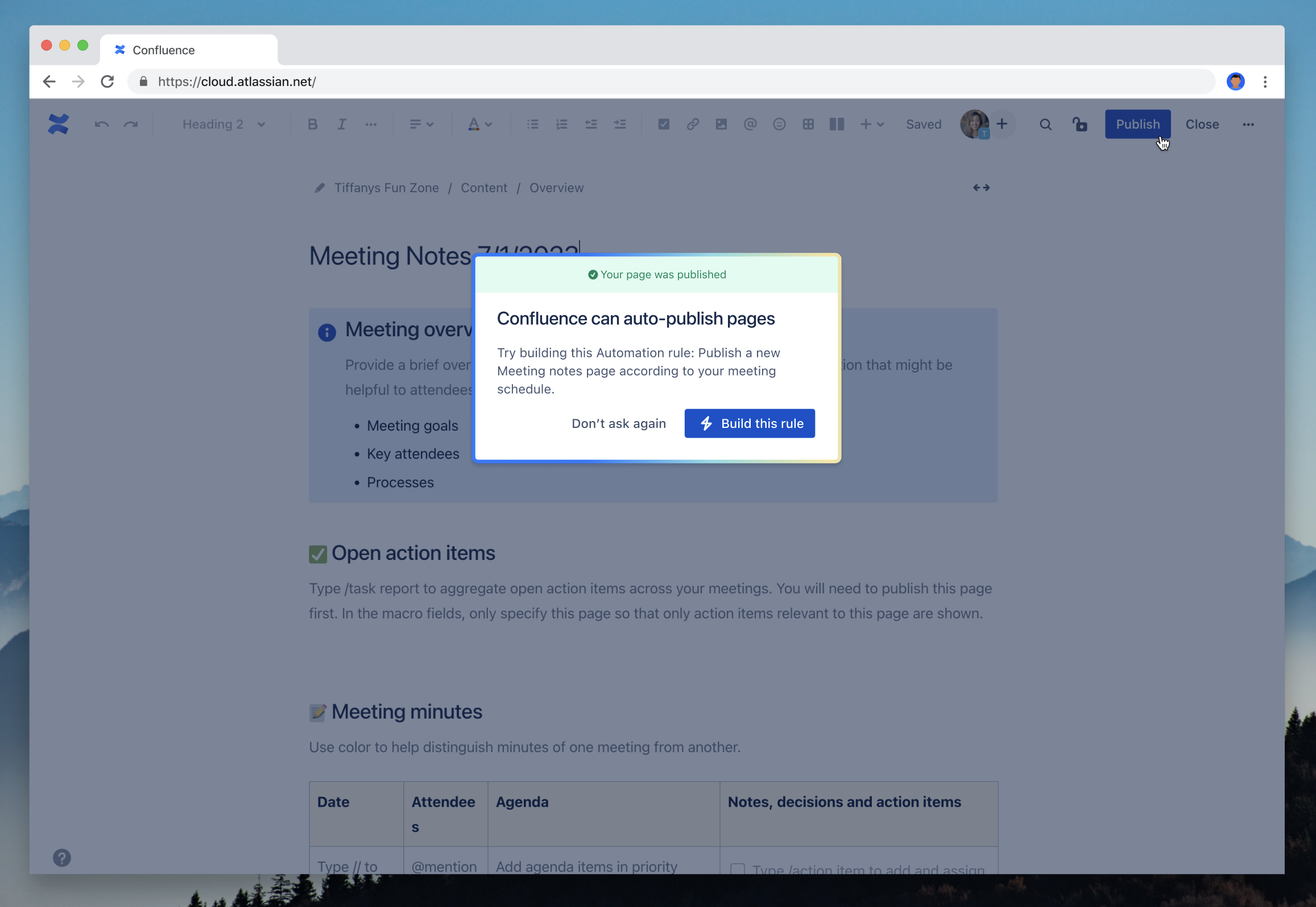
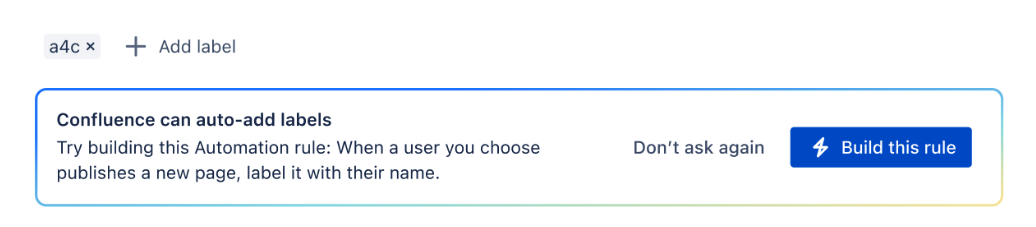
As space admins, when you take the time to clean up your space by either archiving, publishing meeting notes, or adding labels to pages - we'll occasionally jump in an recommend if a task can be automated. For example:
When archiving a page
When publishing a meeting notes page
When adding a label to a page
We hope these additions will help you as space and global admins increase speed of navigation to automation as well as the internal awareness of automation so that more of your organization can leverage it to become more productive!
When will these be available?
We’re currently rolling these changes out gradually to all Confluence Premium and Enterprise customers so some of you should already have access and those who don’t should have access in the next few weeks!
ℹ️ Friendly reminder: Automation is only available in Confluence Cloud Premium and Enterprise. If you’d like to try it out, you can start a free trial in your admin portal under manage plans.
We want to hear from you!
We’d love your feedback so please feel free to schedule time with us directly here or drop a comment on this post 


