Hi everyone, we’re back with a new set of product updates to share! Read on to see what’s new and coming soon with Atlassian Analytics and Atlassian Data Lake.
✨ Recently shipped
New table charts
The new table charts experience was rolled out recently and includes features such as search, pagination, sorting, scrolling, subtitles, and heatmaps. See this Community post for more details and what actions you need to take in order to migrate your existing table charts to the new table charts.
Expand chart
The “Expand chart” option lets you see a larger view of your chart in a pop-up. Try it now:
-
Hover over a chart on the dashboard.
-
Select More actions > Expand chart.
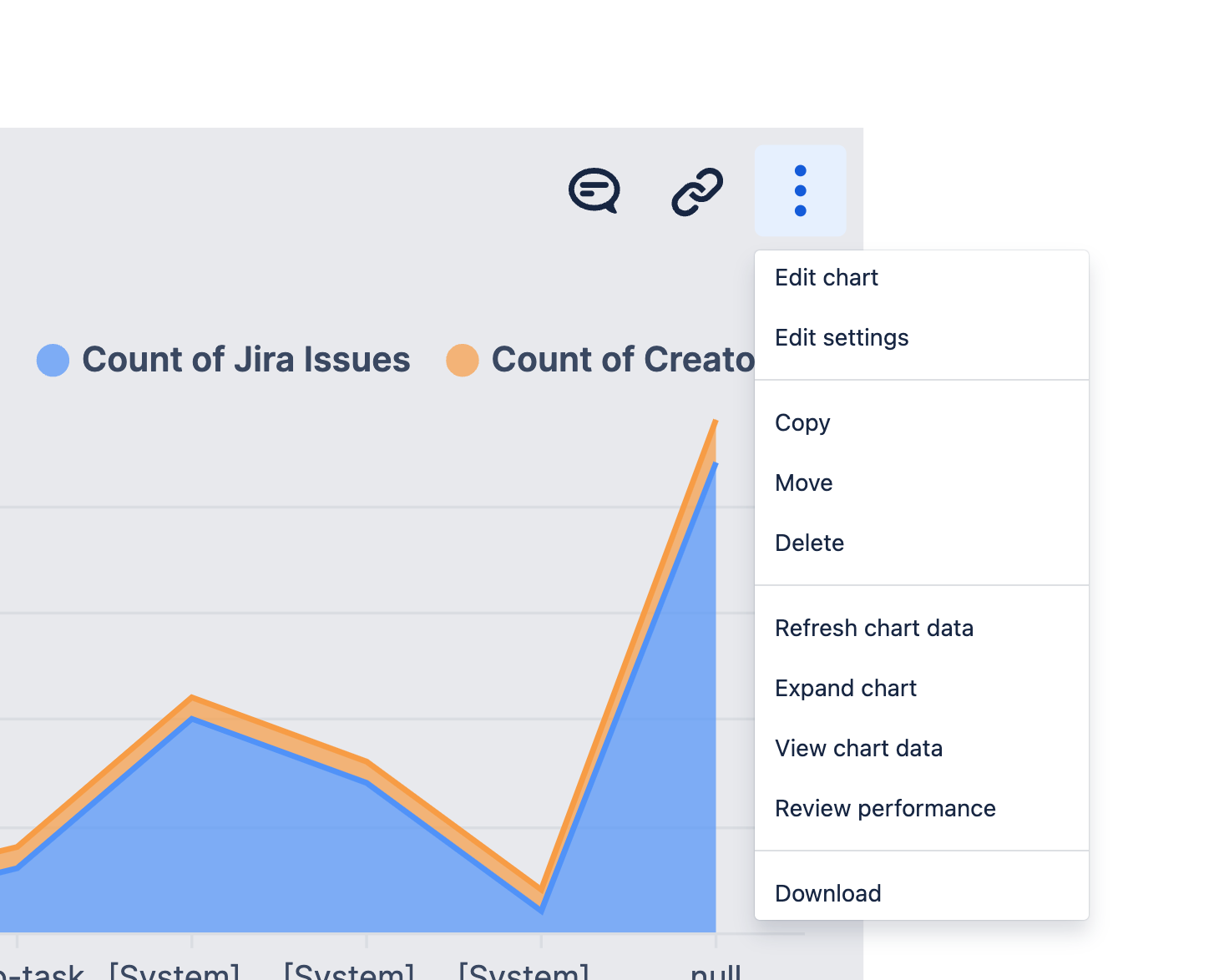
Note that single value, single value indicator, and funnel charts do not support this option.
Issue hierarchy improvements
We’ve started the process to include more parent data in the “Parent” field of the Data Lake. For the next two weeks, you may experience partial parent data in the “Parent” field. Read our post for more details.
Improved in-product help menu
We have added helpful links such as those to documentation, help articles, and the Analytics Statuspage, to the help menu located on the top right of any page in Atlassian Analytics. Additionally, the feedback button is now a link in the in-product help menu.
👀 Coming soon
Ability to connect to Google Sheets
Bring in supplemental data from your Google Sheets spreadsheets to use in your charts and dashboards.
New column in the Opsgenie “Notification” and “Account settings” tables
We’re introducing the Destination column in the Opsgenie “Notification” table, which will provide the destination of the notification (for example, email address, phone number, and so on). Additionally, we'll add Time zone and Is blocked columns to the “Account settings” table, which will respectively show the time zone of the Opsgenie account and whether or not the account is blocked.
Faster query performance for 4 Jira tables
To address performance concerns, we will be introducing efficiency changes to four commonly queried Jira tables: jira_issue, jira_issue_cycle_time, jira_issue_status_history, and jira_project. With this change, it will now take up to 8 hours for data to refresh in these tables. Read more in the announcement.
📝 September office hours
The Atlassian Analytics product and support teams will be hosting office hours again on September 13th at 10am ET and 4pm PT. If you are stuck on a chart you’re building or have questions about using the product, we’d love to hear from you! Register now to save your spot.


