Hi Community friends! 👋
We’re happy to announce that soon, smart queries in quick search will be an optional feature for all Jira Cloud users.
What is smart query?
Smart query is a feature that allows you to find issues through shorthand notation when using quick search.
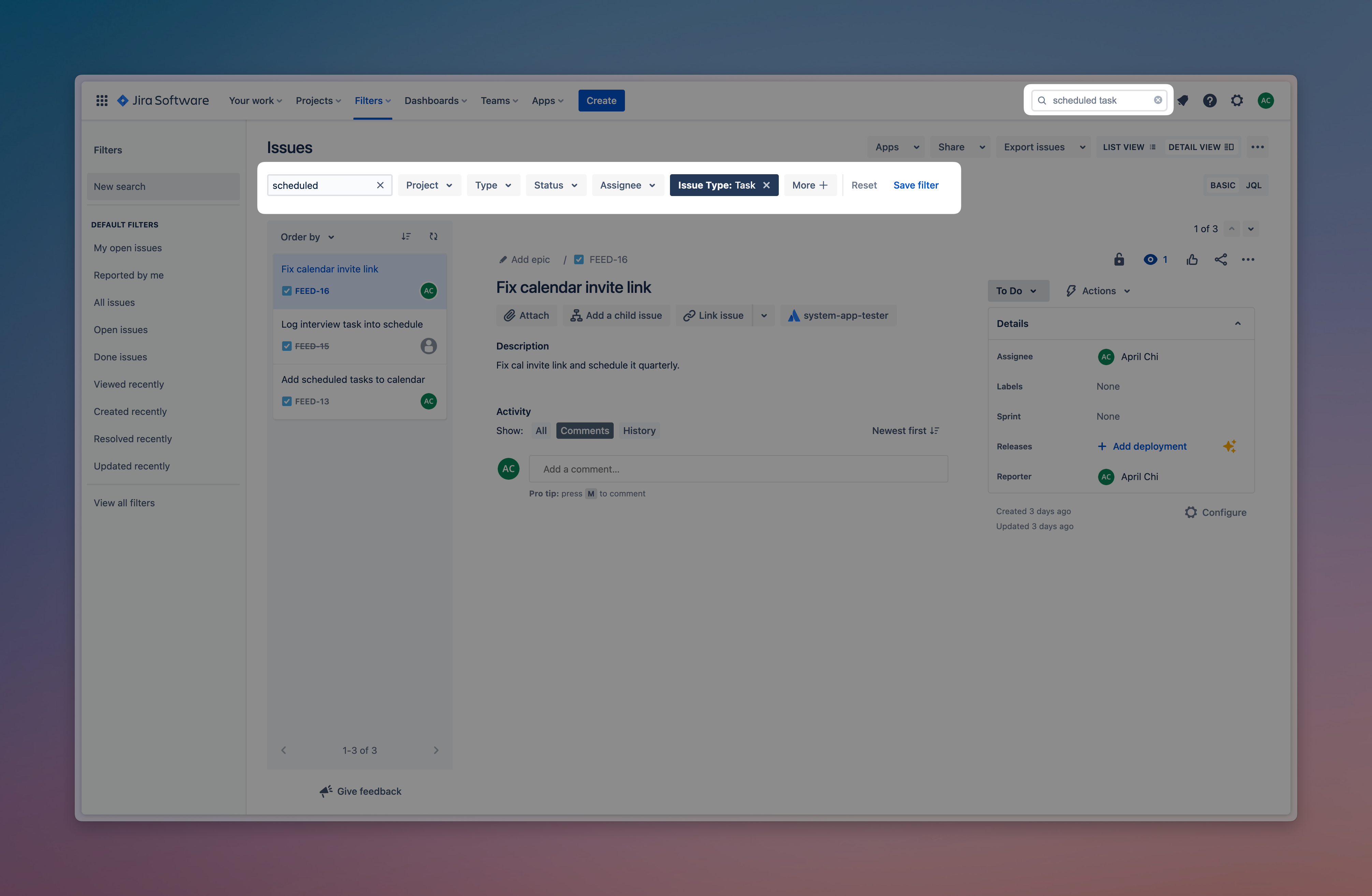
Rather than perform an advanced search or sift through filters, smart queries allow you find issues with less typing. For example, typing user feed bugs will lead you to a list of issues that match user feed and is of a bug type. View a full list of the available smart queries
Why are we making this change?
Smart query is a feature that is applied automatically to all quick search queries.
Currently, you’re unable to turn this off, and will need to edit your search query if the results are not what you intended. We heard from many of you that this is frustrating, often leading to more clicks and additional time finding what you needed.
We’re making smart queries optional to improve the quick search experience for all users.
How this change will affect you?
We plan to begin rolling out this change from 29th May 2023. When this happens, smart queries will be turned off by default.
This means that if you utilise smart queries often when using quick search, you’ll need to turn it back on in your personal settings. To do this:
-
In the top right corner of your Jira Software site, select Settings > Personal settings
-
Scroll down to Jira labs > Quick search smart queries
-
Click the toggle to enable smart queries
Please comment below if you have any questions. Thanks all!


