
☁️ Cloud Migration dilemmas
We all know that a migration to the Atlassian Cloud is not done using a simple push button, especially when Jira Software and/or Jira Service Management was used by a thousand or more users and during severals years.
One of the main challenge during a migration to the Atlassian Cloud is to migrate workflows in order to keep teams processes and work aligned. Some workflows can be implemented with apps such as JSU, JMWE or JWT (for the most famous ones), using specific properties on status, triggers, conditions, validators and post-functions.
Features can change between apps versions for Server / Datacenter and Cloud, Jira Cloud Migration Assistant (JCMA) will surely migrate a part of all workflows implementations, but this tool is perfectible and in constant improvements. Manual edits and fixes will be necessary.
During a big migration from Server to Cloud for one of my customer, I wrote a console script using ScriptRunner for Jira app to help me and the migration team:
- to get a full overview of where and how apps are used in workflows,
- to learn and review how workflows are implemented in details,
- and finally successfully migrate each active workflows to the Atlassian Cloud.
⚙️ Script it to gain control
Especially for all Jira Server or Datacenter platforms with a bit of history, having to manually check a hundred or more active workflows is something that will take a lot of time… really a lot of time… Scripting will help to automate the check and gain time on assessing and building the migration process.
What’s the script doing? For each active workflow, you will be empowered to:
- view the number of projects and projects keys linked or associated with the workflow,
- view if the workflow is opened as a draft or not,
- view workflow implementation in details, sorted by status and transition ids:
- defined properties on each status of the workflow
- triggers implemented on each workflow transitions
- with all details to be able to identify which platform is in used
- conditions, validators and post-functions used on each workflow transitions
- with package names, methods, fields and all details to be able to identify which app and feature is in used
Here is a link to the script repository: https://bitbucket.org/techlead-cloud/community-script-analyse-wf/src/master/
After running the script, you will able to collect an html file (or to see it in the result console), with all detailed informations on active workflows. By searching for apps package or keys (jsu, jmwe, jwt… for example) you will be able to see all apps usages, on which transition or status, for each active workflows.
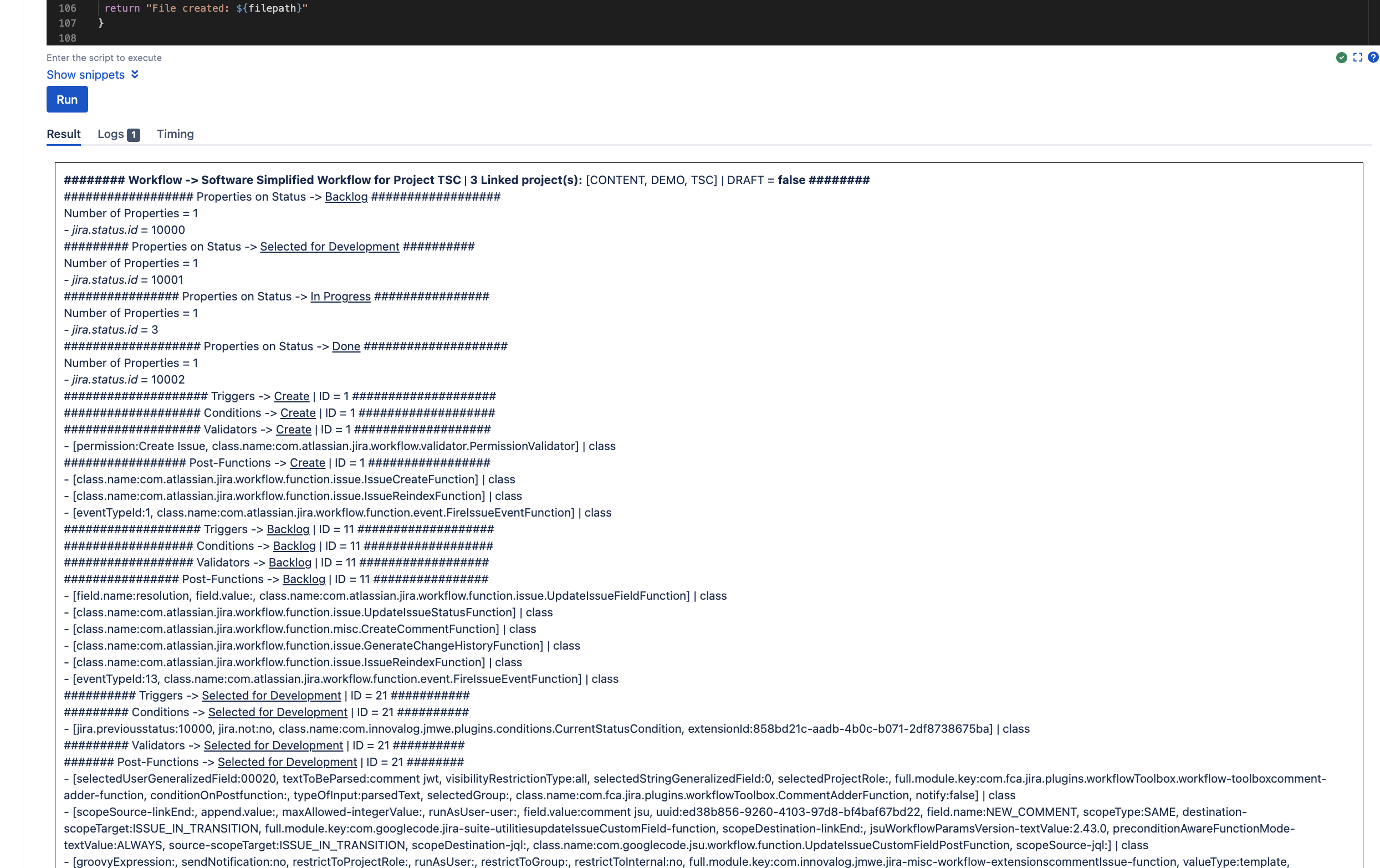
It should work on all Jira 8 and 9 versions for sure. The script was tested using:
- Jira Software Server / Datacenter version 8.20.21 (LTS)
- Jira Software Server / Datacenter version 9.4.5 (LTS)
- Scriptrunner app versions 8.1.0 and 8.2.1
📚 How to…
- Get the script here: https://bitbucket.org/techlead-cloud/community-script-analyse-wf/src/master/
Fork it, copy/paste it, it's wild open to any ideas or suggestions 
- Paste the entire script into ScriptRunner script console…
https://docs.adaptavist.com/sr4js/latest/features/script-console
- Hit the Run button...
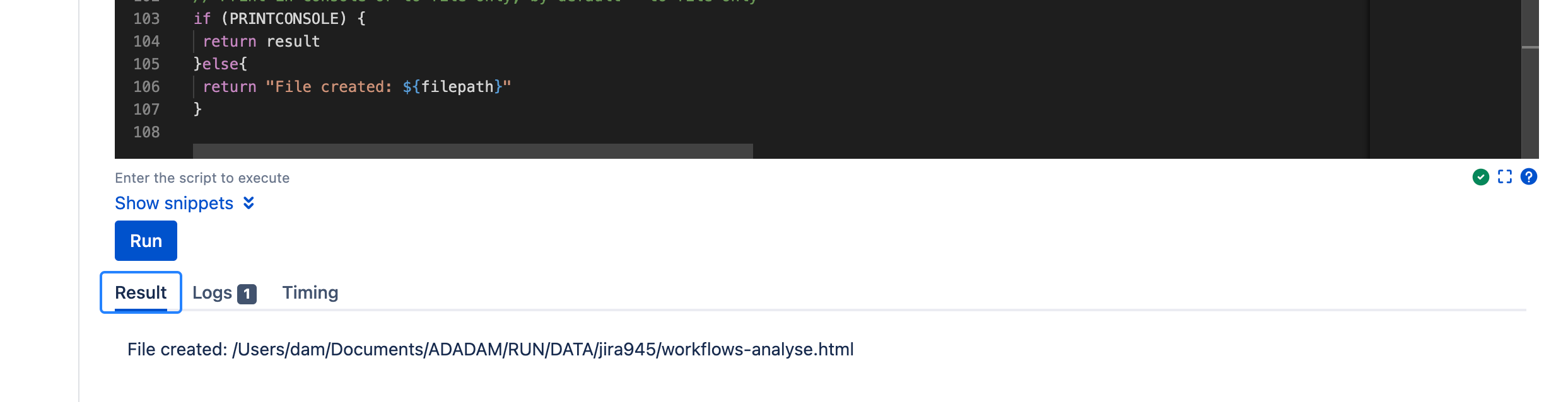
- Get the result by downloading the file on the server in Jira Home Directory, the name of the file is workflows-analyse.html.
To print the results in ScriptRunner results console, just change the boolean value of the variable PRINTCONSOLE to true:
...
// Results as file or print in result console
// Change value to true to print in console
Boolean PRINTCONSOLE = false //true
...
ℹ️ Keep in mind that results displayed in ScriptRunner results console can be truncated as there is a limit on the number of character that can be showed in the results console of the app. If you have a large number of active workflows, it’s much better to collect the file to be able to see all results.
For one active workflow, the generation of the html file will be done in less a second, for 100 actives workflows, the html file is generated in less than 2 minutes.
🧐 Analyse and decide
Using the html file generated from the script, you can now start to analyse your apps usage, count for keys and packages, focus on the most used workflows. It’s also very helpful to clean up workflows on your server/datacenter platform in order to ease the whole migration process to the Atlassian Cloud.
The script will highlight apps with high and low usage in active workflows. An app can typically be used by only one specific team for a specific project or company process. As apps features differ from Server / Datacenter to Cloud, it will help you to decide how to replace an app, with which app you already use a lot and the necessary effort for each possible app sanitization can be evaluated.
After a migration run to the Cloud using JCMA app, the review process is also eased as you can quickly compare migrated workflows and apply fixes or improvements to finally be able to test workflows and processes in the Cloud. Especially for shared workflows impacting a lot of teams and projects, the migration will be done smoothly, with as less as possible bugs and support request created the day of the official launch running on the Atlassian Cloud.
🚀 To conclude...
By using the script severals times during the migration process, the project team was able to have a detailed overview of all apps usages in workflows during the assessment phase, the clean up phase and after each migration run to the Cloud.
It helped us to control all fixes and improvements, test more quickly all processes and finally prevent a lot of bugs and support requests being raised after the Cloud migration was completed and site open to all teams in Production.
The script was also useful to perform some apps sanitization and Cloud cost optimization. By moving to the Atlassian Cloud platform, the usage and administration of all Atlassian products need also to evolve in your organization. Your teams will really become “futur ready” and open to new ways of working and collaborating.
Just to give you a bigger picture of the migration project I was talking at the beginning of this article. This script was necessary and really helpful for me and the customer team to migrate a Jira Software + Jira Service Management Server to the Cloud with:
- + 1.000 users with more than 30 teams (using Atlassian Access combine with an identity and access provider)
- + 30 Go of data (attachments)
- + 90 active projects
- 10 apps : JMWE, Tempo, Scriptrunner, Insight (CMDB), Company Calendar, Agile Poker, Eazybi + Teams, Github and Qtest integrations
- more than 13.000 objects in Insight / Assets migrated
- more than 170.000 issues and more than 200.000 comments migrated

🙌🏻 Thanks again for the collaboration with this great team and for allowing me to share my experience with the Atlassian Community.


![Photo of Balázs Szakál [META-INF]](https://us.v-cdn.net/6038660/uploads/avatars/2d/1c/n2d1c57c89cb997af81e7e53c8e9e4f7a.png)


