The concept of generating sequence diagrams from text or code is far from novel. In fact, a plethora of tools, including ZenUML, Mermaid, and PlantUML, have long since provided this functionality.
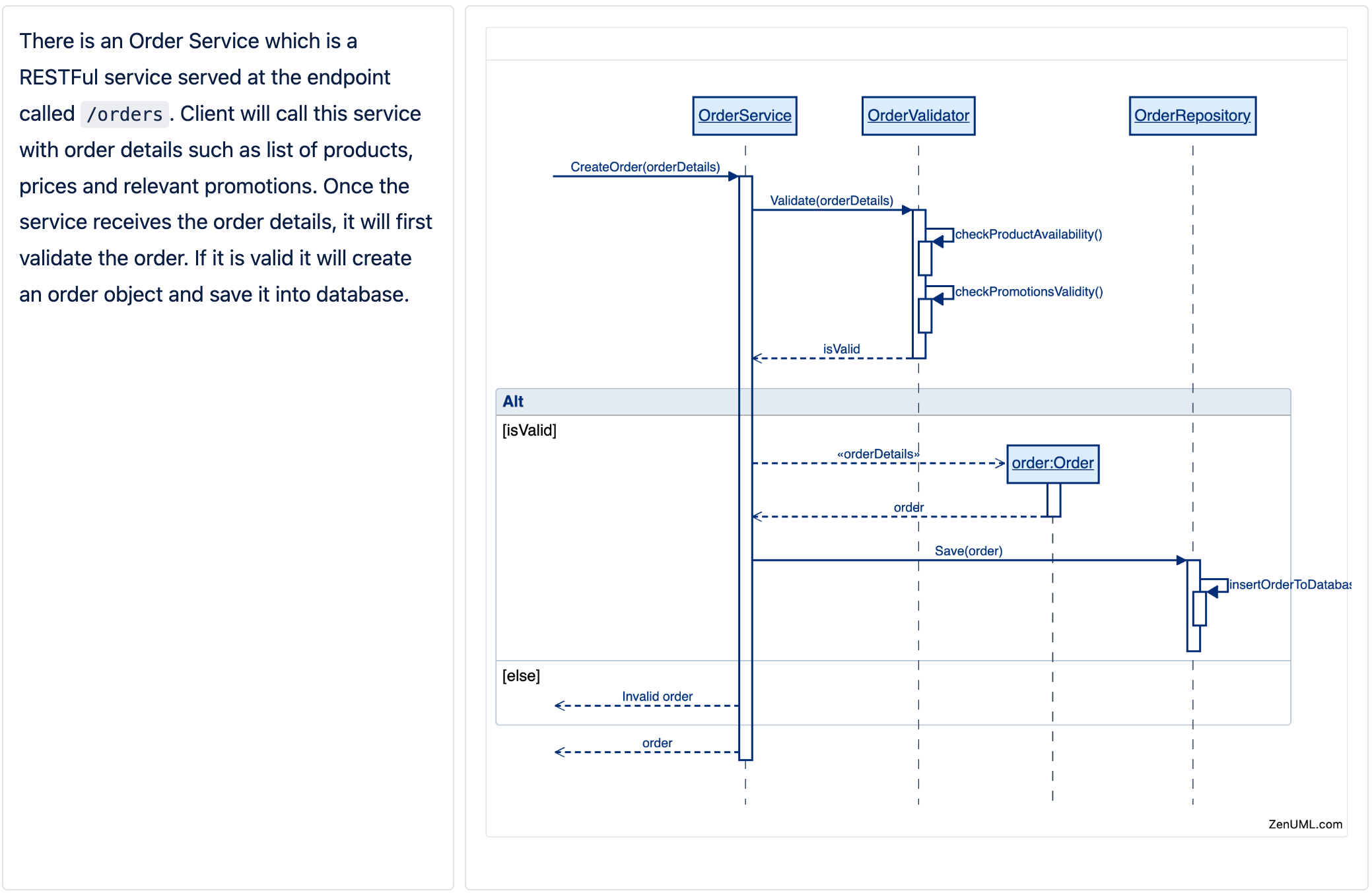
However, the advent of ChatGPT has revolutionized this process by empowering users to create diagrams using natural language. For instance, the diagram displayed on the right has been crafted from the paragraphs on the left.
Experience this groundbreaking technology firsthand by giving it a try yourself.
We suggest utilizing GPT-4, as GPT-3.5 may not consistently deliver the same level of response quality.
Step 2: Past the following prompt to ChatGPT
Here is a DSL example. Lines starts with '//' are comments.
Write a DSL for a new scenario. Do not explain the DSL you generate.
Do not generate classes. We do not have 'class' keyword. Whenever possible put the whole process together instead of split it into multiple processes.

----Example:----
```
BookLibService.Borrow(id) {
  User = Session.GetUser() {
    loadUserProfile()
  }
  if(User.isActive) {
    BookRepository.“Update the table by id etc.”
    receipt = new Receipt(id, dueDate)
  }
  return receipt
}
```
# Message types
1. Sync message: Represents a synchronous message between participants. Syntax: `Participant.Method`
2. Creation message: Represents the creation of a new instance of a class. Syntax: `new ClassName()`
**Special Structures:**
1. Loop: Represents a loop in the sequence. Examples: for(condition) { other messages }
2. Alt: Represents conditional branching in the sequence. Example: `if (condition1) {} else if (condition2) {} else {}`

----New scenario----
There is an Order Service which is a RESTFul service served at the endpoint called `/orders`. Client will call this service with order details such as list of products, prices and relevant promotions. Once the service receives the order details, it will first validate the order. If it is valid it will create an order object and save it into database.

----Instruction----
Please generate the DSL and put it in a code block.
Chat GPT should produce something like this.
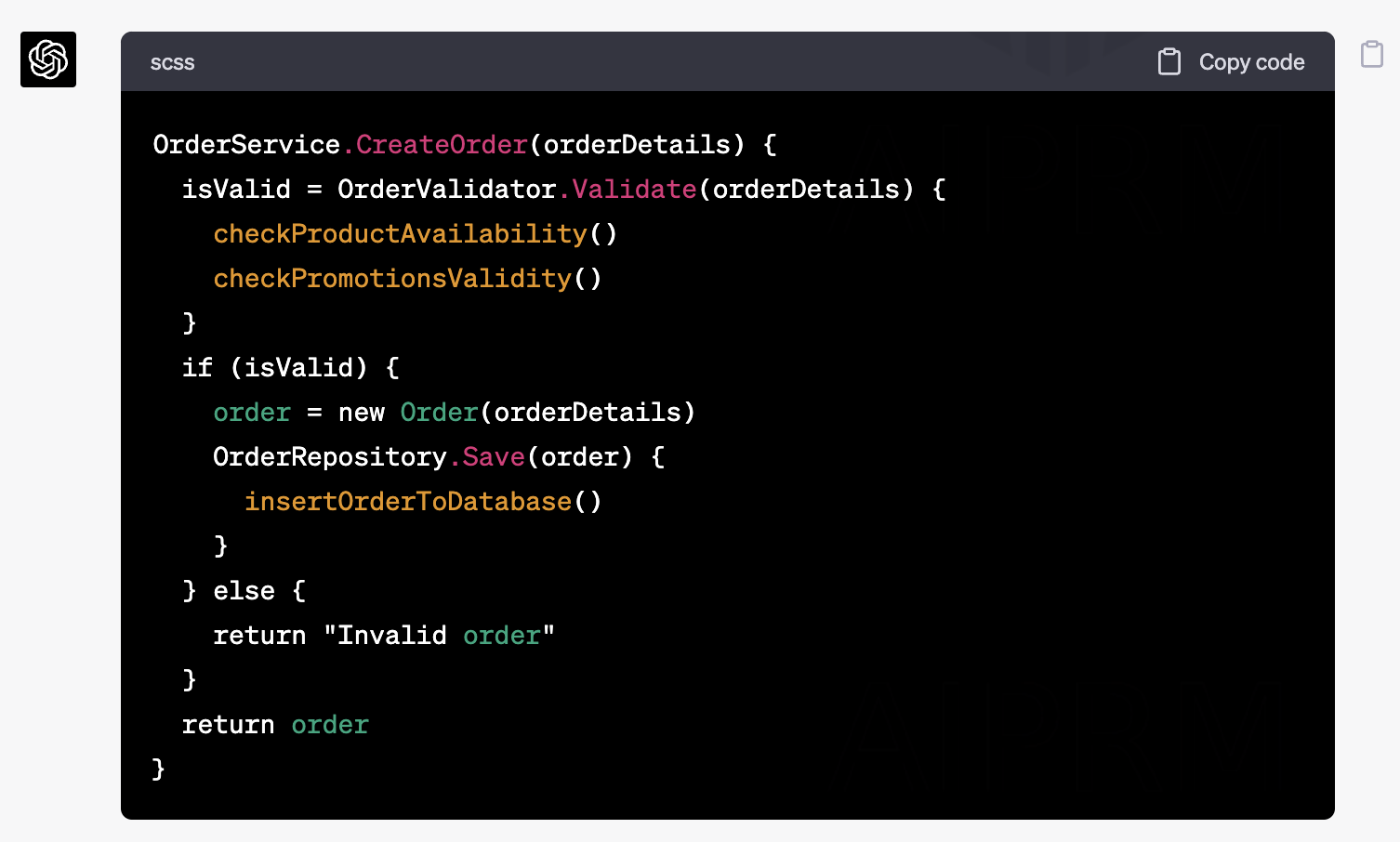
OrderService.CreateOrder(orderDetails) {
  isValid = OrderValidator.Validate(orderDetails) {
    checkProductAvailability()
    checkPromotionsValidity()
  }
  if (isValid) {
    order = new Order(orderDetails)
    OrderRepository.Save(order) {
      insertOrderToDatabase()
    }
  } else {
    return "Invalid order"
  }
  return order
}Step 3: Generate Sequence Diagram with ZenUML
If you have installed ZenUML Diagrams for Confluence(FREEMIUM) | Atlassian Marketplace , you can incorporate a Diagram Macro to your confluence page and paste the above Code to the editor. Otherwise, simply paste the code to https://app.zenuml.com to generate the sequence diagram shown above.


