What does Kanban mean? 🤔
Let’s start with the explanation of the term to fully understand the Kanban methodology. The word “Kanban” has its origin in Japanese and is composed of the characters “Kan” (for “visual” or “card”) and “Ban” (for “table” or “board”). Consequently, Kanban means something like: “visual board”.
Kanban was already developed in the 1940s by Toyota as a production system to increase efficiency and quality in manufacturing. A simultaneous cost reduction and optimization of inventory should also be fulfilled. Much later, the concept was transferred to other areas such as software development and project management. Today, Kanban is a popular method for improving workflows and processes in many industries where workflows are to be visualized in an agile manner to ultimately optimize workflow.
What is the Kanban methodology? 📈
First things first: Kanban is not a framework, but a methodology used in managing work processes. A methodology is a systematic approach to achieve a specific goal, while a framework provides the structure and foundation to do so.
The Kanban methodology now describes the concept of agile project management based on visualizing the flow of work. Bottlenecks and waste are identified and avoided, and the cycle time of the work is shortened.
Features of Kanban
- Visualization of the workflow
-
In order to have full transparency about the activities that occur, the workflow is visualized. This can be done on physical or digital boards. In this way, the entire team has a full overview of the status of the project at all times.
-
Continuous improvement
-
In the Kanban methodology, continuous improvement is an important component. Regular feedback from team members, customers or other stakeholders allows for dynamic adaptation and thereby optimization of the existing process.
-
Team collaboration
-
In Kanban, each team member should actively and regularly participate in discussions and meetings to share knowledge and new experiences. A common status quo and shared vision help to build trust within the team and, as a result, achieve the goal faster and more efficiently.
What is a Kanban Board? 📋
Just slipped out – but what is it actually, a Kanban Board?
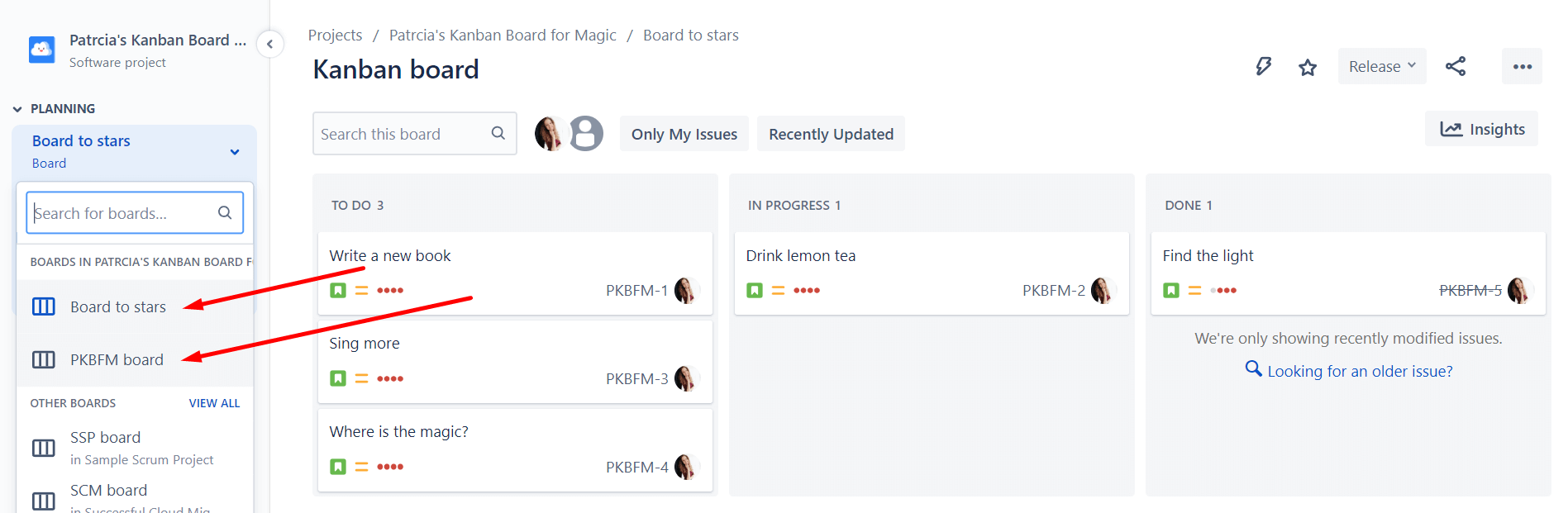
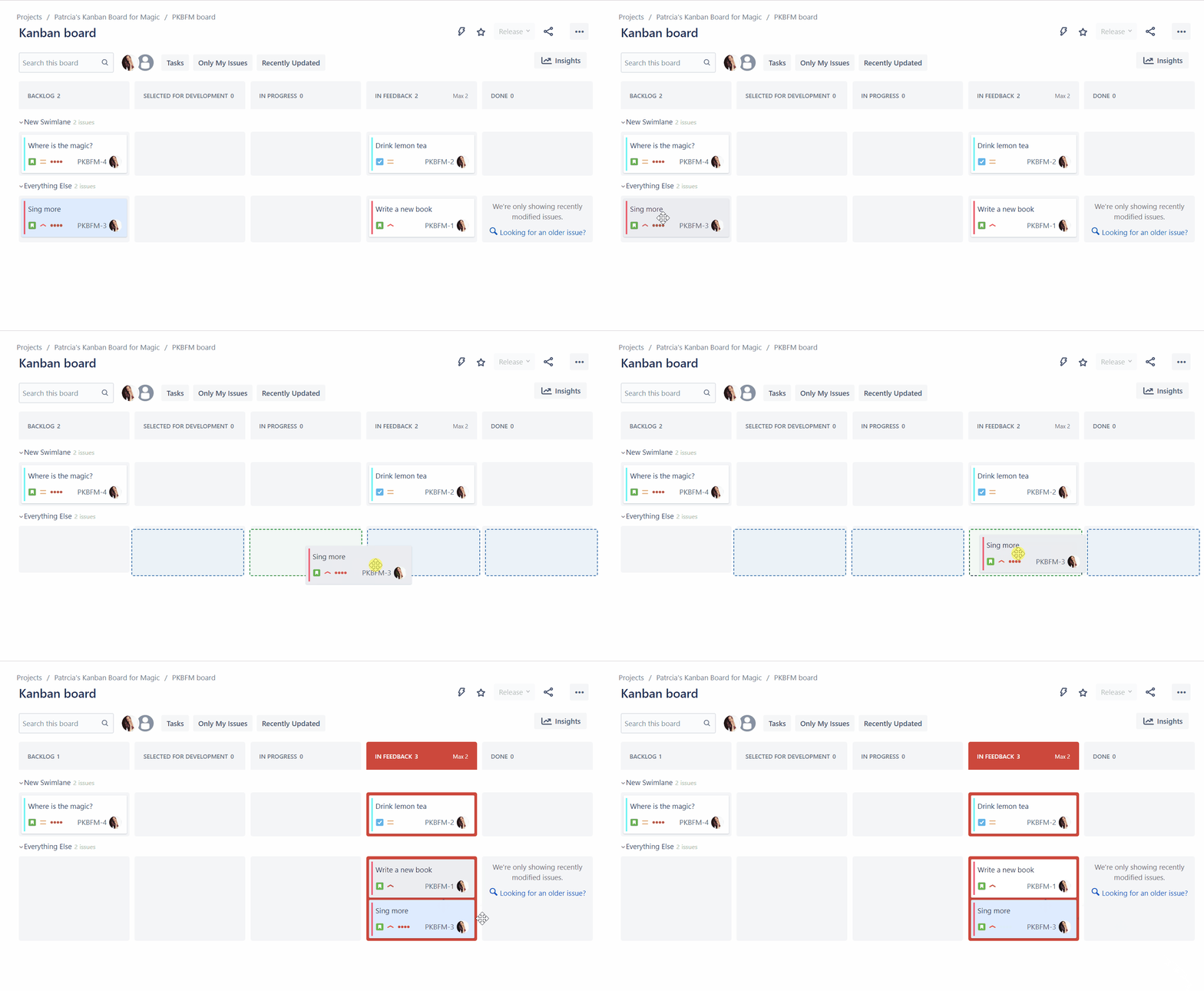
A Kanban Board is used to visualize and control workflows and tasks in a Kanban system. Teams can better organize and prioritize their work by arranging their tasks in columns of the Kanban Board. The columns represent different stages of the workflow, for example: “To Do”, “In Progress”, or “Completed”. Tasks are noted on cards on the Kanban Board, which can be agilely moved to reflect the progress of the project.
There are physical Kanban boards and digital Kanban boards. The physical version is optimal if you are in the same room with your colleagues. In the age of remote work and global teams, the popularity of digital Jira Kanban Boards is on the rise.
Elements of a Kanban Board
Let’s make this abstract concept a bit more descriptive and go into the basic elements of a Kanban board. Some elements overlap with the features of Kanban in general, but at this point we would like to go into detail about them:
-
Visual cards
-
As already mentioned, on a Kanban board the tasks, bugs and work units are noted on so-called cards. To keep track of the complete process and promote productivity, don’t be too sparse with providing information on a card. Include all the important details such as the name of the task, a description, the status, deadlines and other details that are important for processing. For optimal transparency, it is also significant to have a separate card for each task.
-
Columns
-
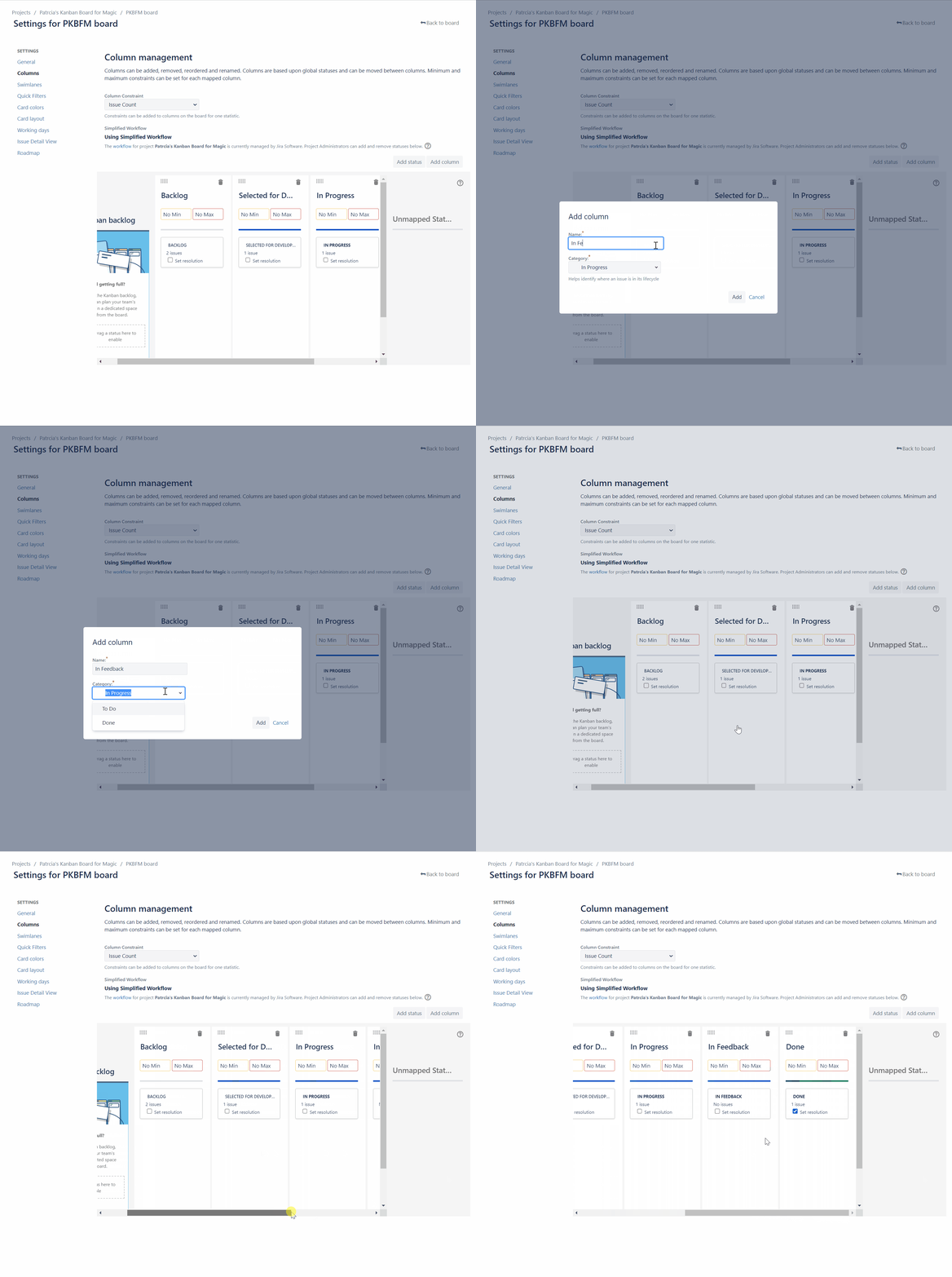
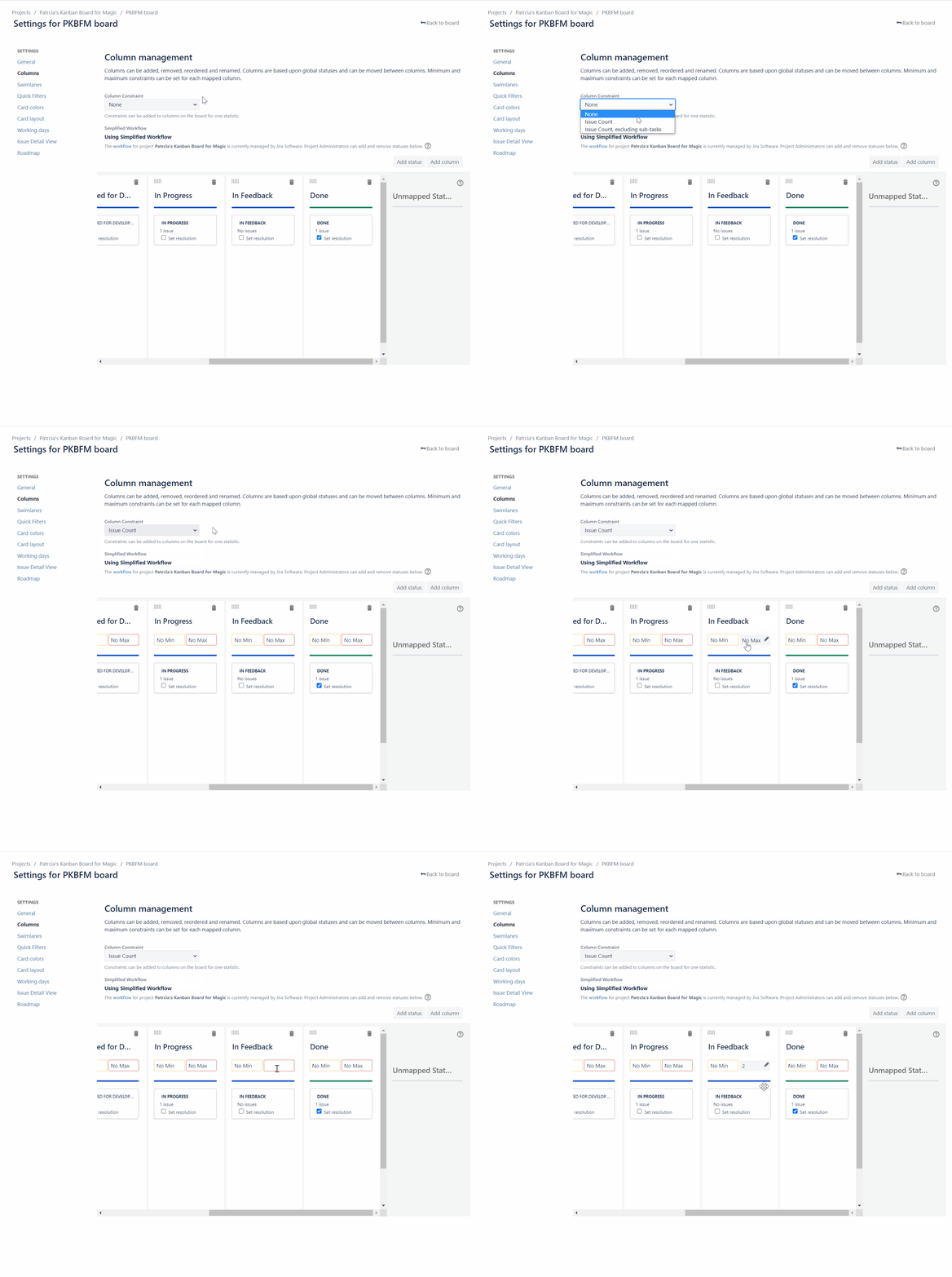
In a Kanban board, columns are elements to arrange the workflow in different phases and thereby to arrange vertically visually. The totality of all columns represents the complete workflow. The cards with the described tasks move from column to column, through the complete process. In the last column, the tasks are considered “Done”. The columns of your Kanban Board can be customized to your needs in Jira.
-
Swimlanes
-
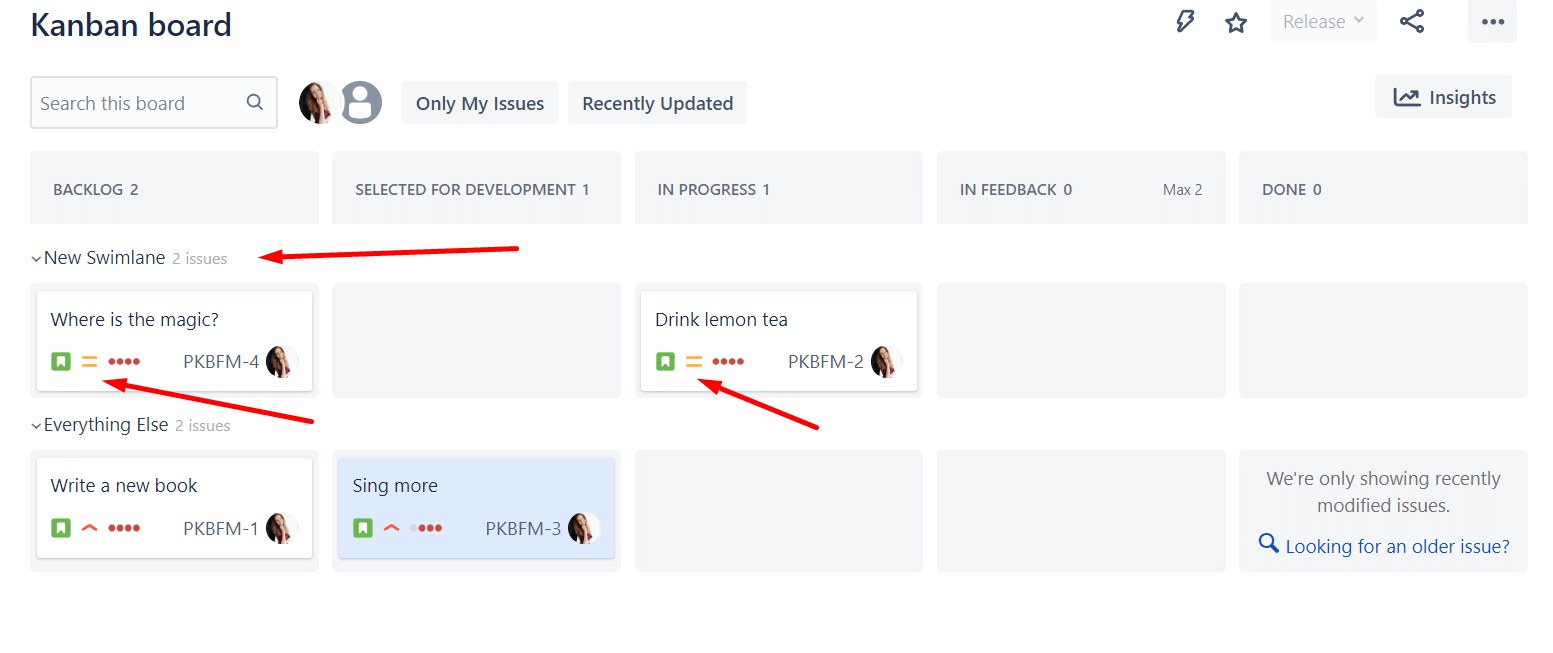
While workflows divide work vertically, swimlanes represent a horizontal grouping of issues. Swimlanes allow you to categorize tasks by other criteria, such as teams, processes, or departments, and prioritize them by urgency and importance at a glance.
-
Commitment Point
-
In a Kanban system, the Commitment Point is the point at which the team commits to completing the task – the starting point of the project, so to speak. At this point, a card is pulled from the backlog queue into the first column.
Backlog in Kanban
The Backlog in Kanban is not a real “element”, but rather a concept. Since it is however of immense importance, we want to explain it briefly here: The backlog includes all tasks that have not yet been implemented or started. It is a pool of tasks that are to be carried out in the future. As a central starting point for the work in the team, the backlog is updated regularly, so that after completion of a task, a new one can be started immediately.
How to create a Kanban Board in Jira ✔️
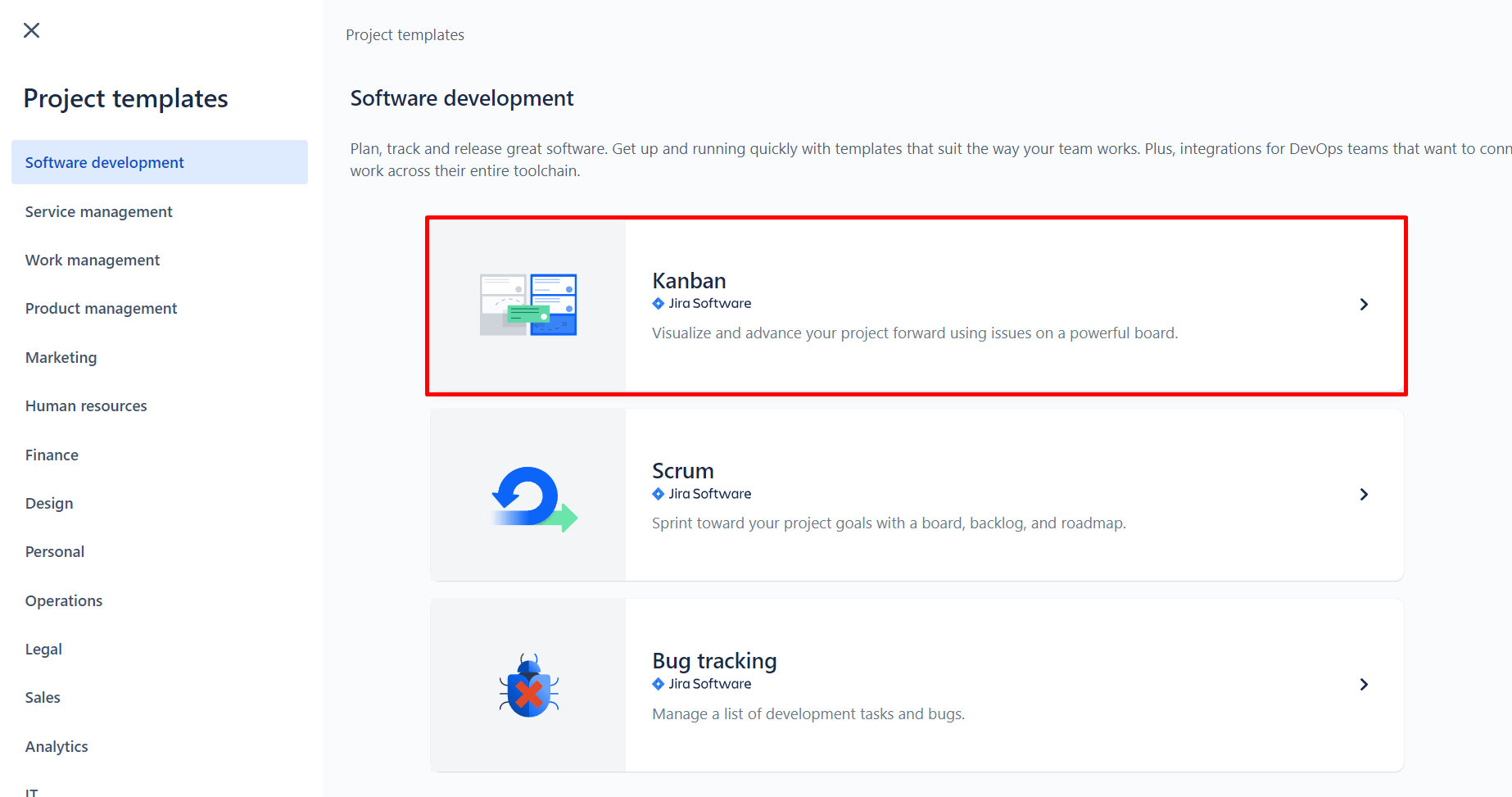
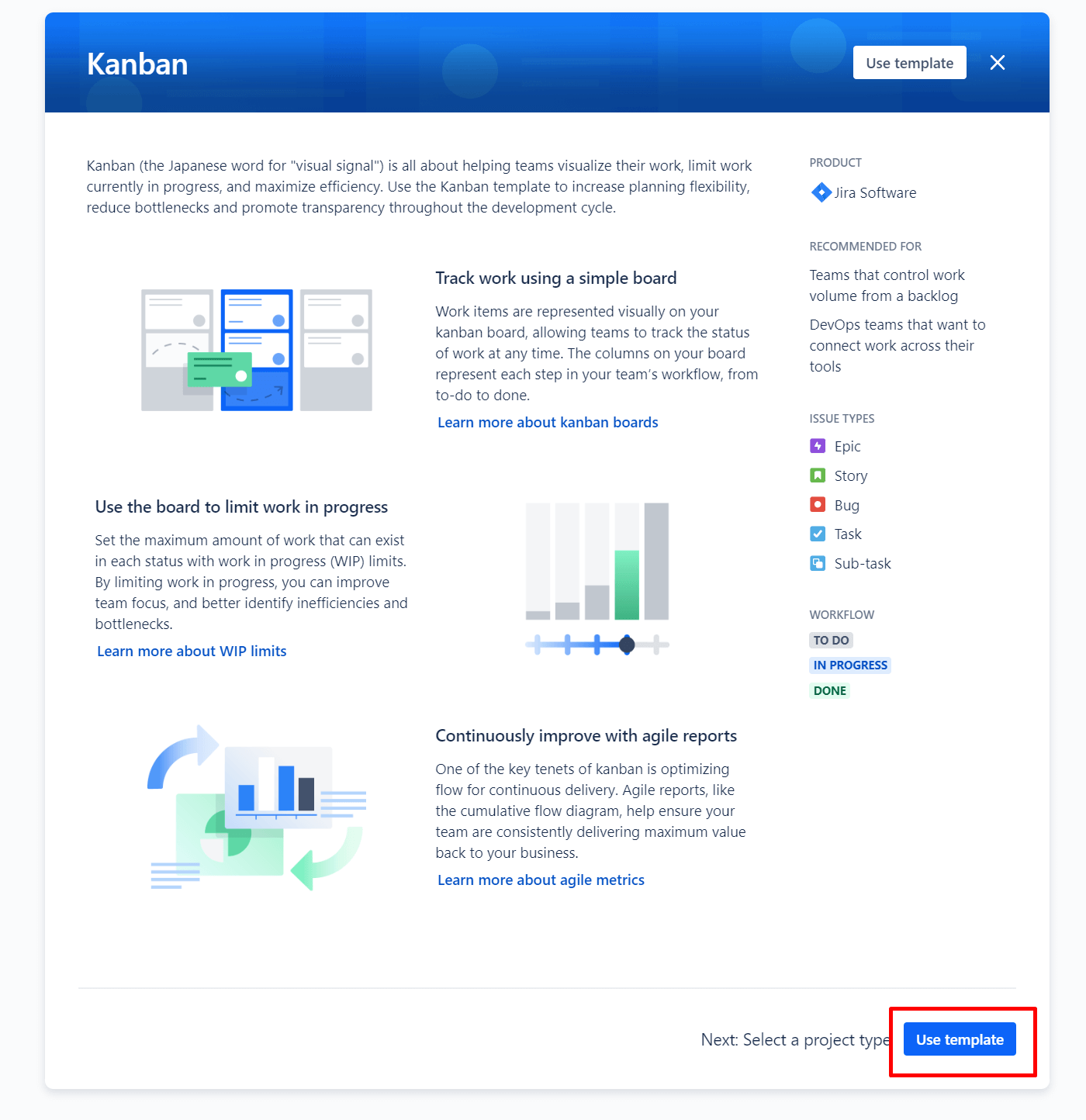
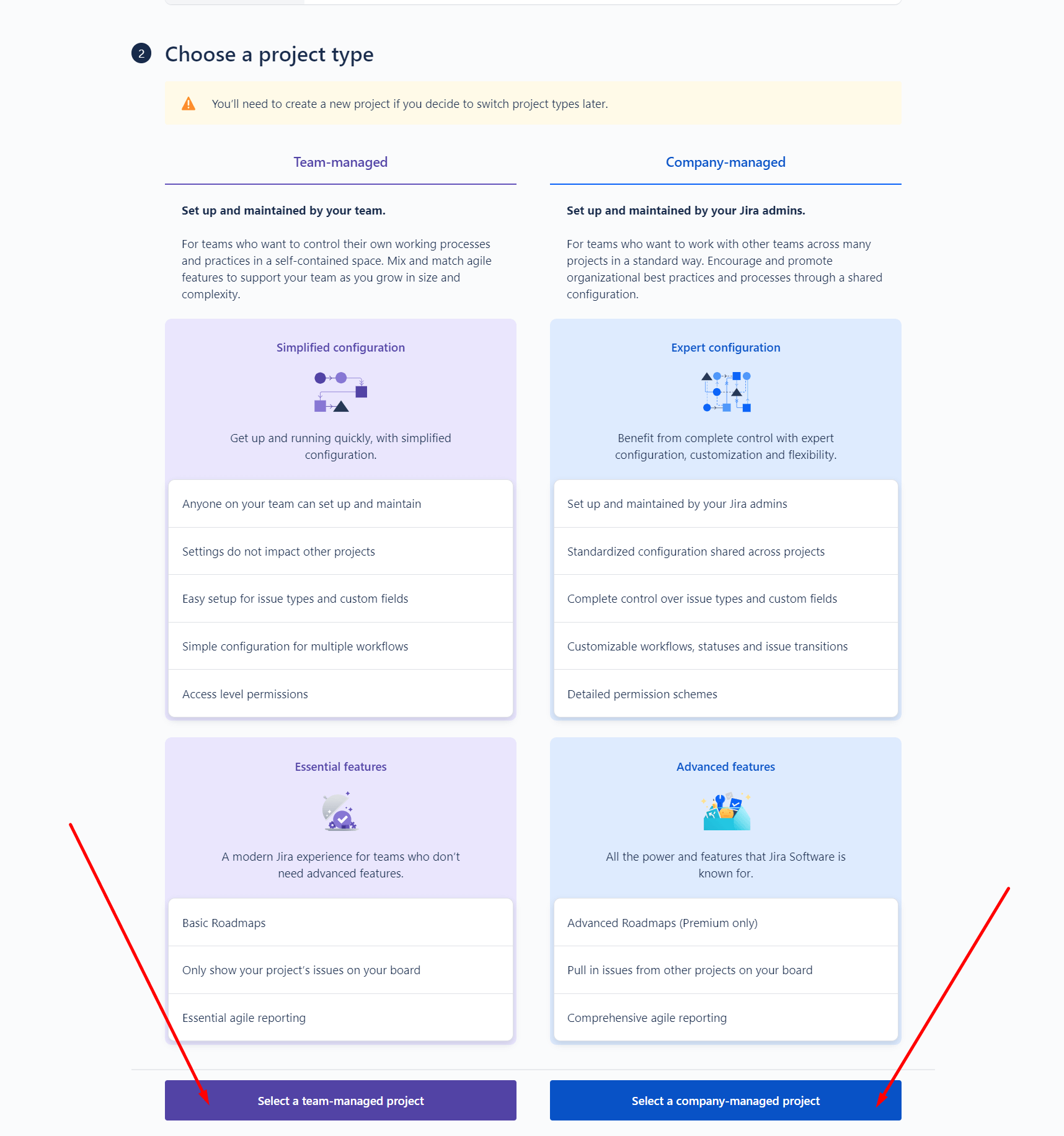
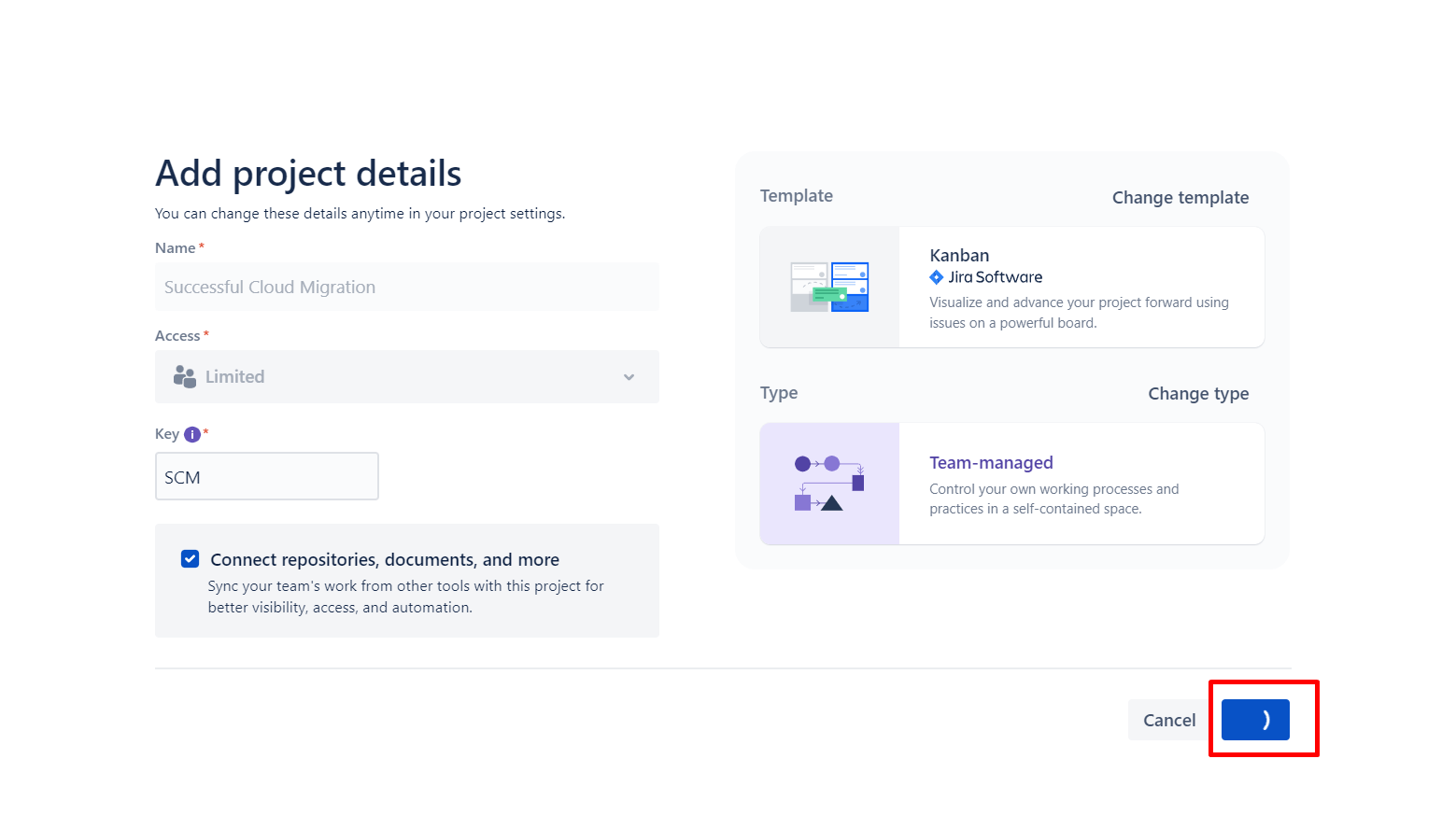
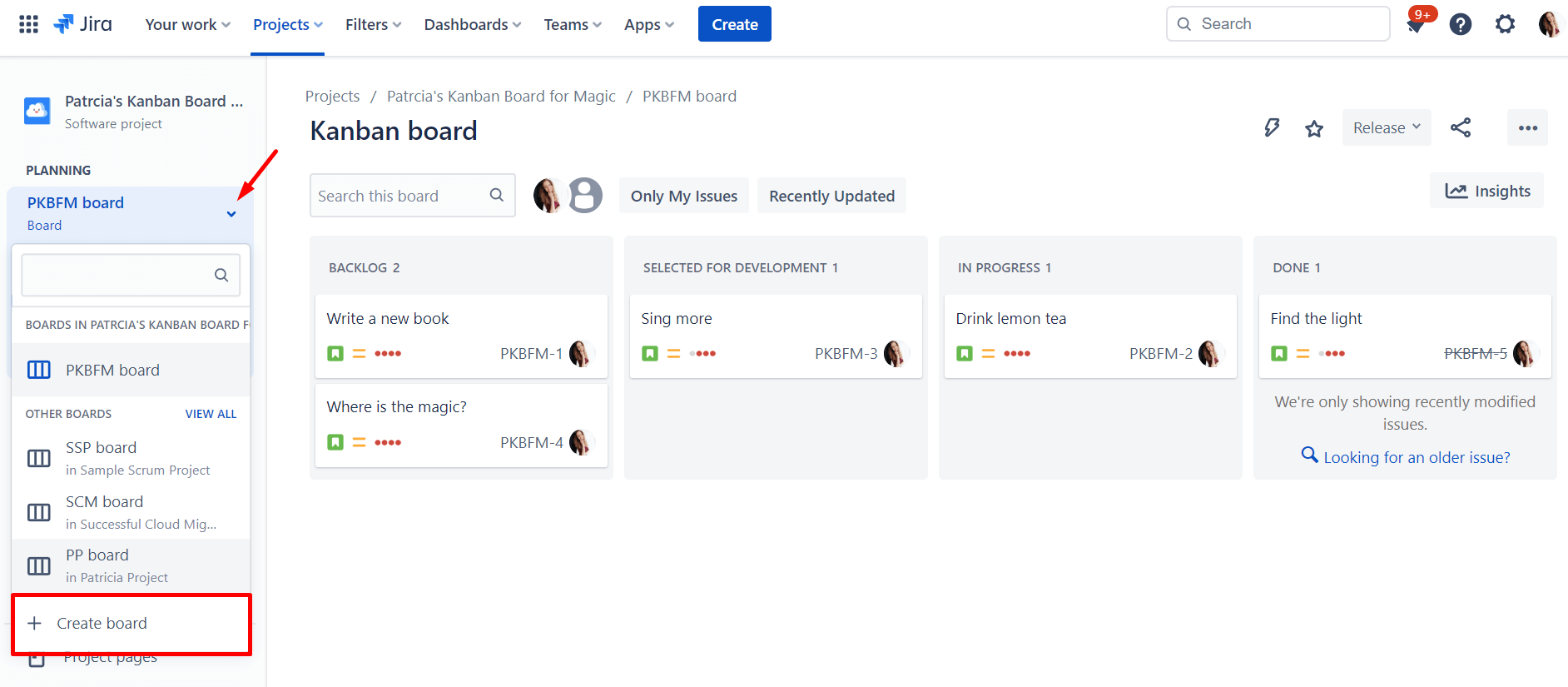
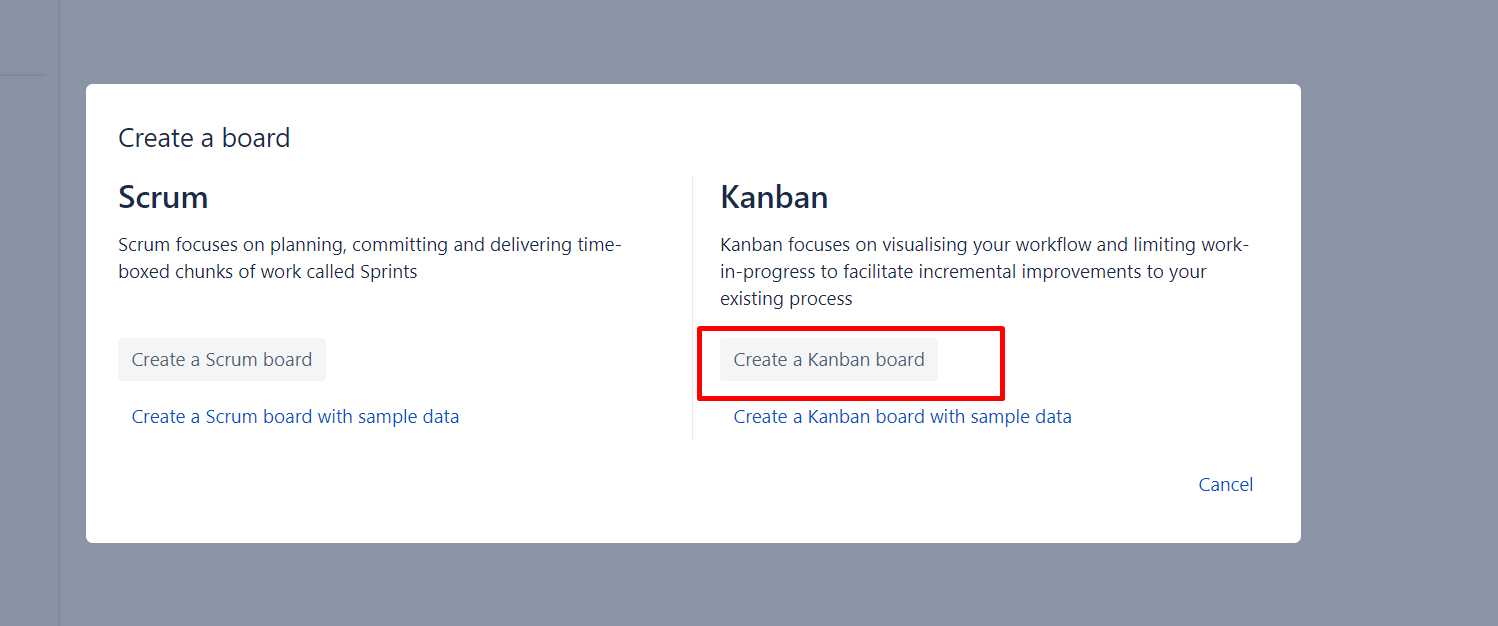
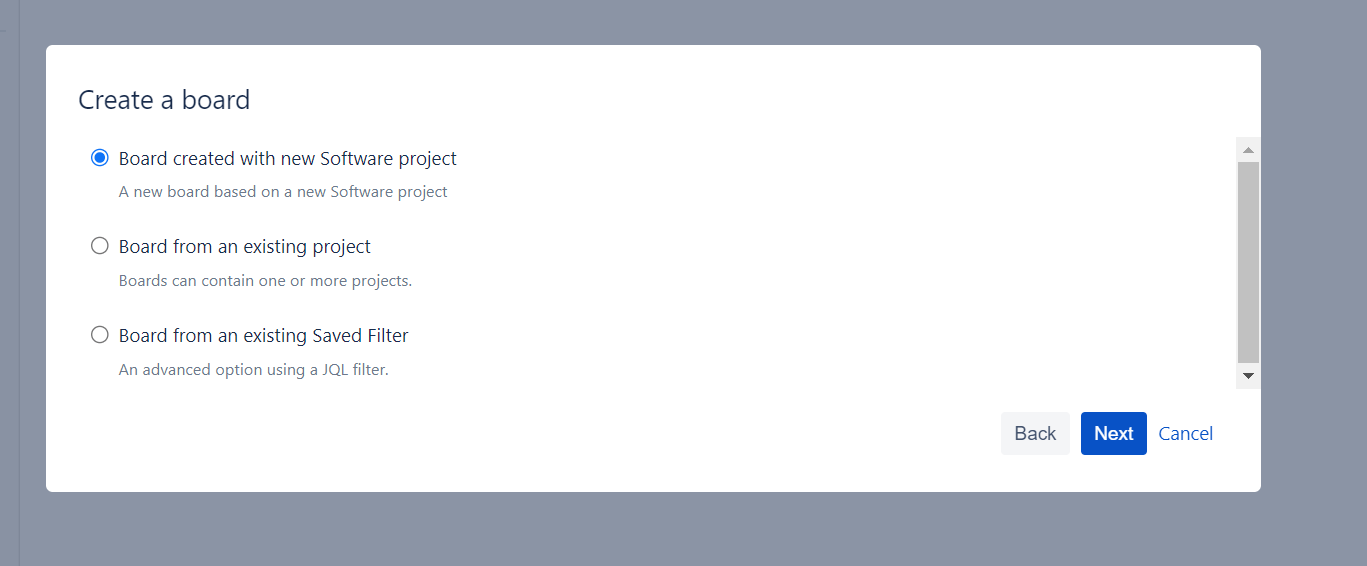
Enough about the basics: Let’s finally create a Kanban Board! However, since Kanban boards are components of Jira projects, if you want to create a board, you need to create a project first.
To do this, you can proceed as follows:
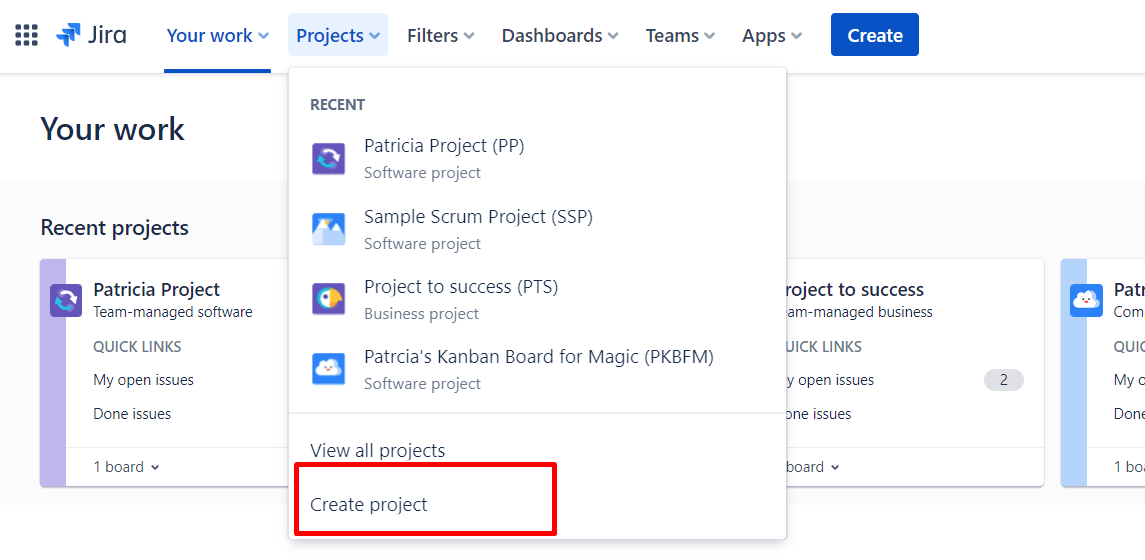
1. In Jira, find the dropdown menu: “Projects” in the upper-left corner of your screen. Under this selection, choose “Create Project”.
Add Swimlanes
To work with Swimlanes, you should create a Jira ticket beforehand and add it to your Kanban board. By default, issues with the “Highest” priority are categorized under the “Expedite” swimlane. All others fall under “Everything else.”
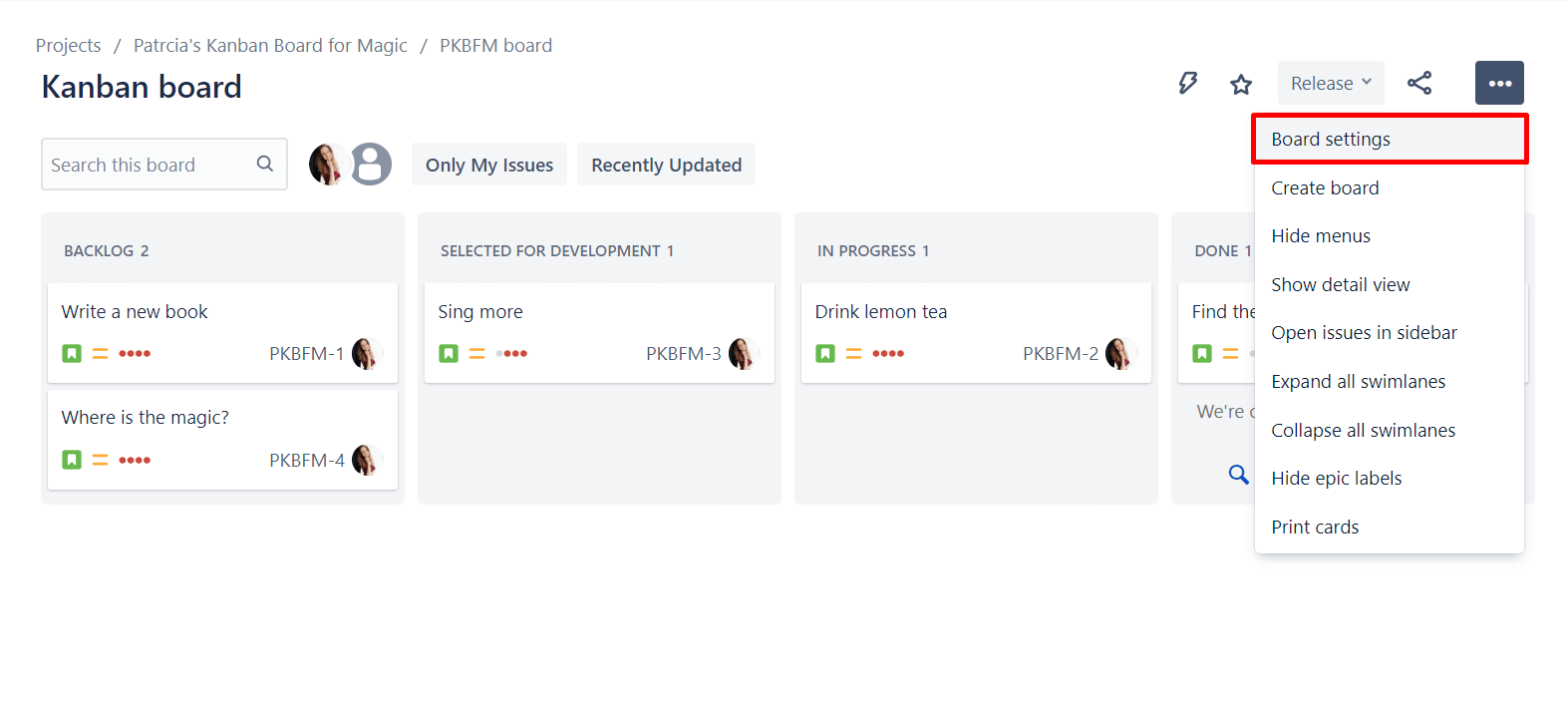
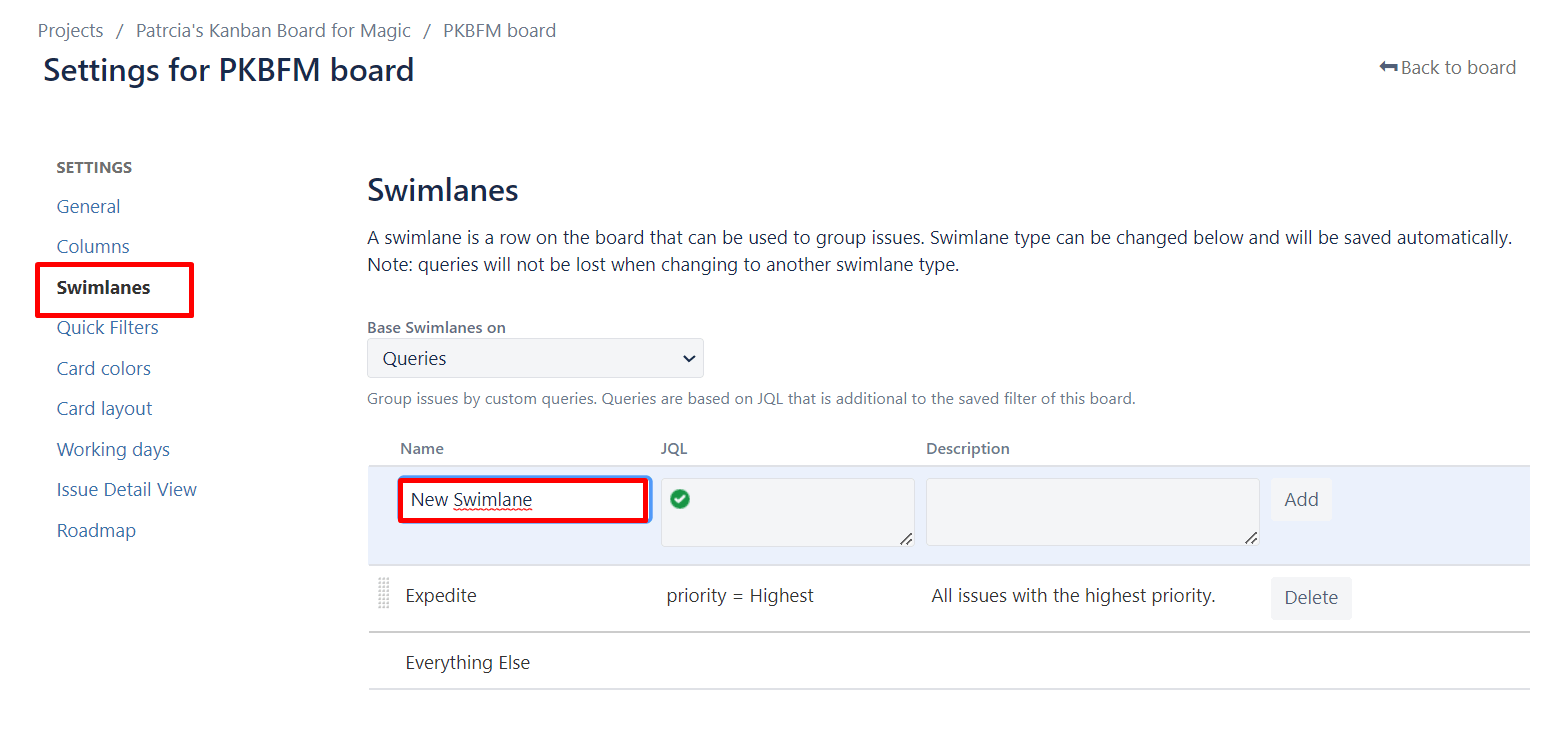
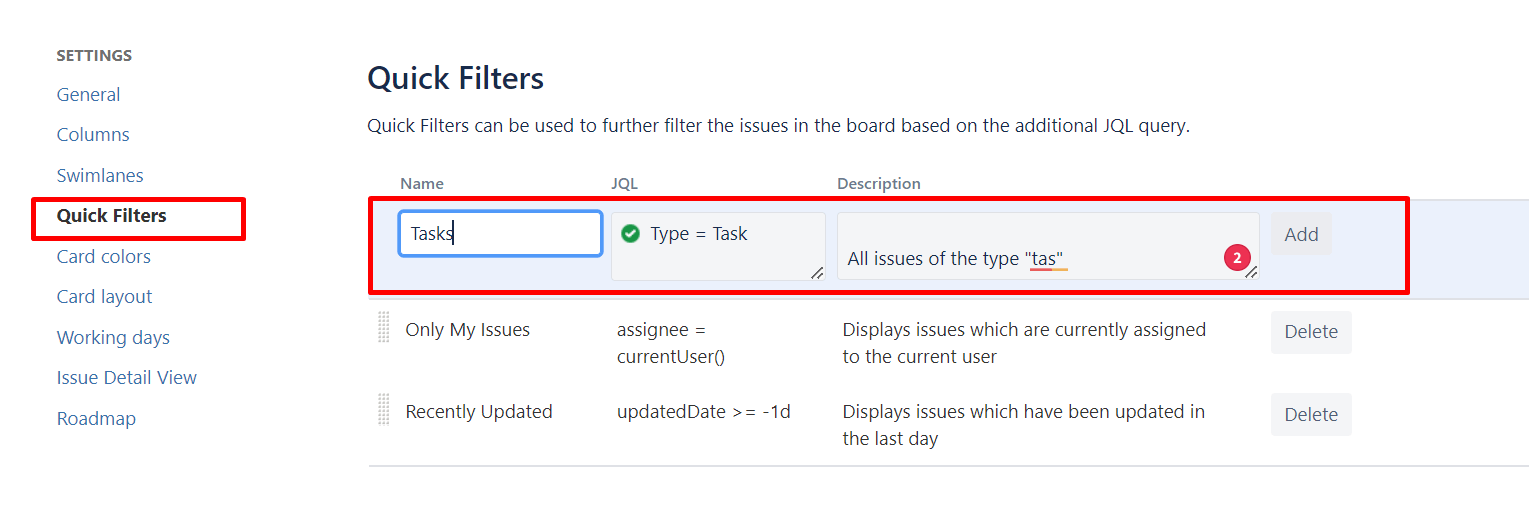
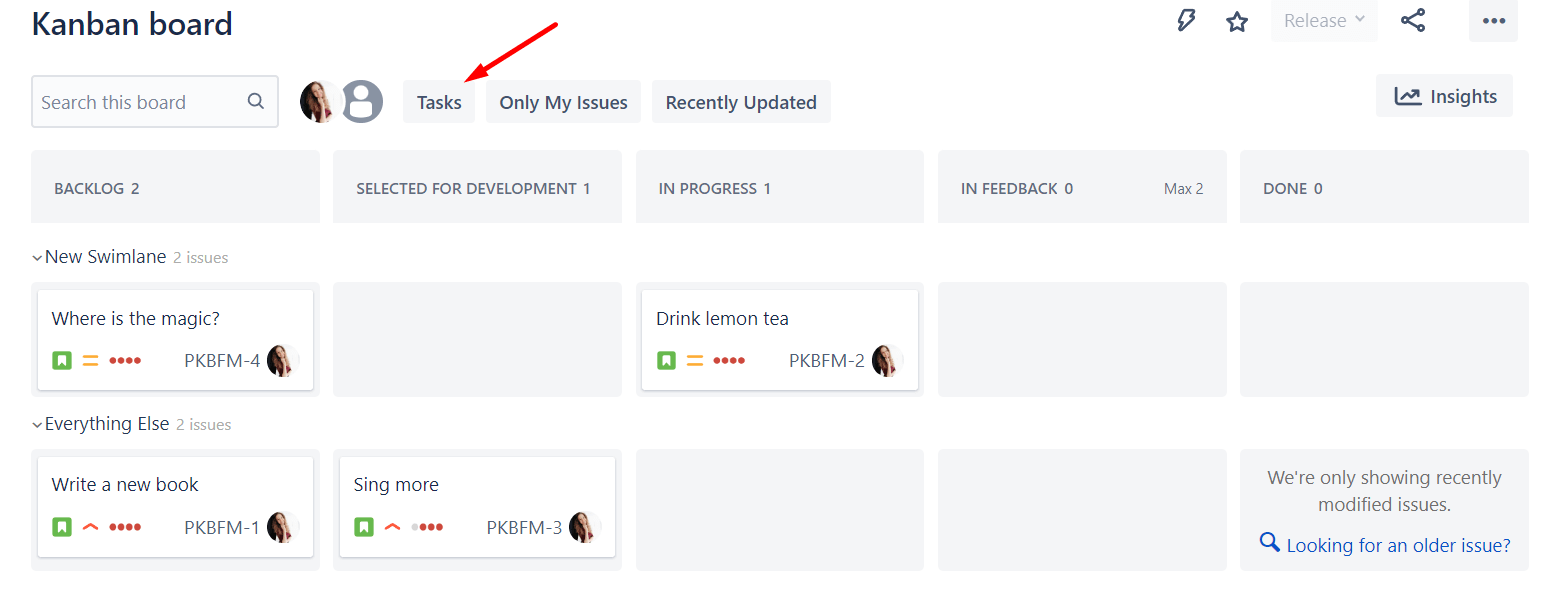
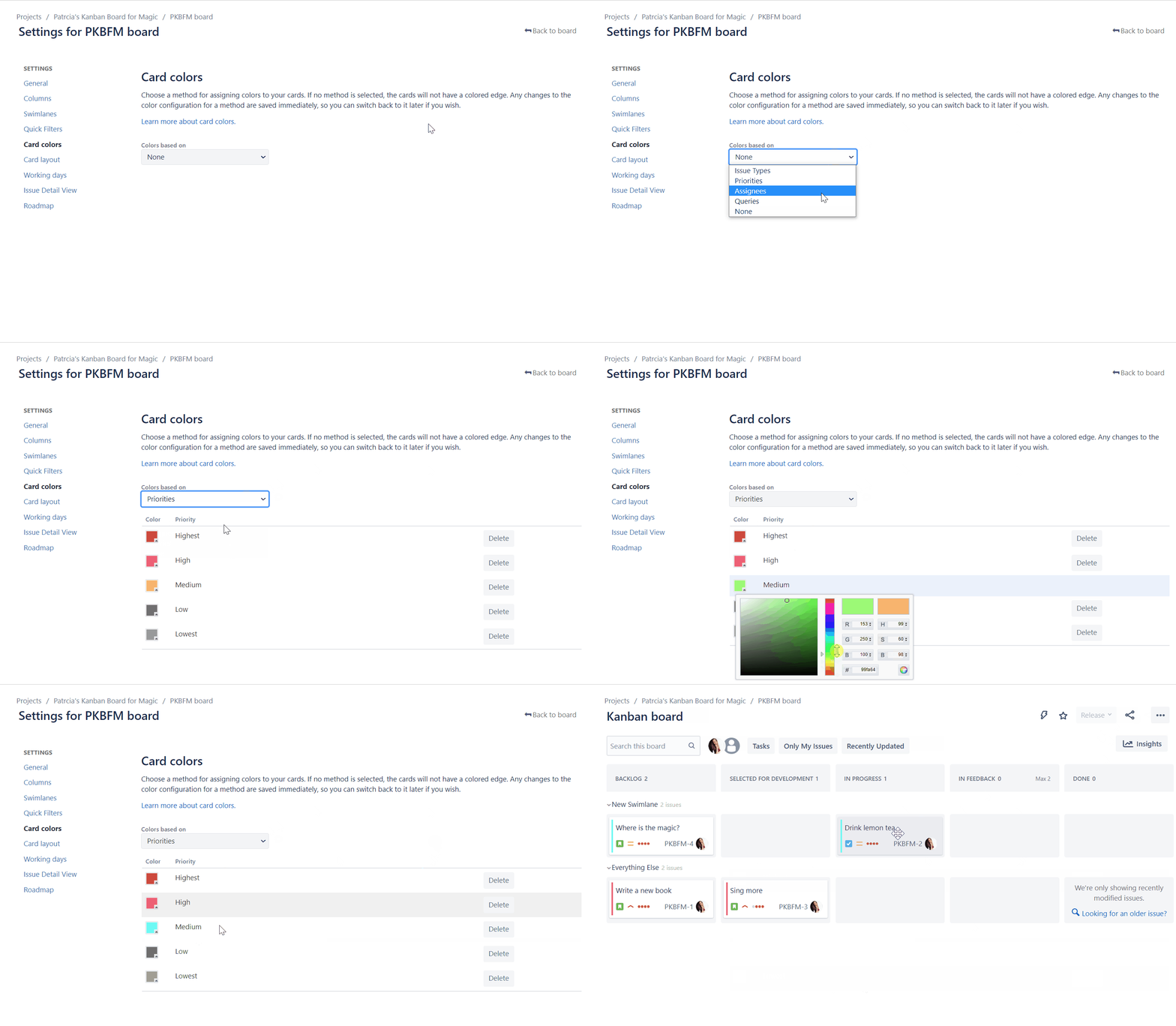
To add swimlanes, click “Swimlanes” in the board settings and then decide on which basis you want to assign your Jira issues. Here, we’ll choose Queries. With this, you can now add a JQL command to create a new swimlane. We’ll enter a JQL for all medium-priority issues and click “Add.”
Other configurations
These were just the most important settings to help you get started with Kanban Boards. Some great additional configuration options are:
-
Add custom fields
-
Board settings
-
We skipped this in our guide, but of course, you should always adjust the general settings of your situation first, like board visibility or sort order of cards.
Overall, configurations in Jira Kanban Boards provide a flexible way to accommodate your team’s individual needs and workflows, allowing you to use the Kanban system effectively.
Kanban vs. Scrum boards in Jira 🤓
Now you know how to create and configure Kanban boards quickly and easily. But is Kanban even right for you? Wasn’t there something else?
Yes, namely Scrum.
In fact, the question of Scrum vs. Kanban comes up frequently these days. Both are agile methods to optimize the efficiency of teamwork and project management.
Common features of Scrum and Kanban are:
-
Support of continuous improvement
-
Incremental and iterative way of working
-
Identification and elimination of obstacles
-
Transparency and visualization of workflows
Differences of Kanban and Scrum are:
-
Scrum has fixed roles and events, while Kanban is more flexible
-
Kanban has a fluid way of working, Scrum works in fixed time periods (Sprints)
-
Kanban is better suited for teams with frequently changing priorities
-
Scrum needs more planning and predictability
Both methods have their strengths, so the choice of method should fit the specific needs of your organization or team.
Choose Scrum when:
-
The requirements of a project are clear and stable
-
A clearly defined end goal is in place
-
Your team is interdisciplinary
-
Priorities and requirements are known in advance
-
Your team members like to work with fixed roles
Choose Kanban when:
-
Project priorities and requirements change frequently
-
It is less about an end goal and more about continuous improvement
-
The focus is on optimal utilization of resources
-
No fixed time frame is needed for a piece of work
-
Your team members want to work without roles