Hi Atlassian Community! Just a quick update to inform you of another change to how Manual rules work in Jira Cloud. With this latest addition, we're giving admins more control and customization options for manual rules.
This is in addition to the changes we announced earlier this month: Manual trigger rules are moving.
What are Manual automation rules?
All automation rules start with a trigger. These can be based on an event (e.g. When an issue moves to Done…) or they can be based on time (e.g. Every 2 weeks….).
However, some rules can be triggered manually. You can set these up by selecting the Manual trigger when creating an automation rule.
Once you’ve created a manual rule, you and your team can trigger it by going to a Jira issue
What are we adding?
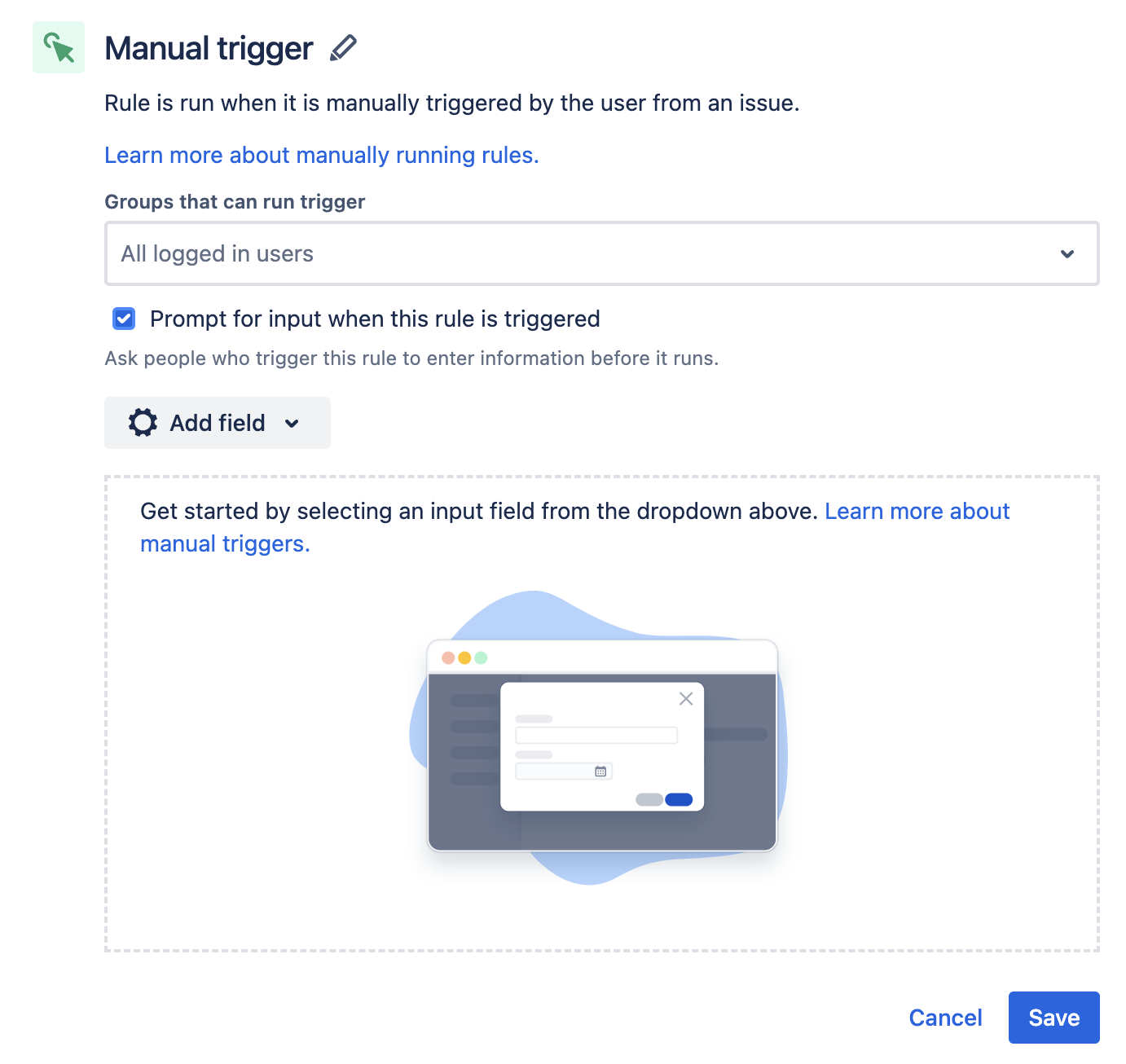
From April 2023, we’re giving admins the ability to add input fields to manual automation rules. When configuring a Manual trigger, select Prompt for input when this rule is triggered to start configuring input fields.
Those fields will then display to users when they trigger the rule. This allows you to gather information from your team members before the rule runs, ensuring that all necessary details are captured.
How it works:
- When configuring an automation rule with a Manual trigger, select Prompt for input when this rule is triggered.
- Define the fields you want the user to fill out when they trigger the rule. You can also set a default value (the value that will be displayed to users initially) and set each field as mandatory.
- You also have the option of accessing each input as a smart value in other actions and conditions.
- When the user triggers the rule, they'll see the fields you configured. If a user triggers a manual rule and decides to cancel without entering any details, it won't count as an execution toward your monthly limit.
Until next time!
Please feel free to leave us any feedback or questions in the comments below. Happy automating!


