The must-have upgrade for enterprise teams on Jira Cloud
A few years ago, we set out to build a more powerful and user-friendly Jira and GitHub integration with improved performance, greater reliability, and an easier installation process. We built it on a new tech stack and made it open-source, allowing for future improvements from the community.
This year, we are thrilled to announce that GitHub for Jira serves over 130,000 Jira Cloud customers and supports both GitHub and GitHub Enterprise Server. As we have made significant improvements to the app’s performance, features, and capabilities, are therefore ready to say goodbye to the DVCS Connector on Jira Cloud.
In this post, we will highlight the advantages of integrating Jira Software with GitHub Enterprise Server using the legacy DVCS Connector versus the new and improved GitHub for Jira app. We will also guide you through the upgrade process, outline the timeline, and help you access support if needed.
What’s the difference between DVCS and GitHub for Jira
GitHub for Jira offers everything DVCS does plus faster synchronization, expanded entity support, next-level automation, data-driven reports and insights, more robust security, and easy branch creation from Jira. It also offers a much faster and simpler installation process.
|
|
DVCS Connector on Jira Cloud
|
|
|---|
|
Synchronization speed
|
|
|
|
Supported Entities
|
-
Commits
-
PRs
-
Branches
-
Deployments
-
Builds
|
-
Commits
-
PRs
-
Branches
-
Deployments
-
Builds (coming soon!)
|
|
Jira automation
|
|
-
GitHub
-
GitHub Enterprise Server
|
|
Reports and insights
|
|
-
Deployment frequency
-
Cycle time reports
|
|
Security measures
|
|
|
|
Create branches in Jira
|
|
|
 |
Faster synchronization: Time is money! GitHub for Jira syncs data in seconds, while DVCS takes minutes—sometimes up to 20 minutes. This is because DVCS uses a ‘pull’ model, where Jira periodically contacts GitHub APIs to fetch new data, while GitHub leverages a more efficient ‘push’ model, where GitHub sends data to Jira whenever changes occur. |
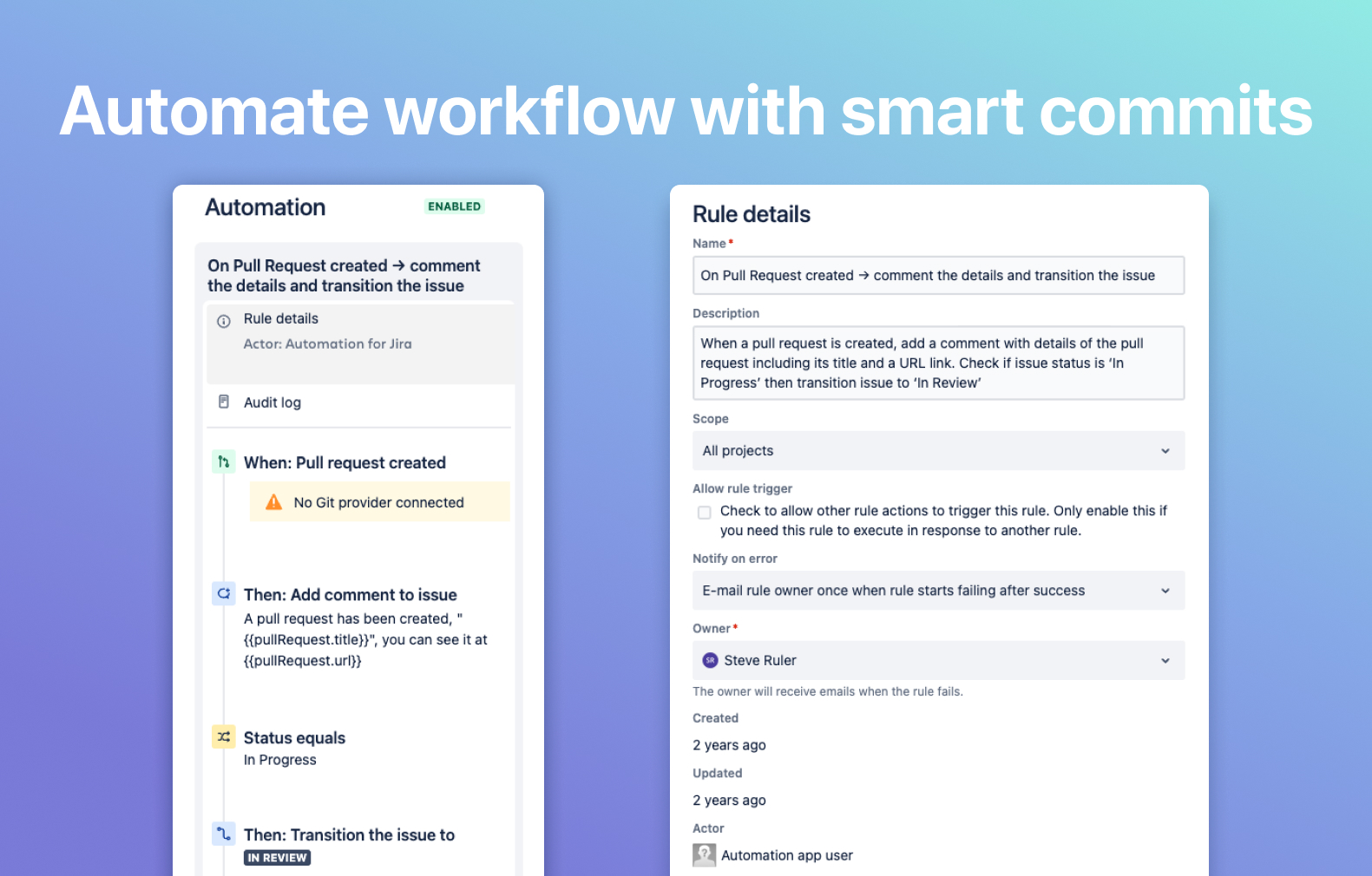 |
Next-level automation: Using Jira automation, you can now integrate seamlessly with both GitHub and GitHub Enterprise Server, so your team can automate manual tasks in their workflow and concentrate on delivering top-notch code. |
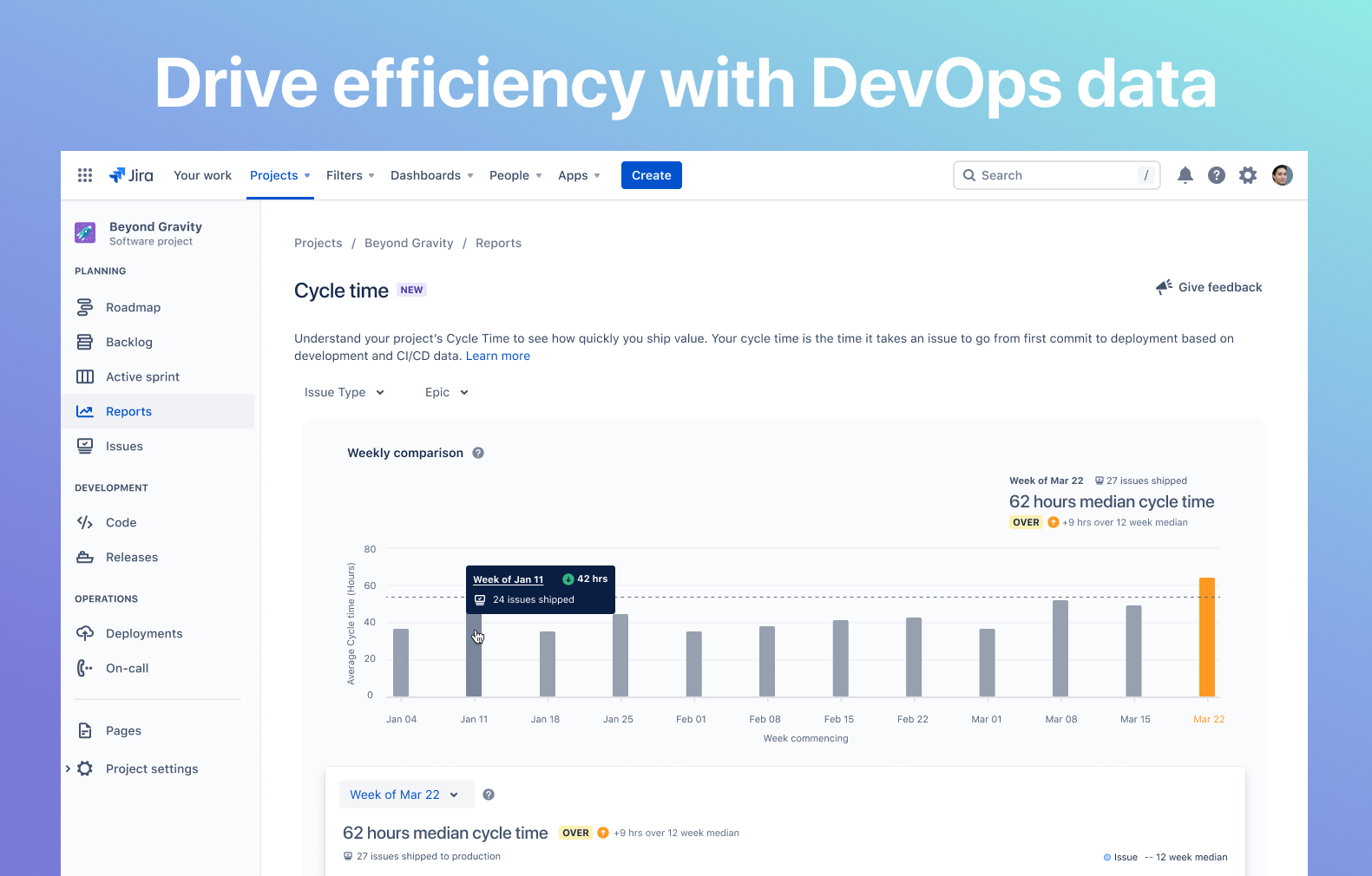 |
Data-driven reports and insights: Make data-backed decisions with cycle time and deployment frequency reports. By syncing deployment data, your team can pinpoint, monitor, and optimize development bottlenecks and efficiencies, no longer reliant on instincts and opinions. |
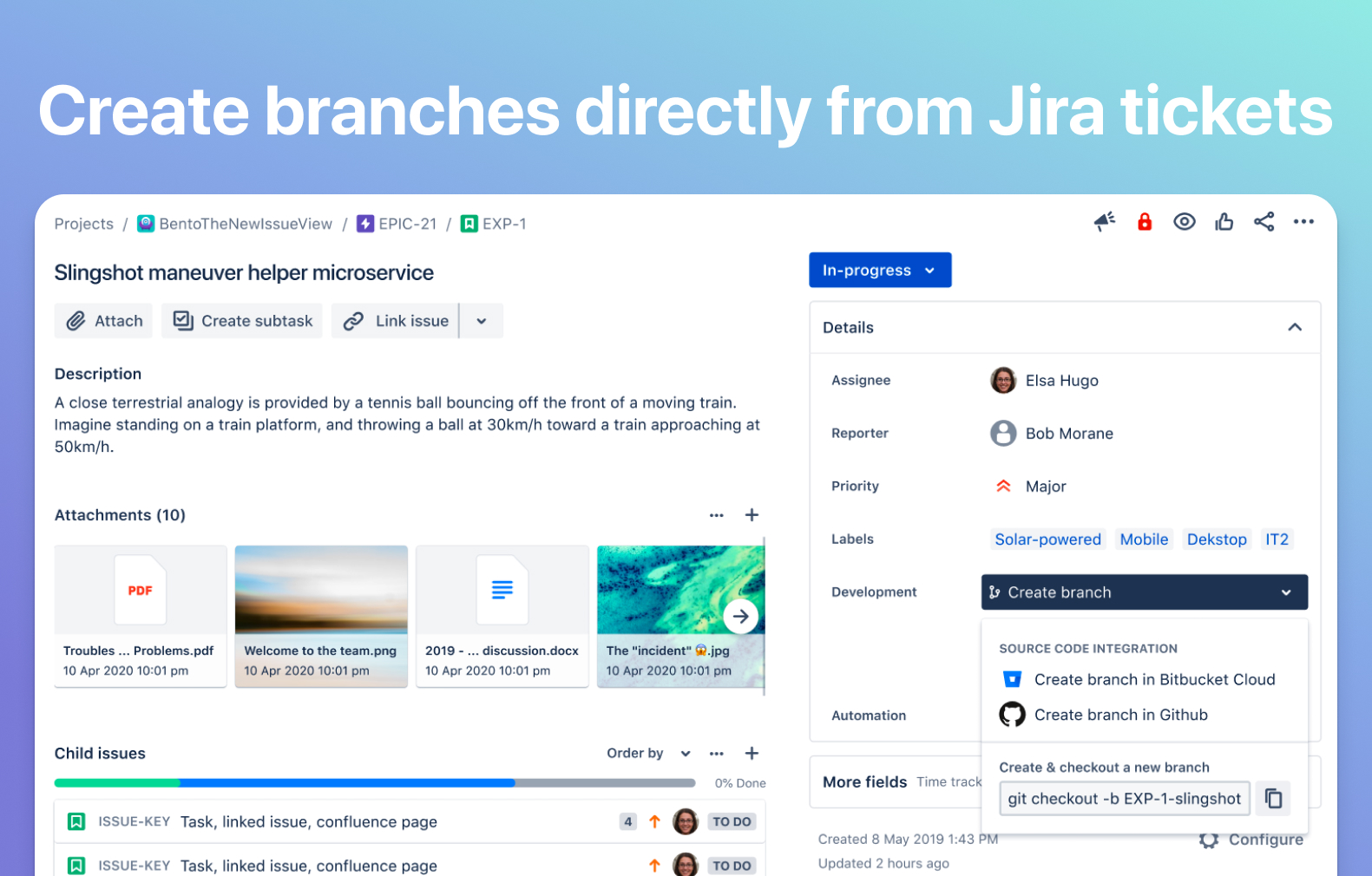 |
Effortless branch creation from Jira: Streamline your workflow with GitHub for Jira’s ability to create GitHub branches directly from Jira tickets. This convenient feature is not available with DVCS, making GitHub for Jira a more versatile option for your team. |
| Expanded entity support: Empower your team with better visibility through GitHub for Jira's support for an extensive range of GitHub entities, including commits, PRs, branches, and deployments. DVCS, on the other hand, does not support deployments, limiting your team's insights. |
Security of connecting your GitHub Enterprise Server with GitHub for Jira just got better! Learn more about this security release.
Robust security measures: Safeguard your data with GitHub for Jira's support for API key pre-authorization for reverse proxies and/or API gateways. This eliminates the need for less secure measures like allow-listing IP ranges, required when using DVCS.
|
Are there any limitations, costs, or drawbacks to GitHub for Jira?
No. The new GitHub for Jira app is free and it works identically to the DVCS Connector, with added functionality. It will, however, take 5-10 minutes to install and configure the app for your site.
When will the DVCS Connector be deprecated?
The DVCS Connector for GitHub Enterprise Server will no longer be supported as of Mar 31, 2024, allowing ample time for the transition.
How do I switch and start using GitHub for Jira?
To ensure a smooth transition, follow these instructions to Integrate with GitHub Enterprise Server.
What should I do if I face issues setting up GitHub for Jira?
In conclusion, GitHub for Jira offers a significant upgrade from DVCS, providing faster synchronization, enhanced automation, and more improved features to come. We encourage all GitHub Enterprise Server customers on Jira Cloud to switch to GitHub for Jira and experience its benefits. If you need assistance during the transition, our support team is here to help. Upgrade today and elevate your team's productivity!
(DVCS will continue to work as it is for Jira Server and Data Center customers.)


