Hello,
I currently have a use case where end users in Asia will report issues through our service desk project “Asia System Support” (AST). Then we will provide an initial assessment of the ticket to see whether it is a bug, enhancement, or incident and if it is needed to be escalated to our headquarters in Germany. If we need to escalate to Germany, there will have to be a ticket in the respective project.
The problem here is that each of these projects have their own required fields to fill in and I do not know the most efficient way to transfer/escalate the ticket to another service project.
Here are some of the options I have seen and their cons:
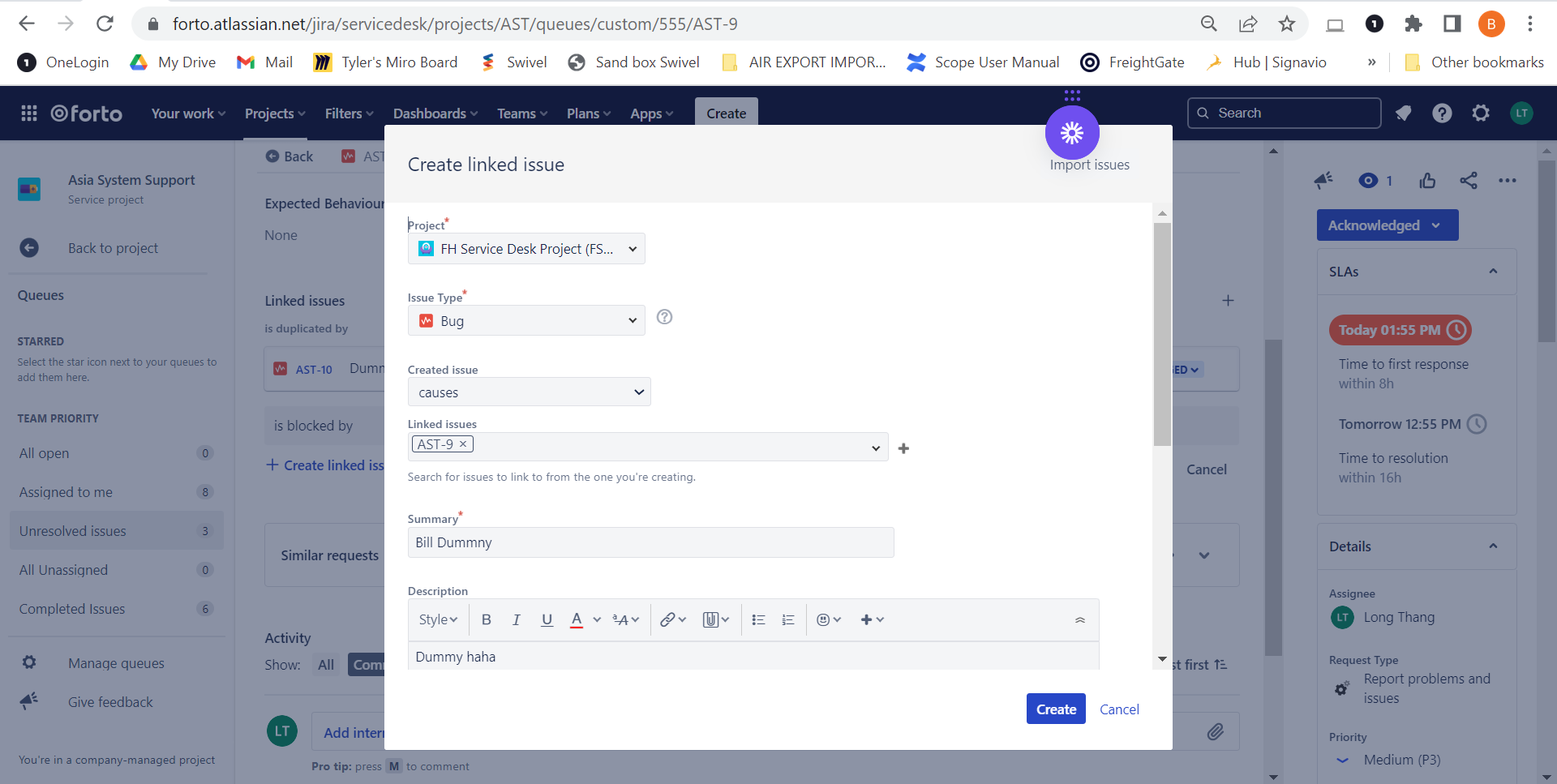
1. Create a linked issue to the original ticket: when I do this, all of the required fields of the service desk did not appear —> information will still be missed when we create the new ticket for Germany team.
2. Move the original ticket to the responsible service project: same issue with the 1st option where information fields will be missing in the new ticket and the Asia team will not be able to track the amount of tickets issued in our project + workload of our agents in the Asia project
3. Manually create tickets in the respective service project iin Germany and link it to the original ticket: while this does ensure that the new ticket has all the info field filled in and tracking ability in the Asia project, there are too many manual steps & copy paste of information which is not ideal when we will have to process hundreds of tickets.
So the question here is, are there any other methods that will ensure the adequacy of information in the new ticket, tracking ability in Asia’s project, and efficiency (least manual steps possible) when we escalate/move a ticket to another service desk project?
this is the create linked issue view, I cannot edit which field to include.
Thank you!
Bill.


