Summary
When you purchase the Jira Service Management Product and grant Users licenses to JSM, they automatically have access to Opsgenie. This is because when purchasing JSM as a Product for any plan type you automatically get Opsgenie included in your JSM subscription. But how do your Users with JSM Licenses access Opsgenie?
How to access Opsgenie
For your JSM Users to access Opsgenie you can either:
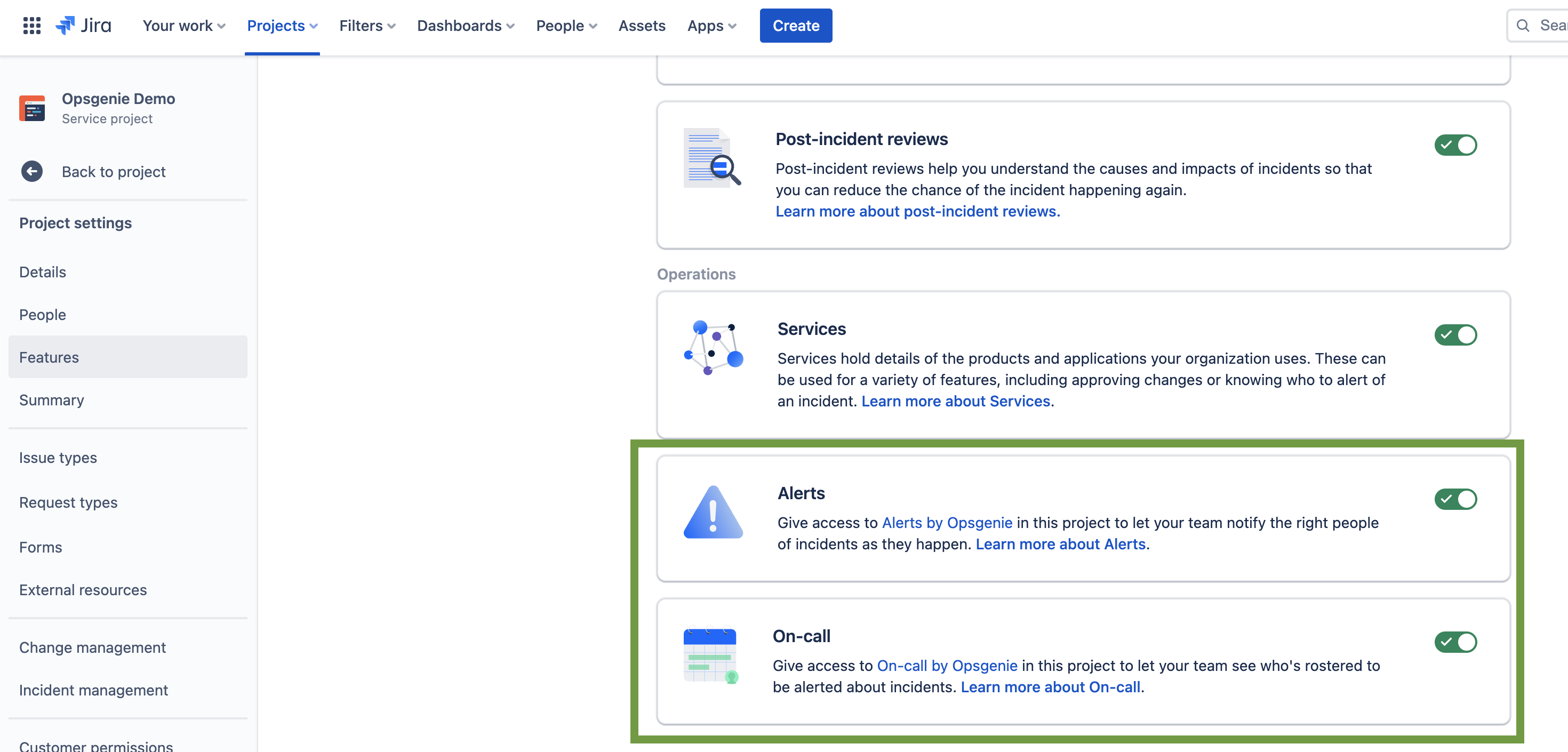
- Navigate to the Service Project: go to Project Settings > Features and click on either Alerts By Opsgenie - or - On-call By Opsgenie. This will open up your Opsgenie site in a new tab. Please see the top screenshot for reference.
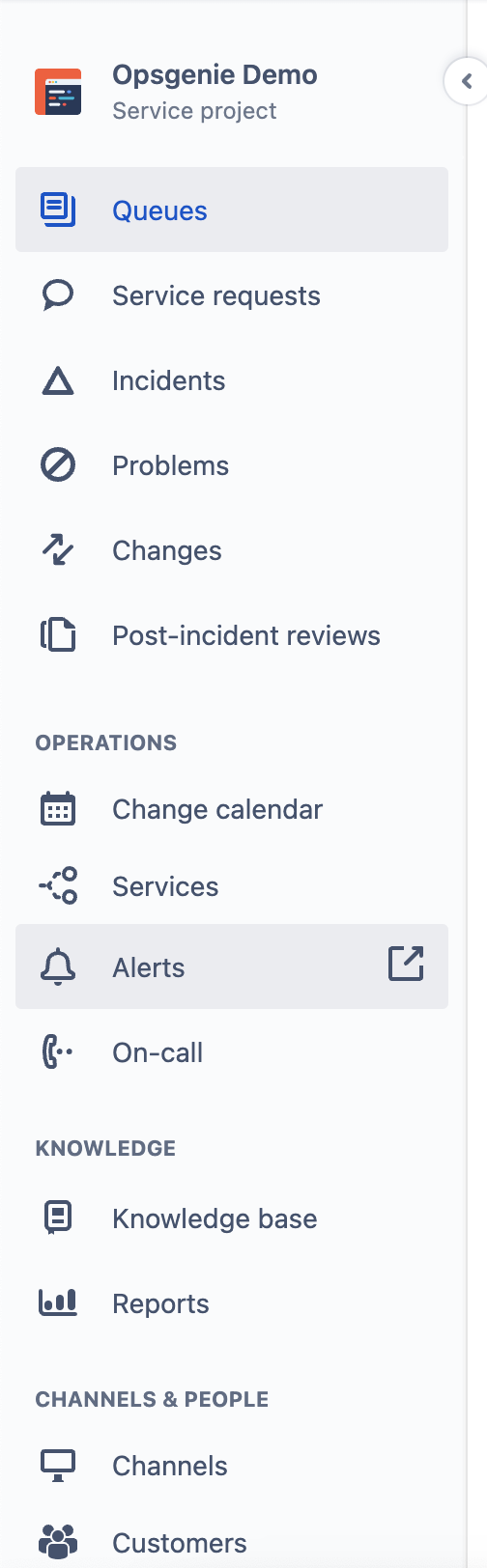
- If you were to enable the Alerts By Opsgenie Feature in your Service Project you will then be able to access your Opsgenie site from the front of the Service Project by clicking the Alerts button, which will open Opsgenie in a new tab. Please see the bottom screenshot for reference.
- Navigate to your site using: https://yourdomainname.app.opsgenie.com/ , however, this may not work as expected as some site names do include a "1" at the end of the domain name, such as: "https://yourdomainname1.app.opsgenie.com/". Feel free to test with either domain name setup to open your Opsgenie instance directly.
Supporting Screenshots:
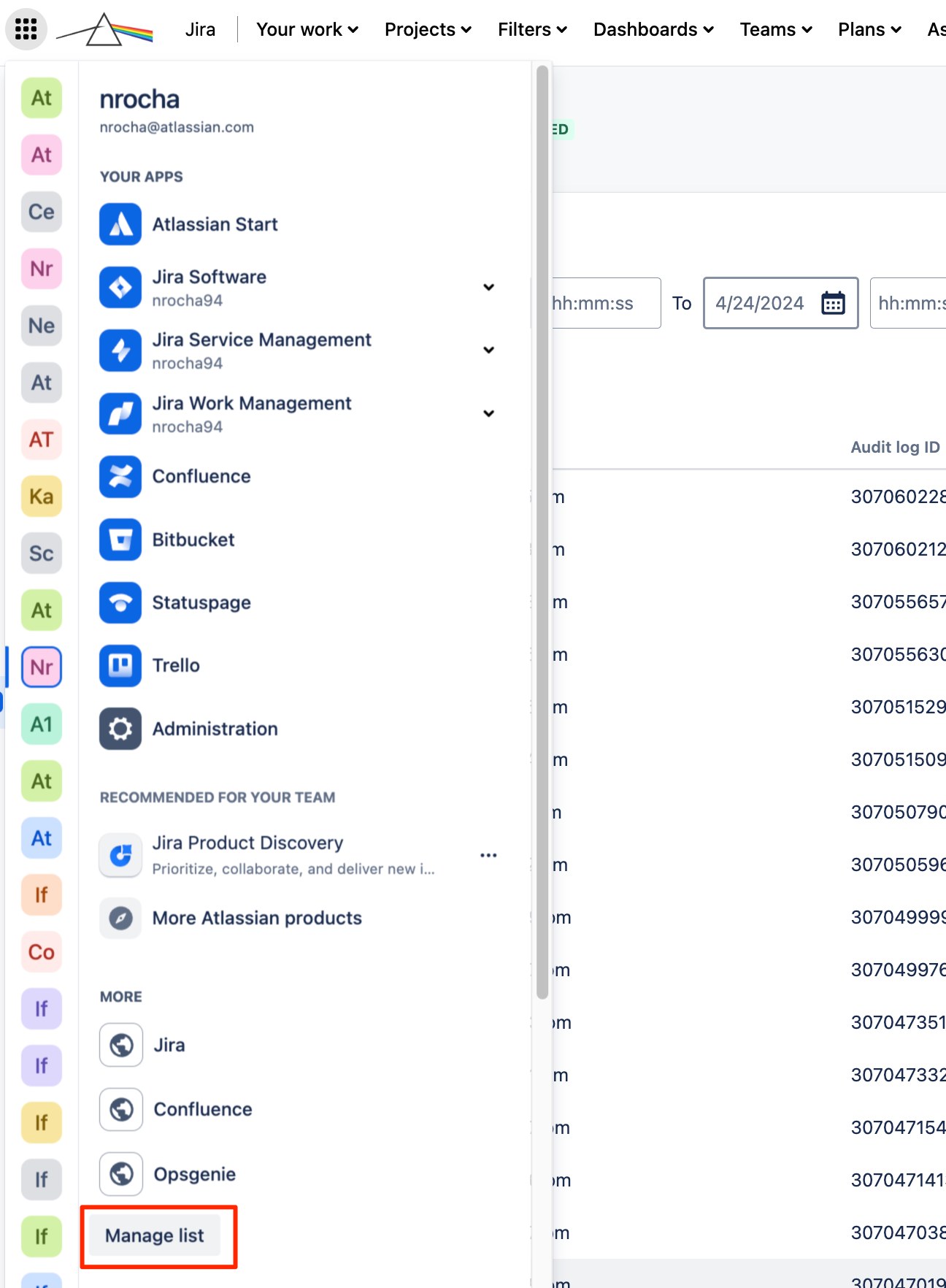
Add a shortcut to Opsgenie on the application navigator by clicking on Manage List. This can help customer that merged OG and JSM and OG disappeared from the product list.
Please note: It is not possible to revoke Opsgenie site access for JSM Users (without removing their JSM license) in the merged instance of OG/JSM, it's only possible with Opsgenie standalone. This is because User Management and billing is separate in Opsgenie standalone.
To elaborate, when purchasing the JSM Product in your Jira Cloud site, Opsgenie is essentially "Free" with Jira Service Management as Billing and User Management is merged with Opsgenie and Jira Service Management.
Lastly, you cannot remove Opsgenie from your Jira Service Management product to reduce license costs specifically. But, you can make Opsgenie standalone to separate licensing or remove Opsgenie from being linked with JSM. In those two scenarios, please contact Atlassian Support from: https://support.atlassian.com/contact/#/
I hope this helps!
All the best,
Christian B.


