SUMMARY
- OK: Customer X can see issue Y in the Portal because X is listed as an approver and issue Y is waiting on X's approval. Issue Y appears in their Requests list, and if X clicks on issue Y in the list, X gets the usual screen.
- Then: After Customer X has approved Issue Y, remove Customer X from all fields in issue Y.
- OK: Customer X no longer sees issue Y in their Request list in the Portal.
- NOT OK: But if Customer X types in the URL to issue Y, X can still view issue Y.
Questions:
- Can anyone confirm this?
- If so, is this the expected behavior?
- Is there a way to change this behavior?
DETAILS AND STEPS TO REPRODUCE
1. Choose a Customer i.e. a user that just "Has access on site" but no other license or access.
2. Choose a project and issuetype where the workflow that has a status that has "Includes an approval step". Configure that approval step such that a custom user picker field (e.g. Supervisor) is the approver.
3. Create issue Y and put Customer X as the Supervisor.
4. Process issue Y up to the point where it is waiting for Customer X's approval.
5. Go to the Portal as Customer X. Expected result: issue Y should appear in the Requests list, and should see Approve and Decline buttons on detail screen. Copy down the full URL for issue Y (e.g. abc.atlassian.net/servicedesk/customer/portal/30/YYY-1234)
6. Customer X approves issue Y.
7. Remove Customer X from the Supervisor field and every other field in issue Y.
8. Go back to Portal as Customer X.
9. OK: The Requests list for Customer X should no longer list issue Y
10. NOT OK: If you type in the URL from step 5, you will still see issue Y.
SCREENSHOTS
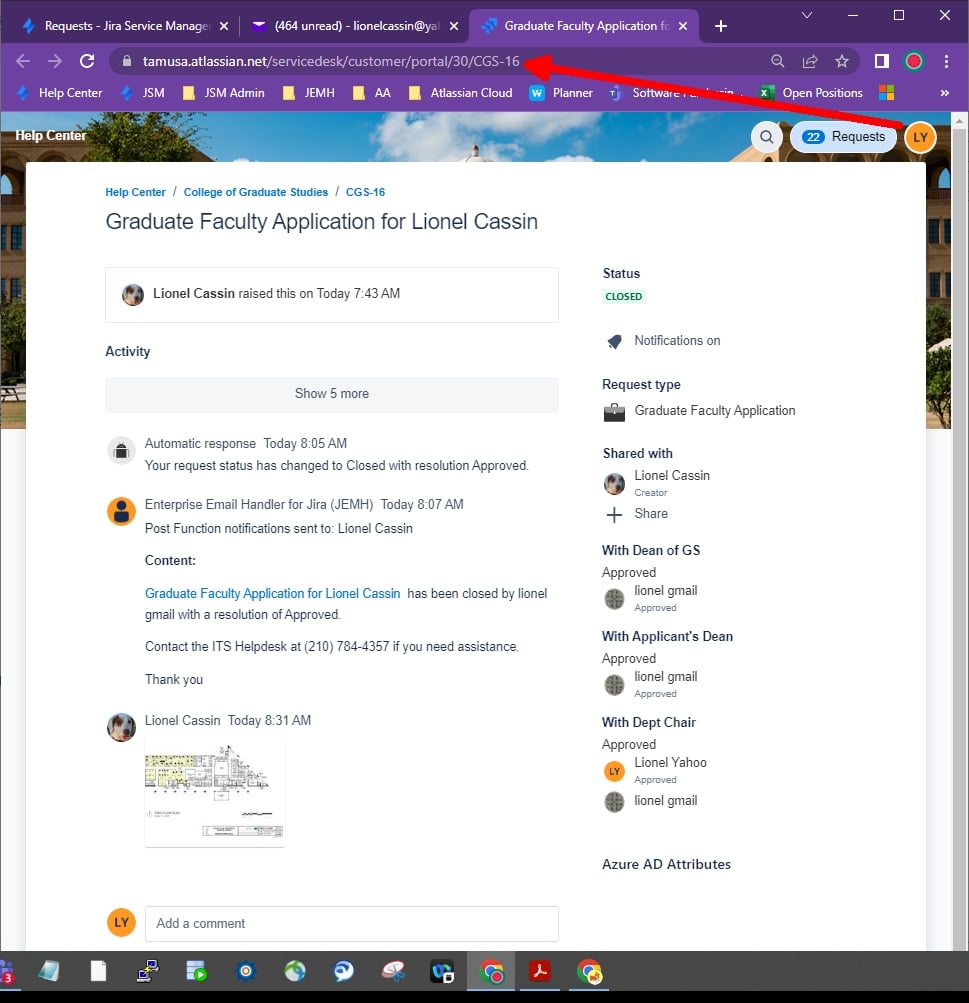
In the screenshots below, the Customer is Lionel Yahoo (LY) and the issue is CGS-16. LY was an approver on CGS-16 and did approve it. Then LY was removed from the issue.
Screenshot 1
Jira Permissions Helper says LY should not see CGS-16:
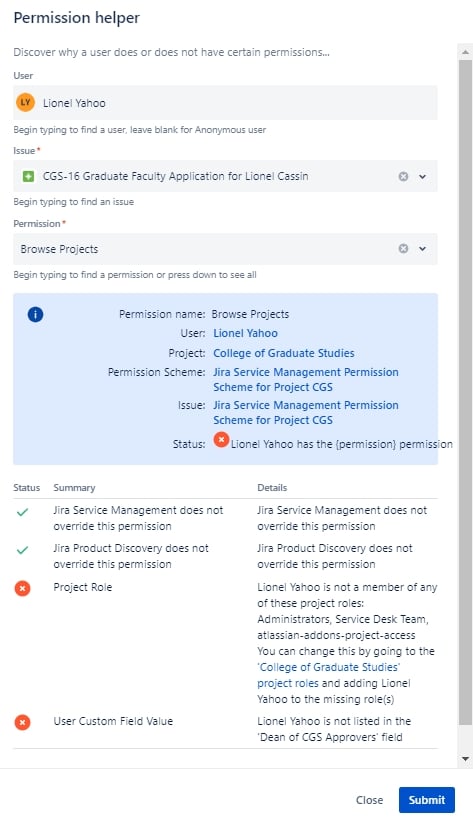
Screenshot 2
As expected, LY cannot see CGS-16 in the Request List:
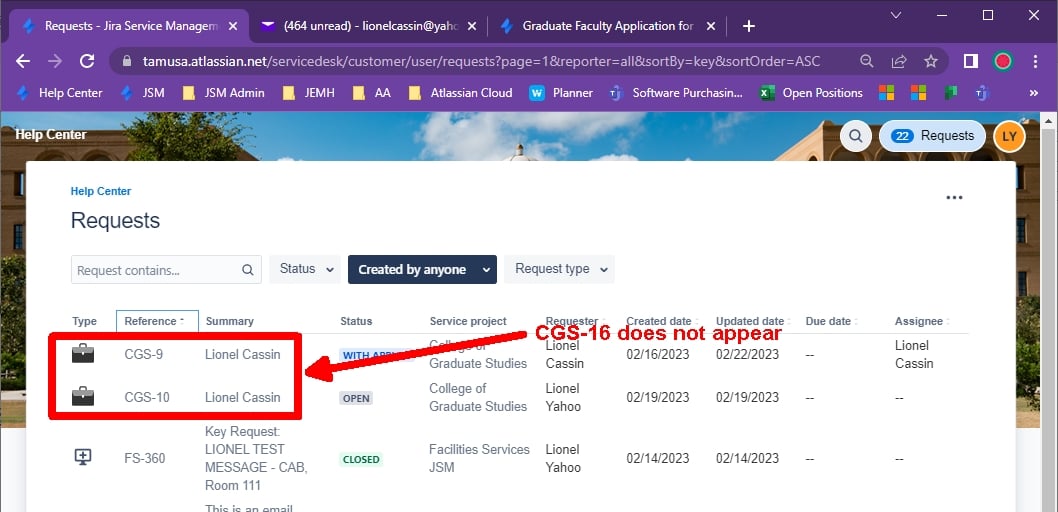
Screenshot 3
UNEXPECTED: But if LY types in the direct URL to CGS-16, LY can see CGS-16: