I'm attempting to duplicate the functionality shown in this video. I have two single-choice select fields, and I want to hide one based on the value of the other.
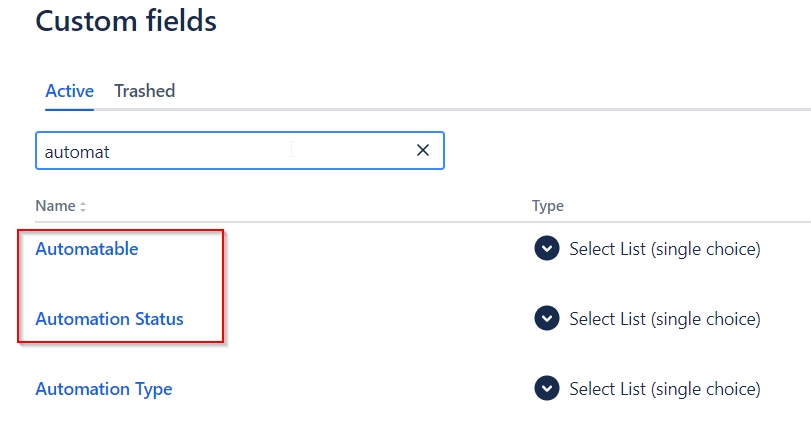
Automatable is customfield_10578, and Automation Status is customfield_10577.
When I go to choose a field, however, Automatable is not an option in the dropdown:
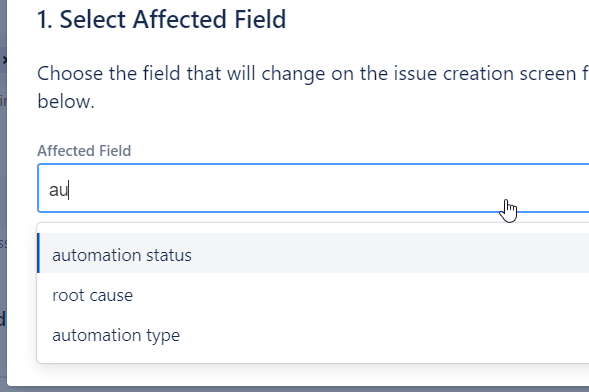
Which is fine; it's Automation Status that I'm trying to show/hide. So I select that, and write this script:
// Insert the Jira UI modifications API script for the behaviour.

const autoStatus = getFieldById("customfield_10577");

const autoYes = getFieldById("customfield_10578");

logger.info("Value : " + autoYes.getValue().name);

if(autoYes.getValue().name !== "Yes") {

    autoStatus.setVisible(false);

    logger.info("false");

}

else {

    autoStatus.setVisible(true);

    logger.info("true");

}
But on the line defining the autoYes constant, I get the following error. I don't understand why this field isn't available to the script in any way; it's the same field type as the other one being used and that one is visible in the dropdown and doesn't show an error.
The script is not running; I'm not even getting the logger results.
Any ideas?
No overload matches this call.
Overload 1 of 2, '(fieldId: "customfield_10577"): AffectedField', gave the following error.
Argument of type '"customfield_10578"' is not assignable to parameter of type '"customfield_10577"'.
Overload 2 of 2, '(fieldId: "customfield_10071" | "customfield_10505" | "customfield_10507" | "customfield_10064" | "customfield_10069" | "labels" | "assignee" | "customfield_10051" | "customfield_10052" | ... 165 more ... | "customfield_10517"): Field', gave the following error.
Argument of type '"customfield_10578"' is not assignable to parameter of type '"customfield_10071" | "customfield_10505" | "customfield_10507" | "customfield_10064" | "customfield_10069" | "labels" | "assignee" | "customfield_10051" | "customfield_10052" | ... 165 more ... | "customfield_10517"'.(2769)

