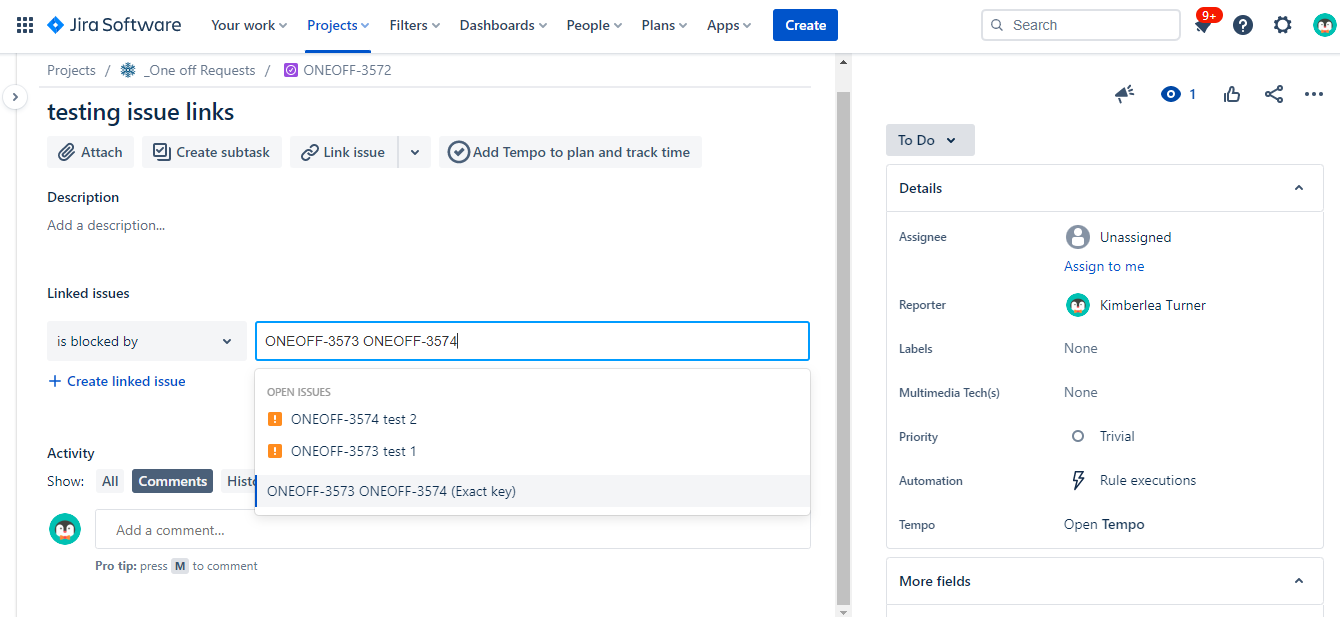
Previously we were able to switch to Old View which opened up a linking option in the menu that allowed us to copy and paste in a list of issue keys and it would link all of those to a QA issue at once. it was really useful if someone forgot to unpause a test session during a QA check, or forgot to link the issues when completing the test session, or any other reason. but Old view option seems to be gone, and the linking options provided within the QA issue only seem to allow entering each key one by one, pasting in more than one doesn't seem to take. Is there some other way that I am missing?
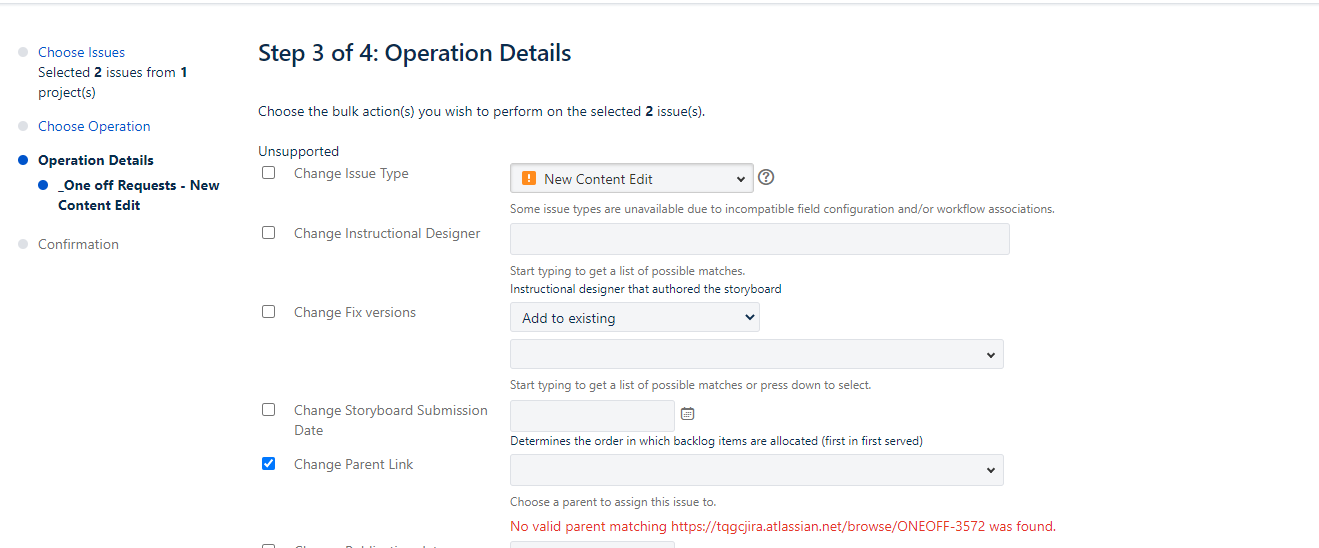
Bulk Action options on the filtered list of issues doesn't seem to do it - I tried changing the parent link in the Bulk Edit option here, but it would not recognise the QA issue key, url or name to find and attach them. I can't work out what other option might be the correct one to use.
Screenshots are from an experimental QA I set up using 2 issues to try out bulk linking.