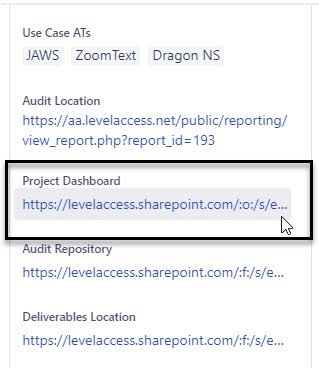
Keyboard only user (unable to use a mouse) need to be able to edit links in a custom free text field containing a URL. When navigating into those fields, I have not been able to successfully find a keyboard only key combination that allows editing. If I use a mouse, I am able edit these fields by either fully deleting the link or pasting a new link.
Things I've tried so far:
- reading through Atlassian documentation for Jira Cloud users
- the "e" key
- Using arrows to try to navigate through the link
- Hitting the delete or backspace key
- Holding down alt, control or shift while doing any of the above
- Using the keyboard shortcut modifier keys with any of the above
As one of the Jira Admins for my company, I am looking for information for my co-workers who cannot use a mouse for various reasons.