Opinion
In Jira, Checkboxes fields display (in View mode) exactly as Select List (multiple options). And in Edit mode they function identically.
This is bad.
(Also I realize now this is also the case on Server/DC, so this is not new. But it still super-annoying, resulting in hackery like this, which was a fun programming exercise, but I think it's due to a STUPID UI CHOICE.)
Discussion
So I get it. Checkboxes are Web 1.0. They're old. They take up tons of extra space.
But there's a pretty valuable point to always showing them: YOU CAN SEE WHAT WAS NOT CHECKED.
Here's how Checkboxes look when you CREATE an issue, and I swear that LONG AGO in on-prem Jira, even in View mode (in the pre-inline editing days), you could still see both checked and unchecked boxes (maybe they were grayed out to show you couldn't check anyboxes)
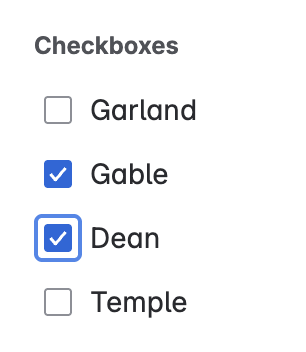
Currently in both Jira Server/DC and Cloud, if you have a Checkbox field, the options only show up when editing the field. But once you are done editing, you ONLY see the options you have checked.
Functionally this is exactly the same as a multiple choice Select field.
Here are the two types of fields while being edited:
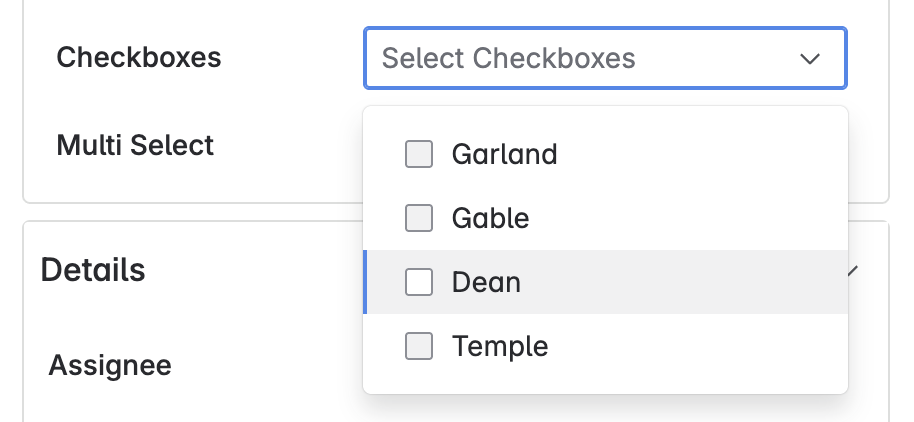
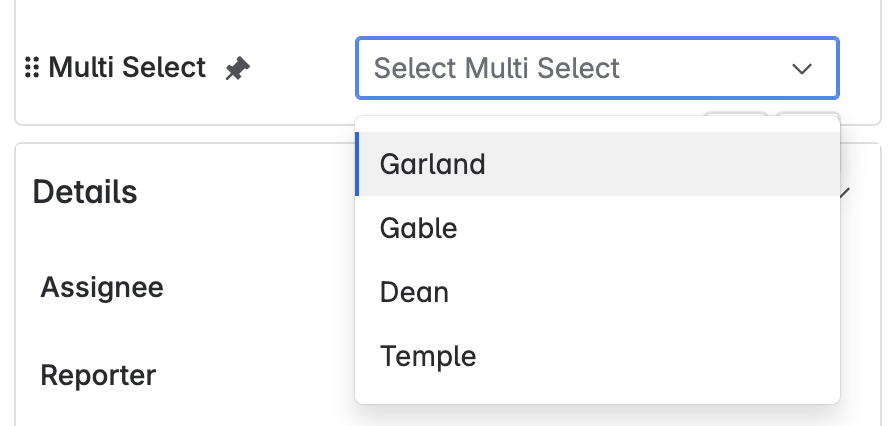
When you complete editing of the fields, and are viewing the issue you cannot tell the difference:
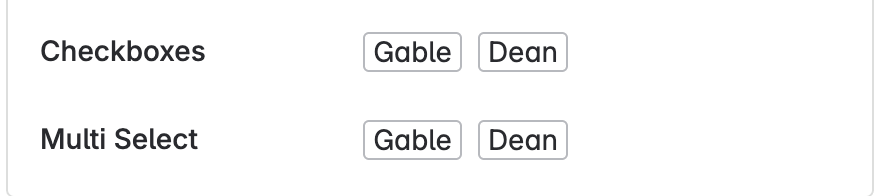
This is bad. The point of checkboxes isn't just a different user interface (and in this case, the difference is negligible), the point is that UNCHECKED OPTIONS ARE IMPORTANT. They provide VALUABLE CONTEXT.
Conclusion
If you want to not show all the options, then you can do that with a Select List (multiple options) field.
A Checkboxes field should SHOW CHECKBOXES even in on View screens. THIS IS BROKEN.
Of course modern UX/UI designers will pooh-pooh this and say I'm old. And it's true, I am. But I'm also right.


