
Most of the teams in Jira work with a bunch of different projects. One of our Issue History users asked us: “Is it possible to monitor Jira history of changes for a few projects at once? We at SaaSJet, always try to be helpful and find solutions. And also, we’d like to share this example with Atlassian Community so that everyone with a similar issue can solve it.
🔴 Task: How to find all changes I made for the whole list of Jira projects?
We have lots of projects in Jira, and I work with several of them. I’d like to get all my changes for all projects where I work.
|
What do we have?
|
What do we need?
|
- One user
- Multiple projects
|
History of changes for list of issues
|
🟢 Solution: Track all ticket’s updates with JQL filter + Issue History for Jira
Issue History for Jira is the report-building plugin where you can track all issue changes in one place. There is no direct way to get issue changes updated by a specific person for a few projects. With JQL, you can’t get past changes for the updater. But there is a backway.
Step-by-step instruction
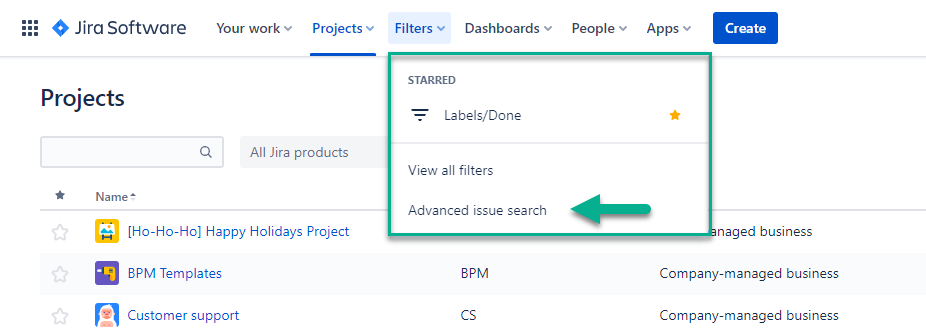
- Open an Advanced issue search and create JQL filter:
- Select all projects where you want to find changes:
project in ("Fin Requests","Marketing","Design","SLA Line") 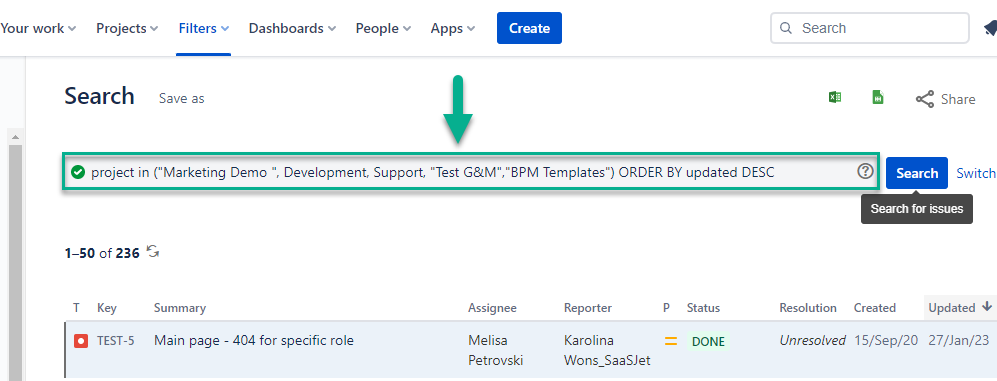
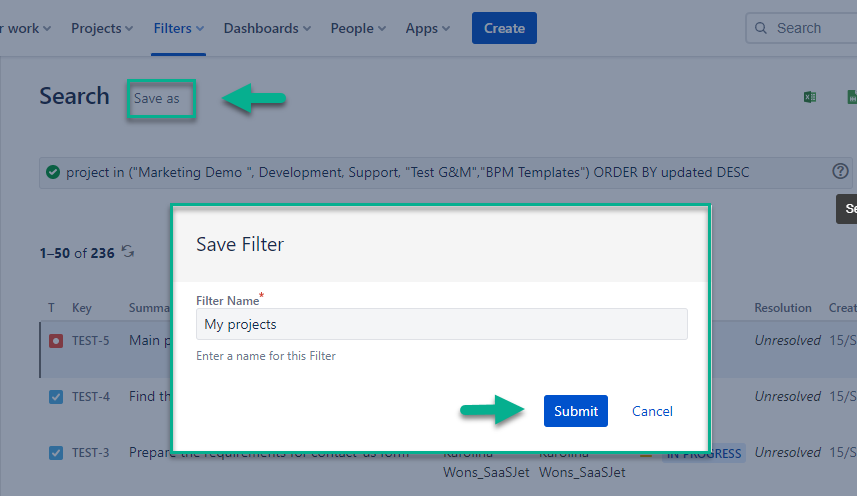
- Save this JQL request as a filter:
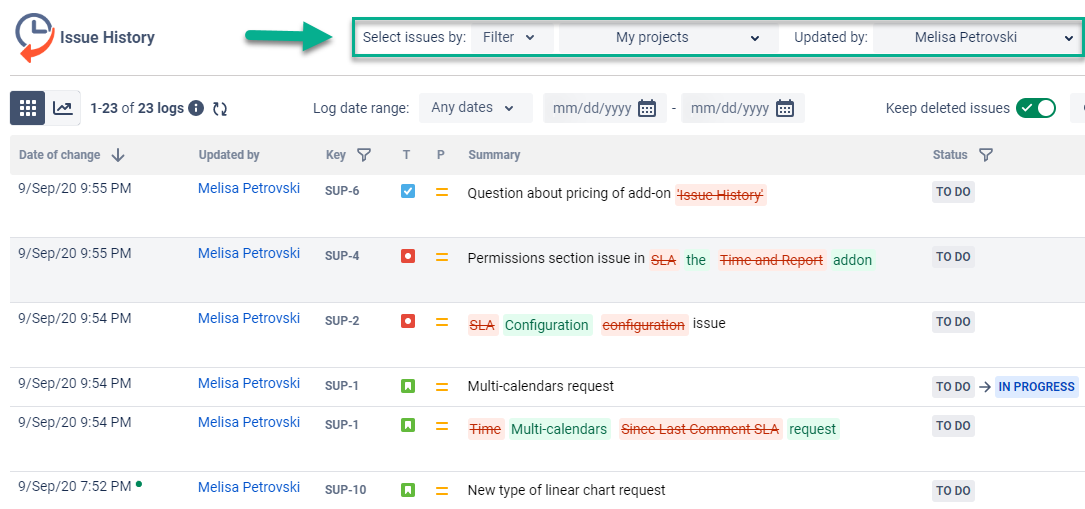
- Apply filter for Issue History for Jira with Updated by option. Choose the user for who you want to see changes.
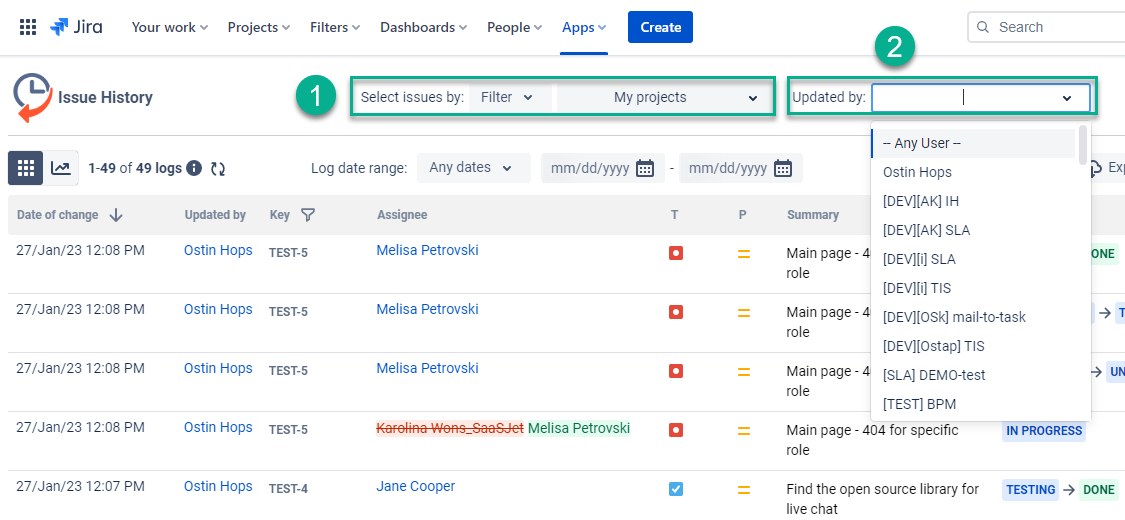
Done, we’ve got the result!
🎯 4 steps – and you’ve got all issue changes made by a specific person for multiple projects.
*If you are not Issue History for Jira user, you need to install the add-on first.
There is a 30-day free trial, so you can check how it works for you.
Also, you can try the online demo version, where you can see how the add-on works with our data.
Let us know if you have any questions or some unique cases to solve.
More tips here: Tips&tricks to track project changes with Issue History for Jira
![Photo of Yuliia_Borivets_[SaaSJet]](https://us.v-cdn.net/6038660/uploads/avatars/d0/04/nd004fec77ef393e054b072c4fa545101.png)