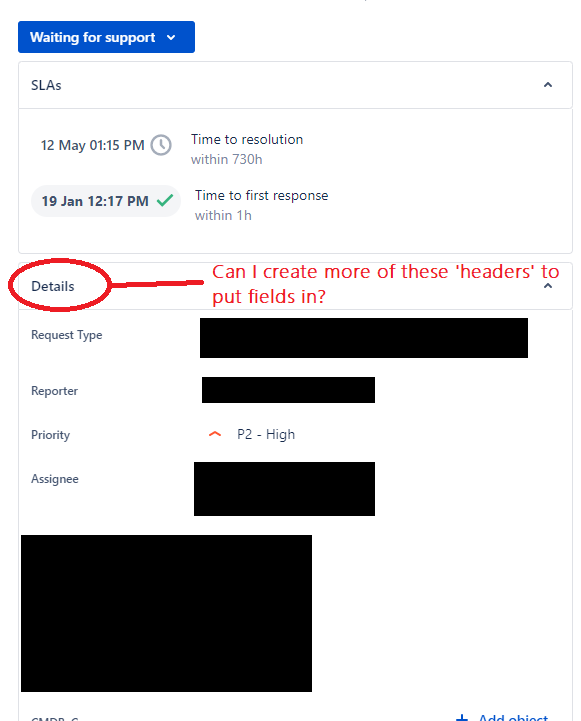
If I put a custom field in my Issue View, i get it displayed on the right side of the field nicely, just like my other custom fields.
This works great for us, as all the fields we should check or fill in, are grouped there together under 'Details'.
However, some of these fields, we would like the Customer to already fill in, in the Request Form in the portal. So far no problem, I can add the field there also, and then the Customer can fill it in.
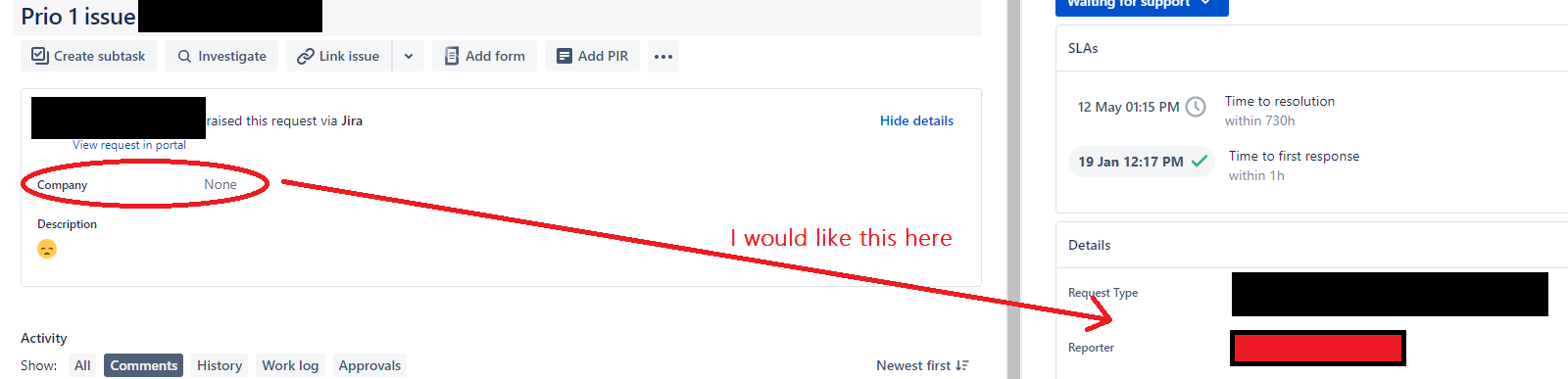
Where we run into issues, is that once added to the Request form, the field in the issue view also gets displayed on another part of the screen and not under 'Details' anymore where all the rest is.
Question 1: Is there a way to control where the fields are displayed?
I would obviously like it to still be displayed on the right side under 'details'? Now if we choose that a customer has to fill in a field, the consequence is that it also will be displayed somewhere else on the screen, less visible/noticeable if you're used to having all important stuff on the right side.
Question 2: In Issue View I have all custom fields under 'Details'. Is there an option to create extra headers/categories here and not just have 'Details'? (I found that I can create several tabs, but I would like to tweak the right side of the screen)