Summary
You are looking to assign issues to Service Desk Agents using a round robin schedule during working hours, however, during off-hours you would like to route the new tickets to the On-call Responder.
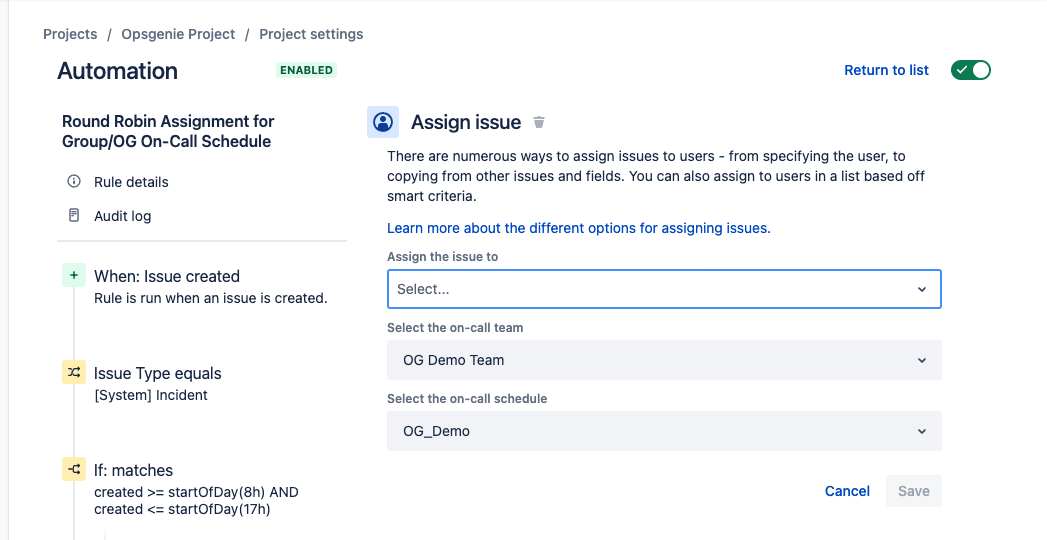
This is most certainly possible, please see the screenshots below of this configuration:
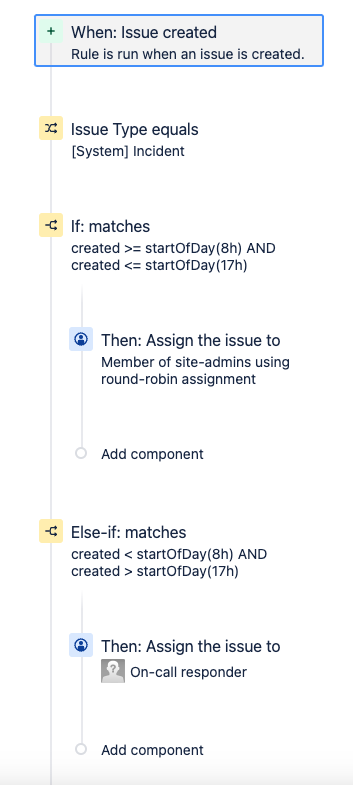
JQL to use for this use case
Please note that the (9h) startOfDay value can be changed to any start time for a working day, and so can the end of the day (where the (17h) value is):
Non Working Hours:
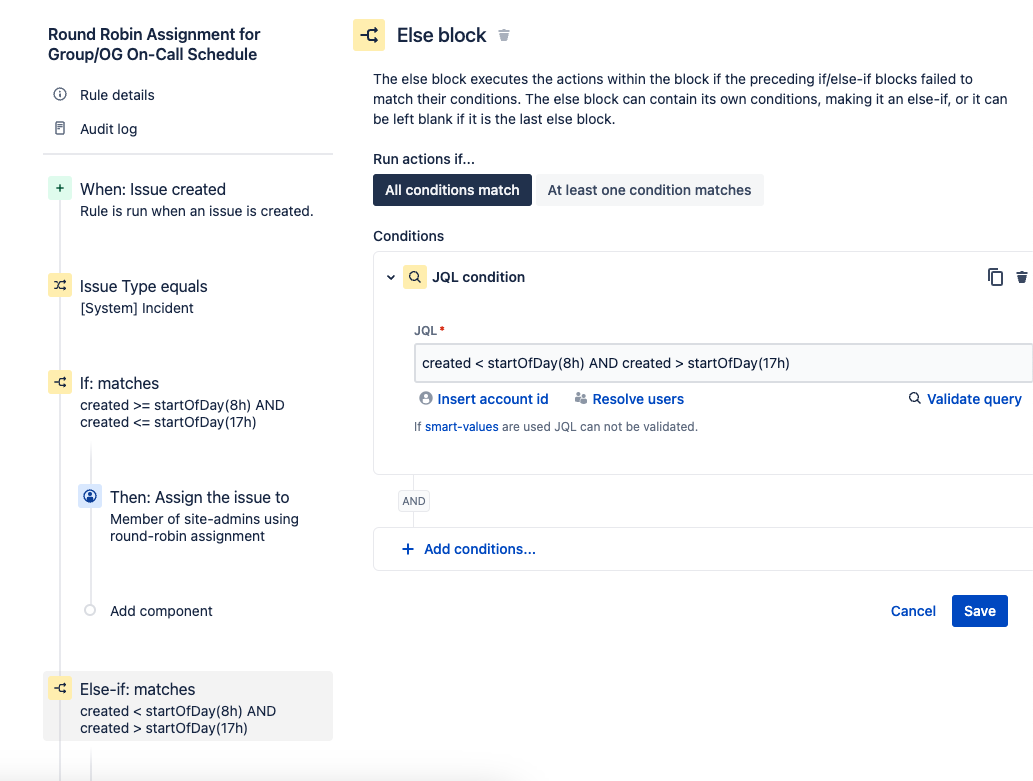
created < startOfDay(9h) AND created > startOfDay(17h)
Working Hours:
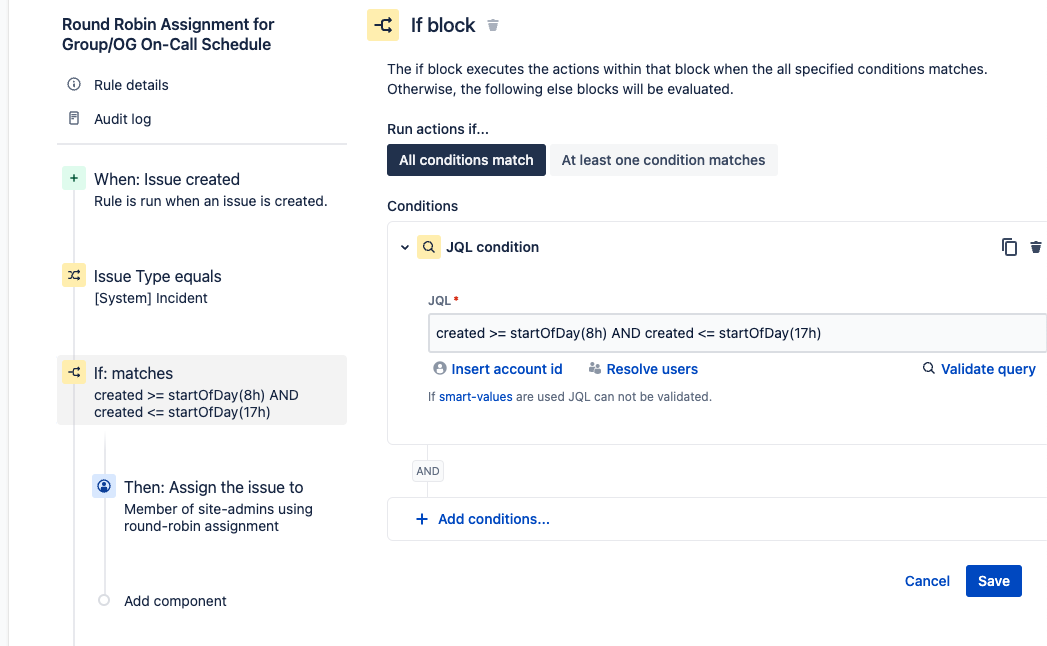
created >= startOfDay(9h) AND created <= startOfDay(17h)
If block for Working Hours
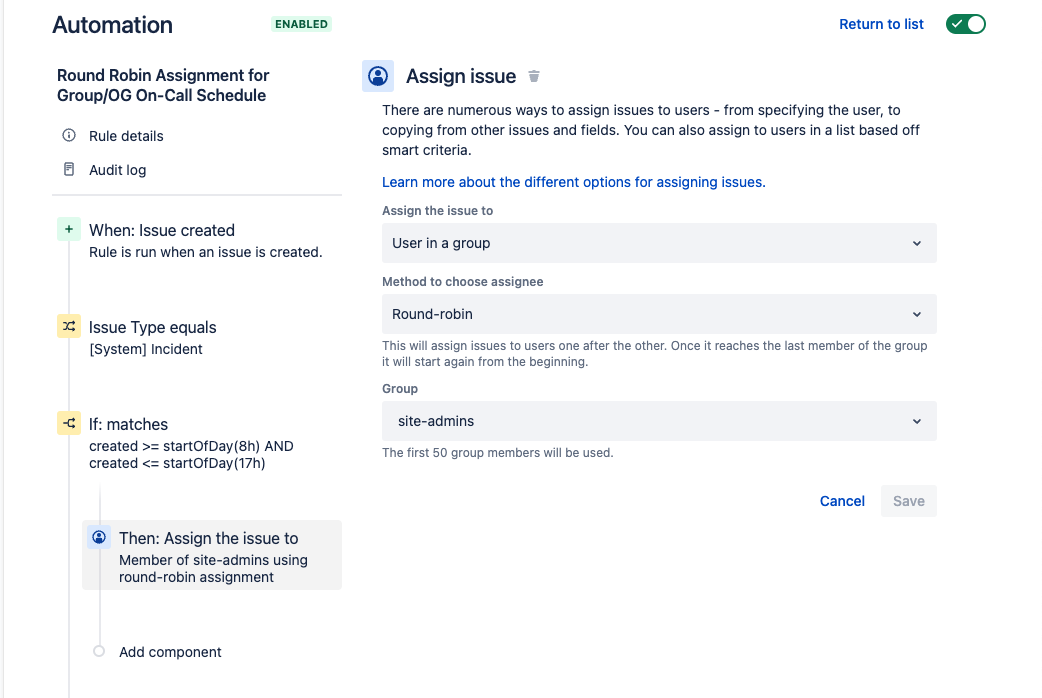
Assign Issue to a User Group via Round Robin assignment (can be any group you choose)
Else block for Non-Working Hours
Assign Issue to On-call Schedule in Opsgenie
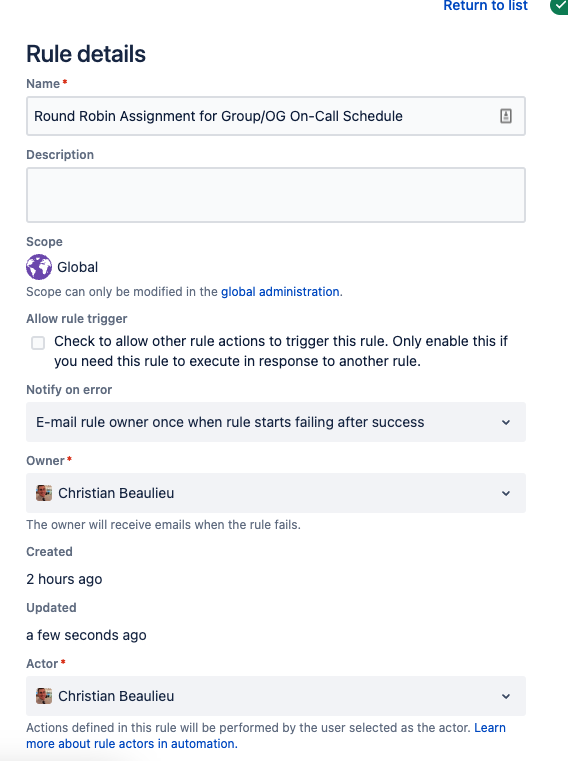
Please note that the Automation Rule Actor should ideally be an Org Admin for your Atlassian Organization. This will ensure that the necessary admin permissions are applied to the Automation Rule, as you cannot use the Automation for Jira Actor currently, due to a Short Term Backlog Bug:
Example setup of Org Admin for Automation Rule Actor
I hope this helps!
Cheers,
Christian B.
