Hello,
I am a student and am working on a pet project. I thought it would be great to link Jira to my code repo on GitHub since I used Jira to track issues.
I followed all the steps in https://support.atlassian.com/jira-cloud-administration/docs/integrate-with-github/
Created separate GitHub organization, transferred repository there and connected it according to the instruction.
But:
1. When I create a branch and commits with issue key and push it to Github Jira won't link those branches to my issues.
Example:
I have a branch "WR-5-testBranch". I pushed a test commit in this branch to GitHub:
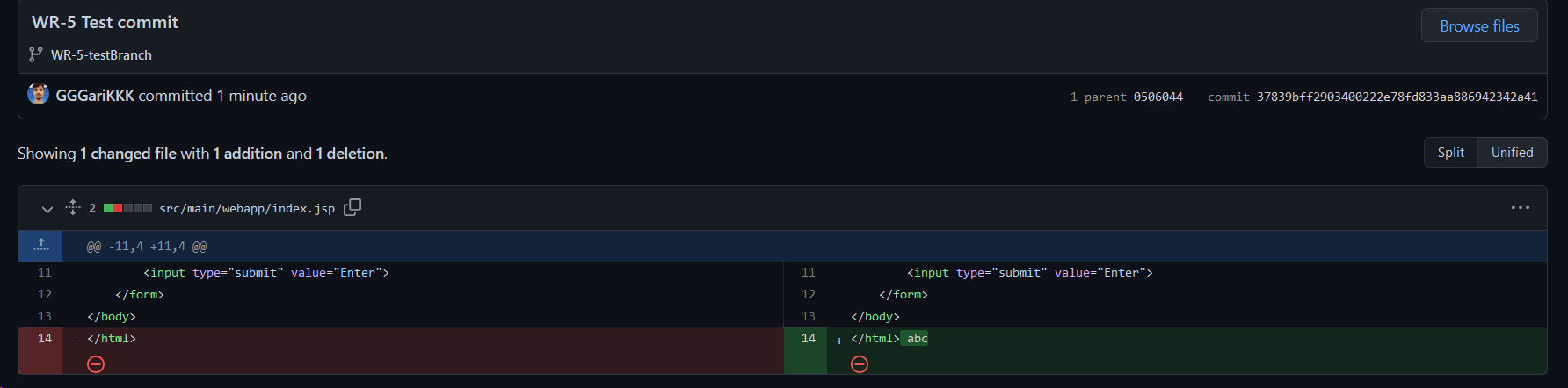
Now when I open issue with "WR-5" issue key:
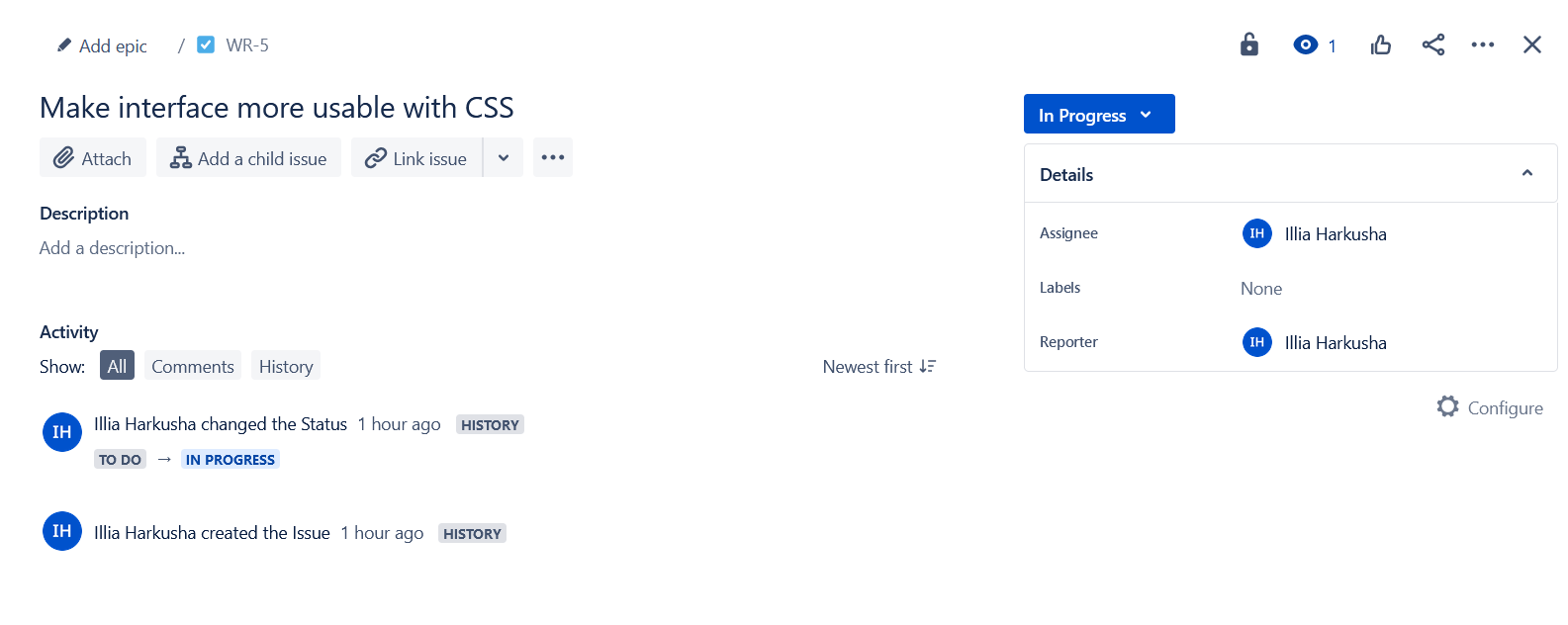
There is no info about development in the aforementioned branch although there must be "Development" section after I mentioned issue key in the commit, right?
2. I wonder why this error message is shown to me every time I open the board:
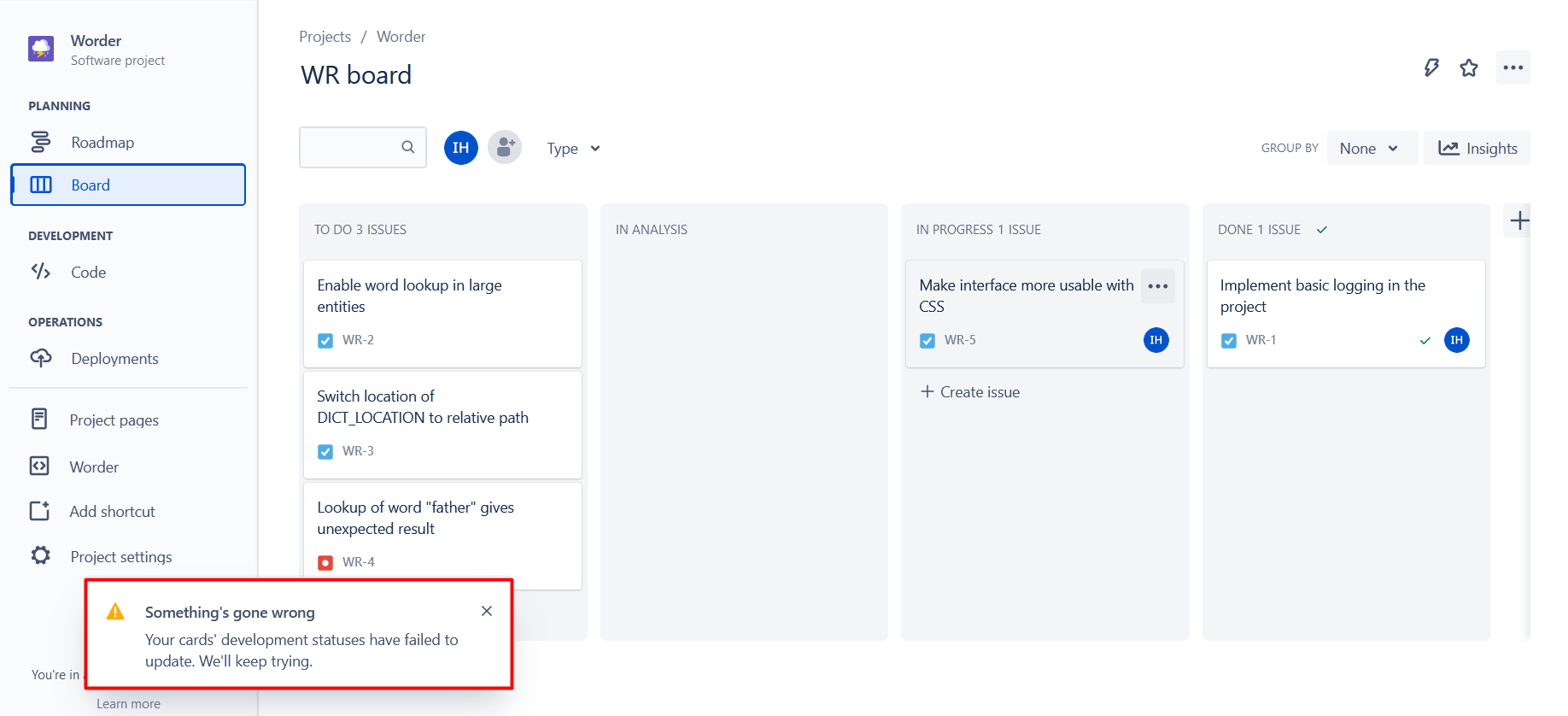
May it be a bug or I did something wrong while trying to connect two services together?
Here is my "Code" section:
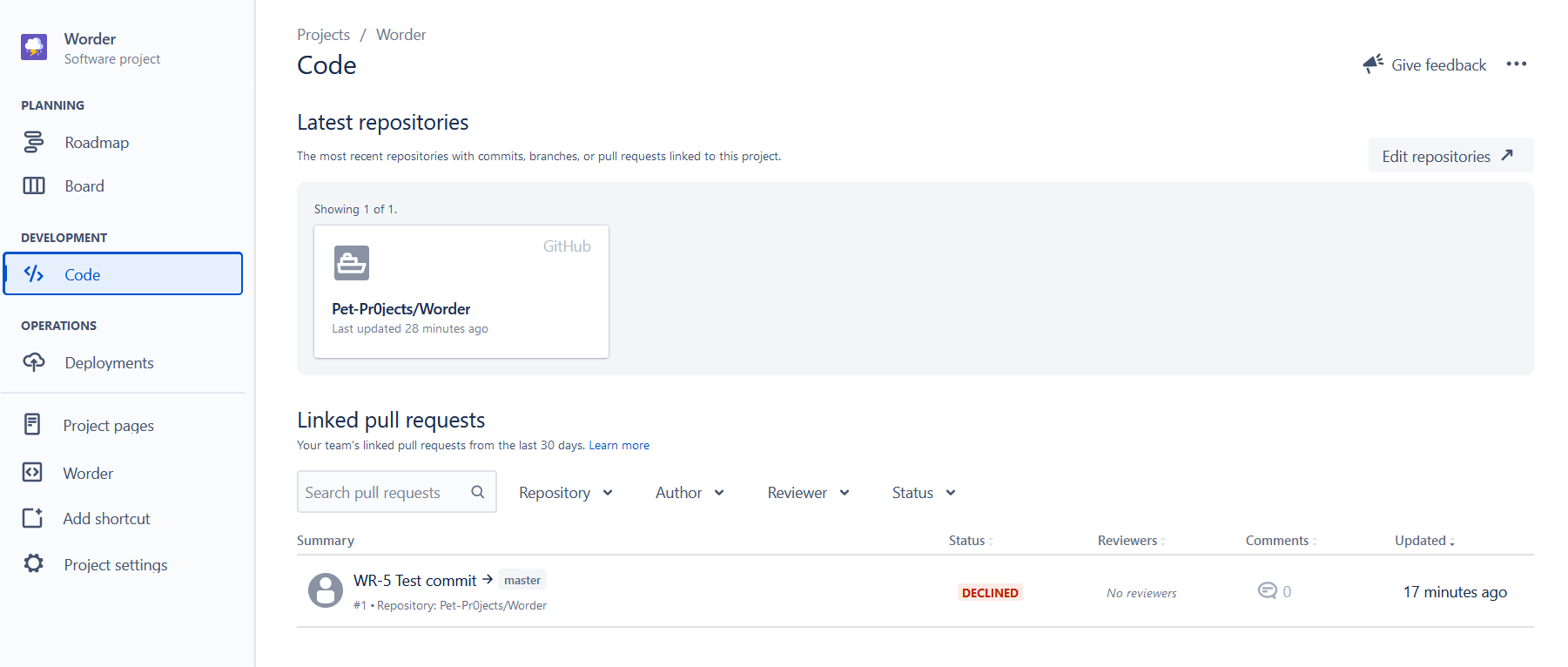
It is visible, that although development info is not available, you can see one test pull request that was closed.
So I suppose it is some kind of a bug since if I did something wrong I would not be able to see this pull request.
Or, I just missed the part where I can add this section to every issue.
Would be grateful if someone advised me on the subject.


