Hi All,
We have recently switched to Jira Cloud from many years working on Jira Server. While most everything has transfered well, I've been banging my head against the wall trying to solve a mystery related to how Time Spent is shown on an Issue Details screen (not in a Report) in Jira Cloud. It seems like this would be a super standard feature and easy to implement but yet I haven't been able to get it to work correctly and I'm a bit concerned that there is a difference in Jira Cloud versus what I was expecting to see but I hope not.
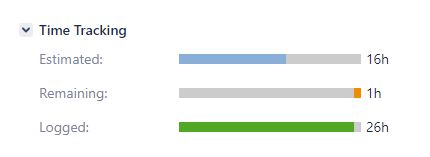
In Jira Server, when viewing issue details, we are presented with the following view when adding Time Tracking to the issue layout:
In Jira Cloud, we are seeing this view. The bars seem no longer available in Jira Cloud (bummer) but I expected we would still see the 3 values for estimated, remaining and Logged/Time Spent. Instead, Logged/Time Spent is missing ..
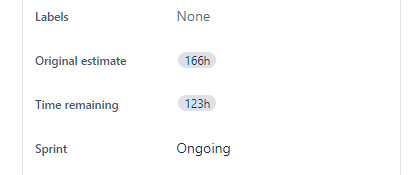
I know that Jira will hide a field if there's no data but that is a value for the worklog on this and other tickets but still no Time Spent data is shown on the ticket.
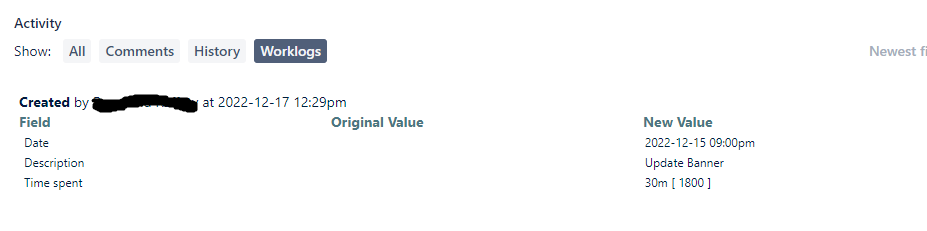
The data is available when you look at the Forecast - Time Tracking Report:

After scouring multiple community articles, I can't seen to verify if Jira Cloud works differently and simply does not allow Time Spent to show up on the Issue Details (I hope this isn't the case) or what I'm missing as far as configuration goes since the Time Tracking fields is present on the screen and Work Logs are populated .. just no Time Spent field.
Any help from the community would be greatly appreciated!


