Hi, all!
Today we would like to discuss with you the Assignment Group concept, which we successfully implementing for our customers.
As you know, out-of-the-box Jira Service Management (JSM) doesn’t support the concept of shared responsibility – everything is driven by single-person responsibility via leveraging the “Assignee” field. However, many teams, especially the ones following ITSM practices, may experience the need for the functionality enabling ticket assignment to groups or teams, while working on projects. Yes, there is an Atlassian Team concept, but unfortunately it was not intended for working with assignments.
Realising the frequent need of using team- or group-based assignments on tickets, as well as to enable notifications of corresponding teams or ensure extra security by leveraging issue security levels coupled with group assignments, we created the Assignment Group concept. First, we tested it on our internal projects and later began to suggest using it to our customers, who also expressed their need for such functionality since their work on requests was usually distributed among groups.
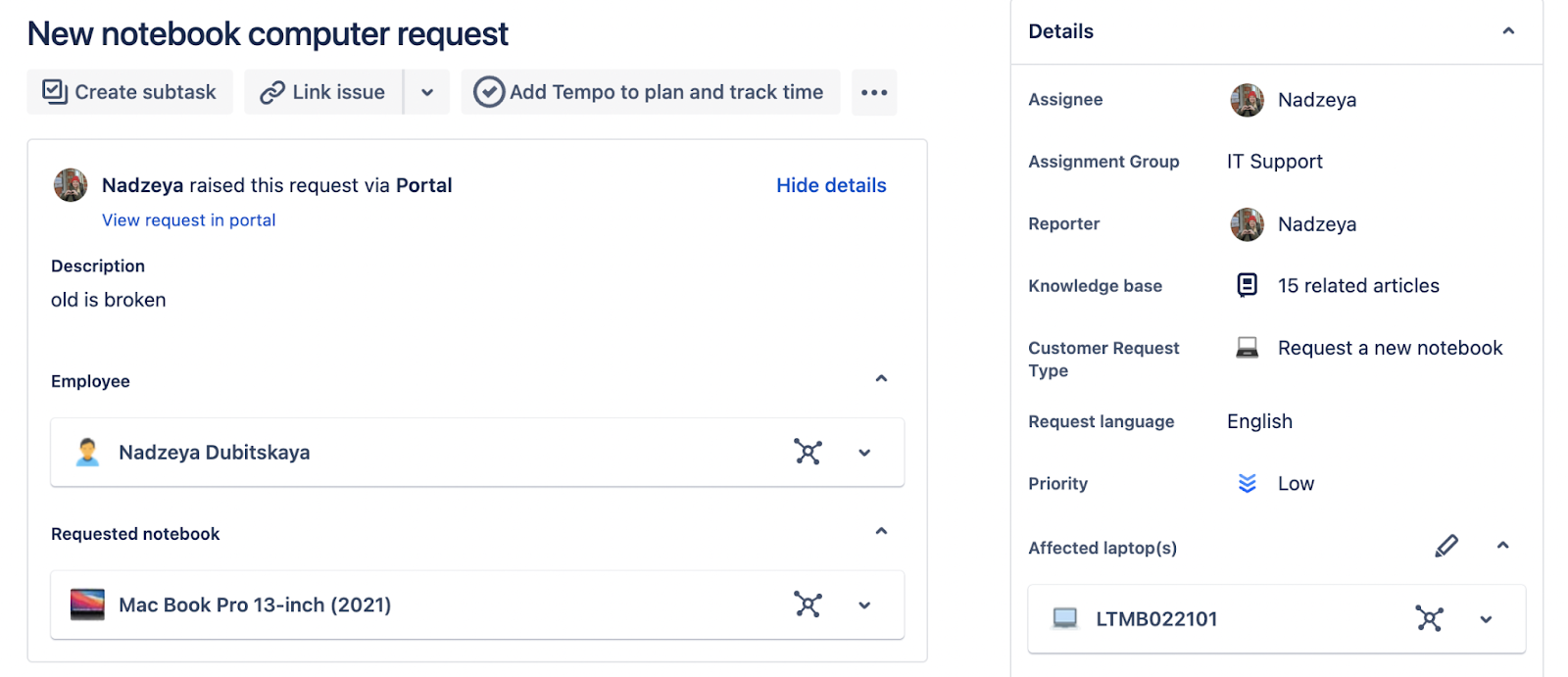
According to the developed concept, the “Assignment Group” field is a custom field of the Group Picker type, which contains a list of Jira group names with members. Based on the value of the "Assignment Group" field, JSM can be configured to use this field for:
- Automatic assignments
- Indication of who is working on a ticket right now
- Sending notifications to all members of the group
- Clearing the “Assignee” field when the “Assignment Group” value is changed
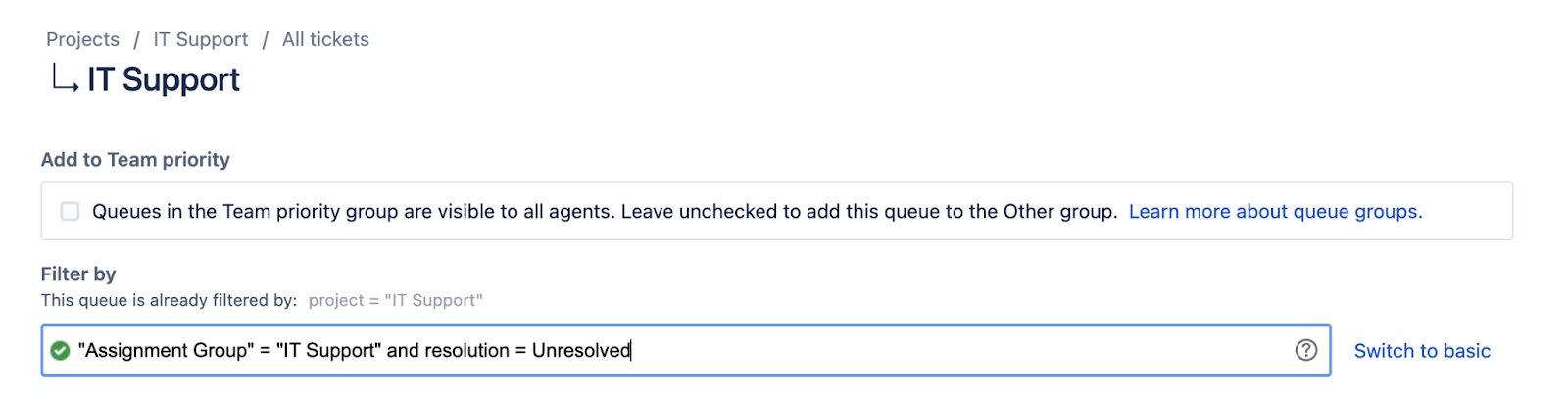
- Displaying team-based queues
- Configuring security levels, and more
Here is a short guide on how to use the Assignment Group concept on your project:
- Create a set of groups in Jira user management, add members to these groups. All members should have a JSM license. We recommend using Atlassian Access for user management across all Atlassian products and configuring groups provisioning from your user identity provider. This way you minimise the time you spend managing users in the groups
- Create the “Assignment Group” field of the Group Picker type (the field will pick up the groups created during the first step) and associate the field with corresponding screens. N.B.: The “Assignment Group” name of the field is just an example, you can choose whatever name you want

- For the tickets routine, you can configure a rule, which automatically sets the “Assignment Group” field. Alternatively, if an assignment is based on request types, it can be added as a hidden field in a request type in JSM
- For notifications sending, modify the notification scheme by including “Assignment Group” in corresponding actions (create/edit/resolve)

- For an easier ticket routine, you can create a set of JSM queues based on assignment groups
- For additional security, you can configure security levels based on “Assignment Group” values

As a result, you have well-functioning team- or group-based assignments along with additional reporting, which you can use for further analysis.
Have you experienced the need to set group assignments in Jira? What do you think about such an approach, would you like to test it on your ITSM project? Share your own life hacks and ideas on alternative workarounds and feel free to ask any questions.


