Hello,
I'm cloning this question, because I have exactly the same issue.
I've added my domain to https://admin.atlassian.com/o/{organizationId}/emails > Email domains and added all DNS records shown there. For now all DNS records are green except last TXT record which is shown as red:
TXT atlassian-sending-domain-verification={guid}
See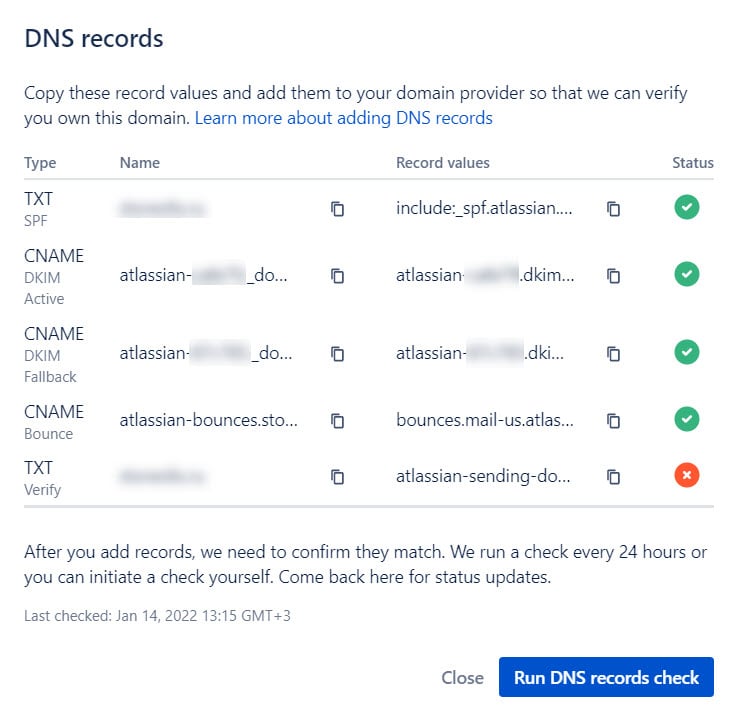
When we hover mouse pointer over red circle the following message is shown:
"The value for this TXT record is missing from your domain provider"
However this record is added to DNS of my domain and I can see it e.g. in https://dnslookup.online/txt.html (Name field shown there is set to domain name. I.e. exactly how it is shown in Atlassian):

But still when I click Run DNS record check this TXT record validation fails and I get email "We're unable to confirm a match".
Please, help to solve this problem. I've tried to remove and add my domain again and again multiple times.

