I am working with a Formula column on my Structure board. In this Formula, I want to convert timeSpent into a number value, in weeks. Ultimately, the purpose is to then divide that value by another number that is already in weeks, then display the final Formula column as a Percentage.
I am struggling to get timeSpent converted to weeks correctly within my Formula.
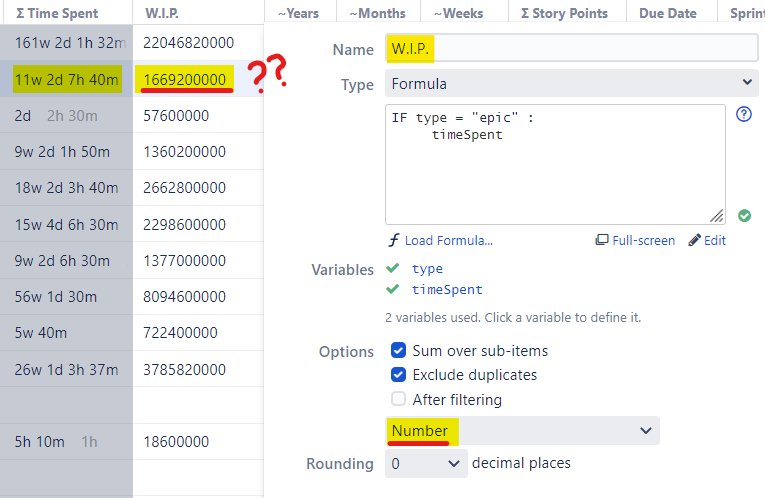
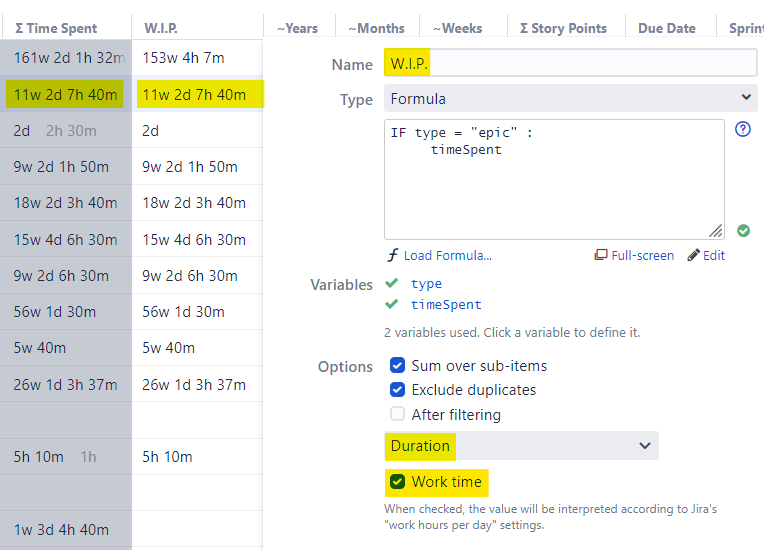
- When I make a separate "Σ Time Spent" column, to compare it as a control, it shows: 11w 2d 7h 40m. ~11 weeks is the correct number, which I am trying to get to within my Formula.
- In my Formula, timeSpent displayed as a Number, shows: 1669200000
- To confirm there is nothing wrong with my Formula, I can change the display to Duration, if I check "Work Time" ON then the Formula displays correctly: 11w 2d 7h 40m.
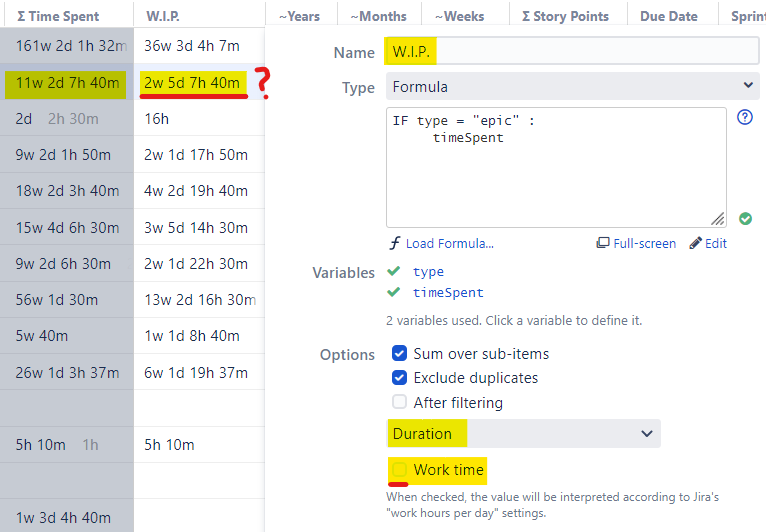
- If I check "Work Time" OFF, then the Formula displays 2w 5d 7h 40m, and I have no idea how this value is being calculated...

Using Google time converter, 1669200000 milliseconds does not convert ~11 weeks.
However.. 1669200000 milliseconds does convert to ~2.7 weeks...
Any ideas on what formula Structure is using to get 1669200000 into ~11 weeks, similar to Duration "Work Time" ON, so that I can replicate it within my Formula column??
Here are some screenshots demonstrating...