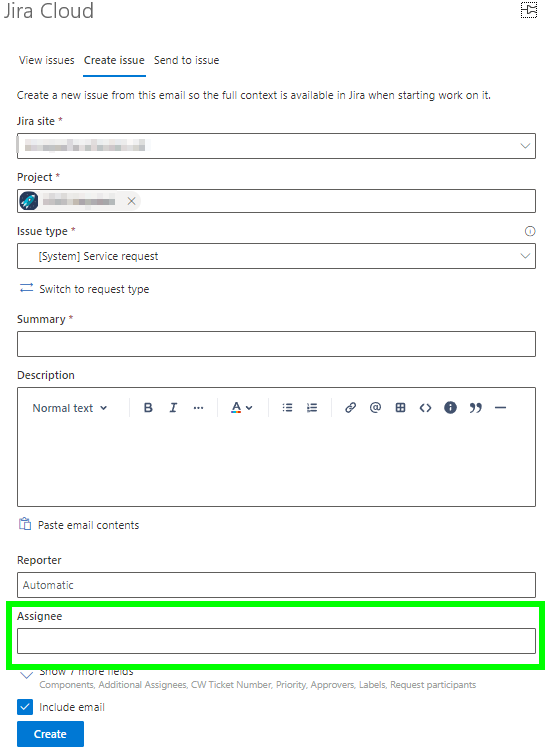
When we use the Outlook plugin "Send to issue" option and select an issue, we can see the Asignee field and modify it at the time if we want.
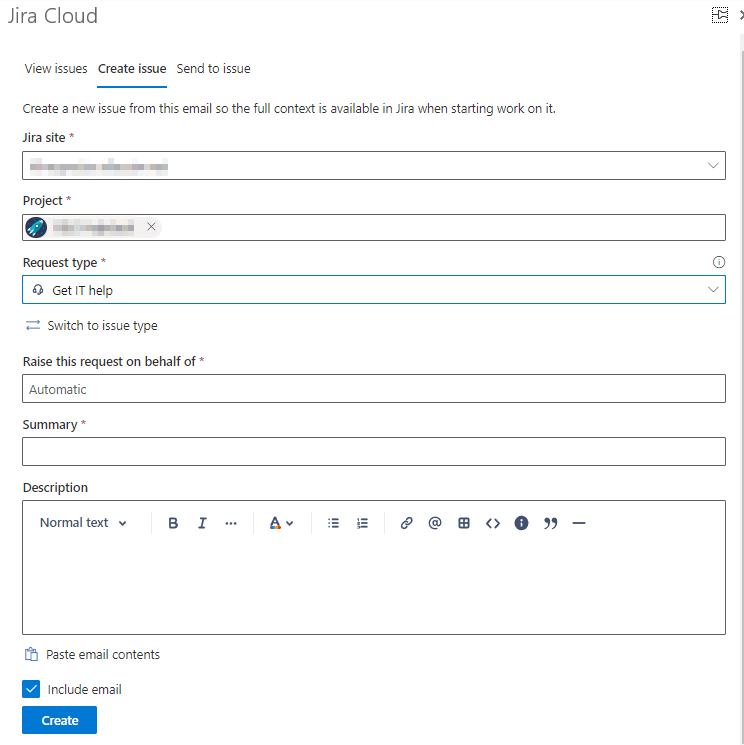
When we are using the plugin to "Create Issue", however, the screen has fields for Jira site and project. After I select my project, a Request type field is visible, along with some other fields, but no Assignee. I modified the "Request Forms" for several issues and found I can add the Assignee field but it is "hidden" and there is no option to make it visible.
HOWEVER, if I "Switch to issue type", and pick any issue type (even "[System] Request") I do get an Assignee field, but lose the request type.
Is there a way I can either:
- 1.) Have the Assignee field available so a ticket can be created and assigned to a specific user.
- 2.) Have the Assignee field default to the user creating the issue from the plugin, since we typically are creating issues for ourselves based on emails we've received.
Request type view:
Issue type view: