My company is using Jira Cloud. I was troubleshooting an issue earlier where some users were getting their "Resolution" field set to "Done" when a ticket was initially created in their project.
I discovered that someone else with admin added the "Resolution" as a field when creating a ticket. Why you'd need to have a "Resolution" on a newly-created ticket is beyond me, but it got me to thinking further about editing the "Resolution" field: Why not create a Screen on the transition to a "Done" state so that it prompts you to enter the Resolution? I looked online to confirm my suspicions on if this was possible but nothing came up, so when I tested in my sandbox, I was pleased to see I had successfully stumbled upon a solution I have been asked about several times in the past by my users...
Here's what I did:
- Create a new screen (https://<DOMAIN>.atlassian.net/jira/settings/issues/screens and click on "Add screen". I called mine, "Set the Resolution")
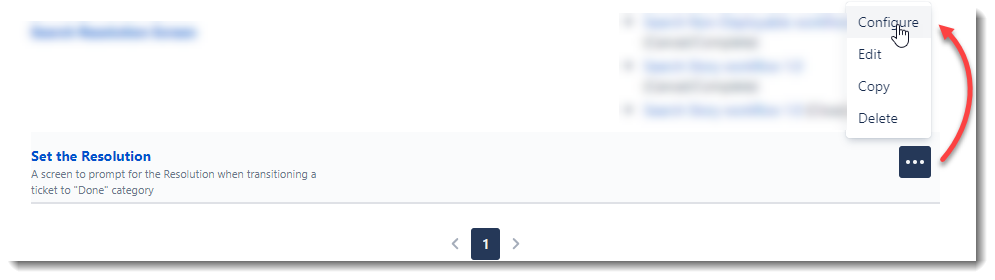
- Locate the new screen and click the 3 dots and go to "Configure
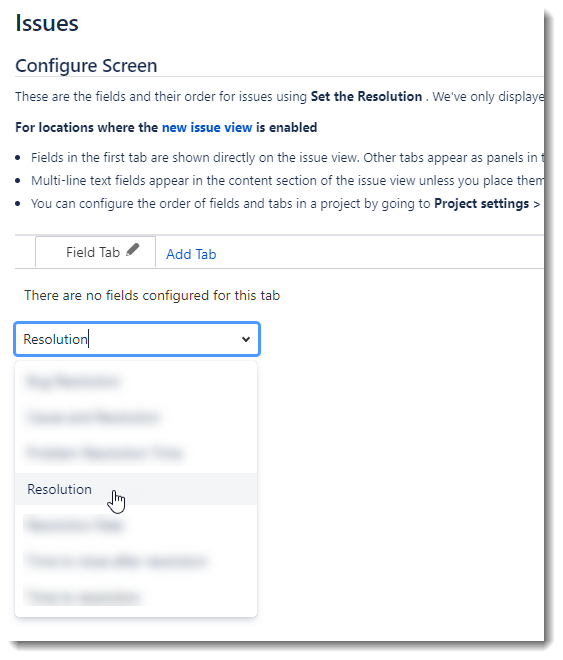
- Add "Resolution" to the list of available fields. Other fields are optional but just "Resolution" is all that is needed
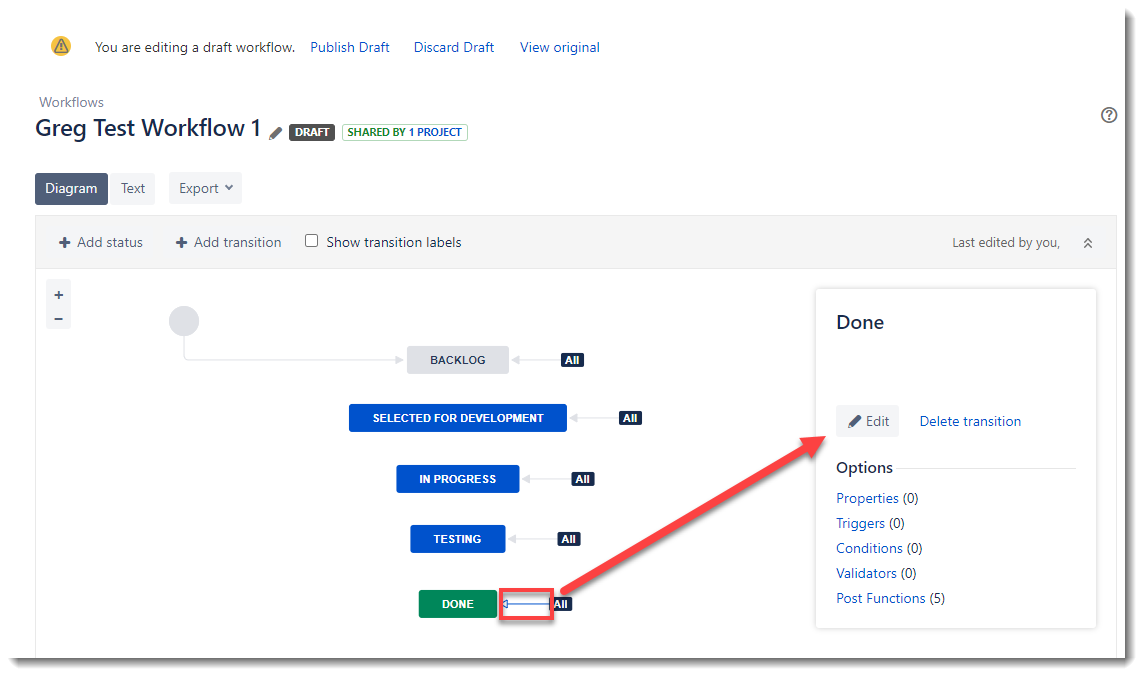
- Go into the workflow for your project and edit it
- Select the transition line for the "Done" status you have in your workflow, then click "Edit" over to the right
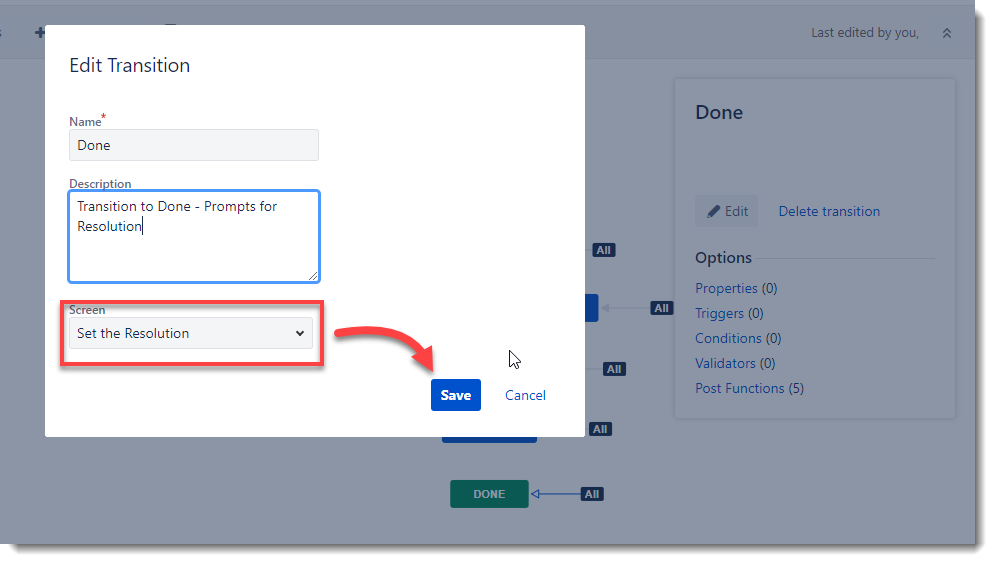
- Search for the Screen you just created and click "Save" when ready
- Publish your draft when completed
- Create/edit an existing ticket and when moving into the "Done" state you have set in your workflow, a popup should now appear with the option to set the Resolution (and Comment)...and yes, I know we have a lot of "Resolution" options...I'M WORKING ON IT!!!
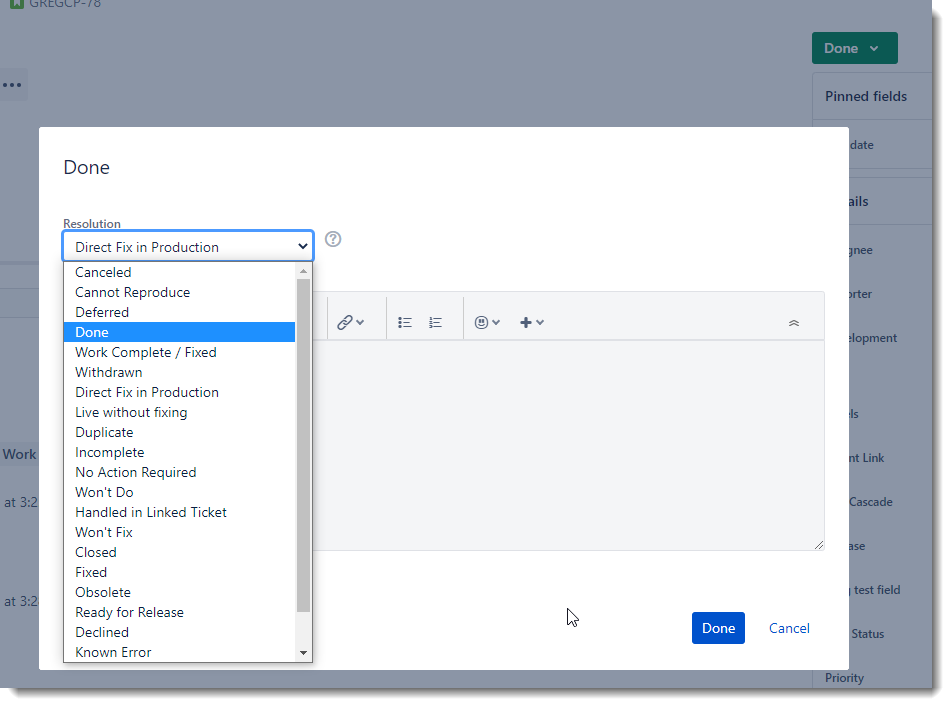
"BUT WAIT!" you may argue, "What about when transitioning BACK into an active status?"... it appears that a Post Function to clear the Resolution when transitioning to a status other than "Done" or similar category will probably be your best solution, but this is a way to allow your users to CHOOSE the Resolution without it being hard-coded into a Post Function (for those, like in my tenant, that have a LOT of Resolution options!)
I'm sure I'll be flooded with links to this workaround that I didn't see, but I did search for it prior to posting. I checked the Community and Support pages and Google. I didn't use Bing because...really???

