I have automations set to trigger new tickets to be created when as it goes through multiple departments own projects.
The order of linking is as follows
- Project A
- Project B
- This is the only manually created ticket which starts the workflow automation triggering to create tickets in the next teams Project ->
- Project C ticket #1
- Project C ticket #2
- Project D
Automation for Project B to C #1 is not an issue and will copy over the same order perfectly (A listed first then B and C #1).
When the automation gets to the point of creating Project C ticket #2, the linking order stay the same on all of the previous tickets but is not in order on the Project C #2 (i.e. C #1 then A then  and all tickets following.
I've tried with reorganizing the order of the automation below and linking to Trigger and Most Recently Created Issue but it still will not work:
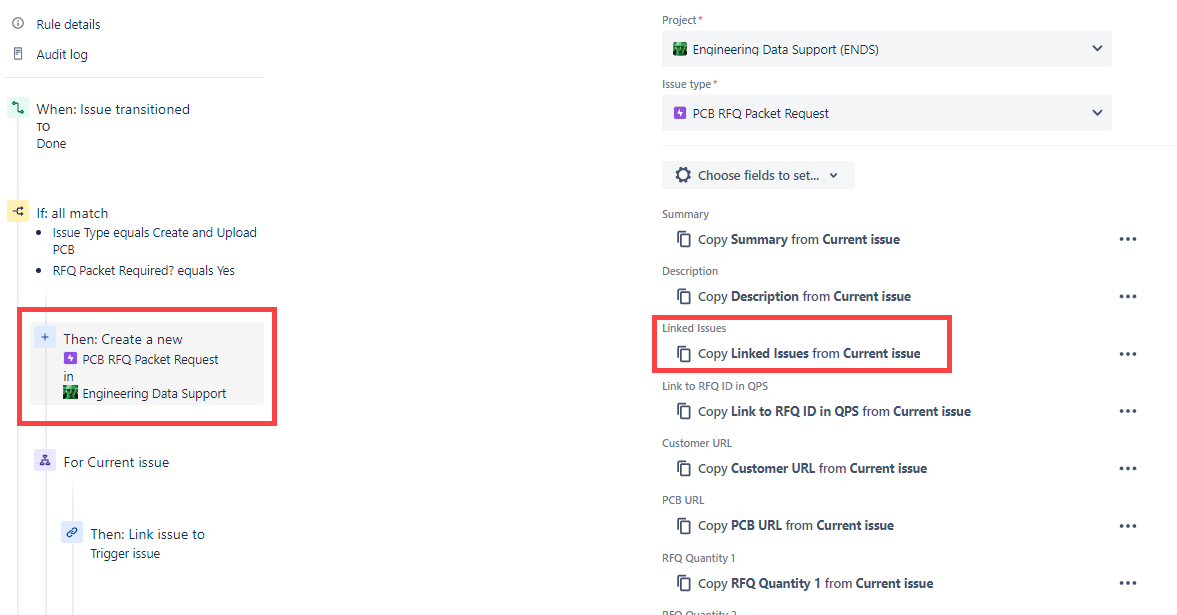
Any help to set it to link the issues in the same order each time would be greatly appreciated!
