When running a CSV import for Service Projects, it’s not possible to import the request type field with its current names, like “Get IT Help“ or “Onboard new employees“.
It’s necessary to use the request type keys, and to get that information, the users need to reach out to Atlassian Support. But there’s a way to retrieve this information using an API endpoint.
Instructions
-
Pick one ticket on your cloud site from the Issue Type that contains the Request Type you need to run the import

-
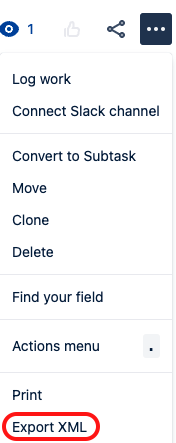
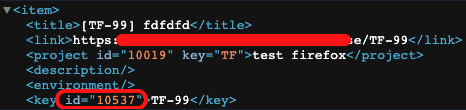
Export this ticket to XML (“…“ > Export XML) to get its ID
-
Now that you have the ID, access the following endpoint on your web browser (change the {your-instance} and {ticket-ID}):
https://{your-instance}.atlassian.net/rest/servicedesk/1/servicedesk/request/{ticket-ID}/request-types
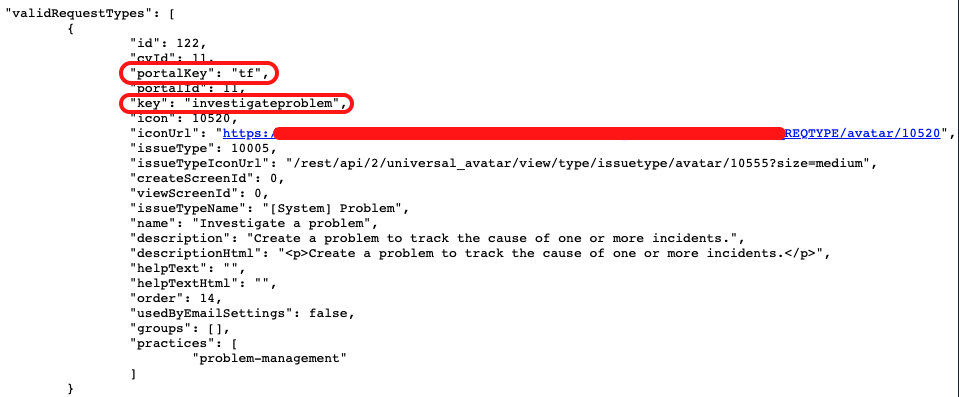
- And you’ll see a page like below, related to the Request type “Investigate a problem“ and also all other Request Types related to the ticket’s Issue Type:
- The information on the key field can also have a different format, like on the image below, and you can use it the same way:
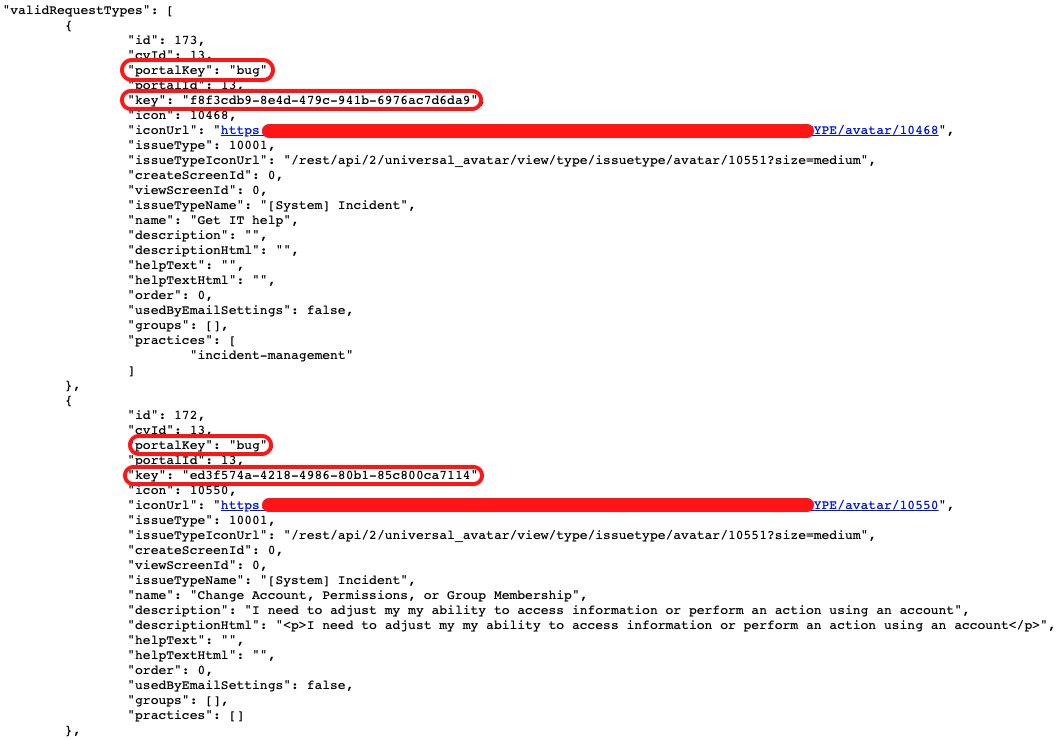
For these cases, you need to check the relevant Request Type basing on the field “name“.
-
And the information you need is: portalKey and key. The format needed for the CSV import is:
portalkey/key => tf/investigateproblem
=> bug/f8f3cdb9-8e4d-479c-941b-6976ac7d6da9
- And you need to use this value on the request type field when running the CSV import. Remember to also map the Issue Type field to have a correct import



