👋 Hello Community!
My name is Stephanie Zhang, and I’m a product manager on the Confluence cloud team.
Today, I’m excited to announce the rollout of Presenter Mode: a new way to let your work shine, free of distractions, without leaving Confluence.
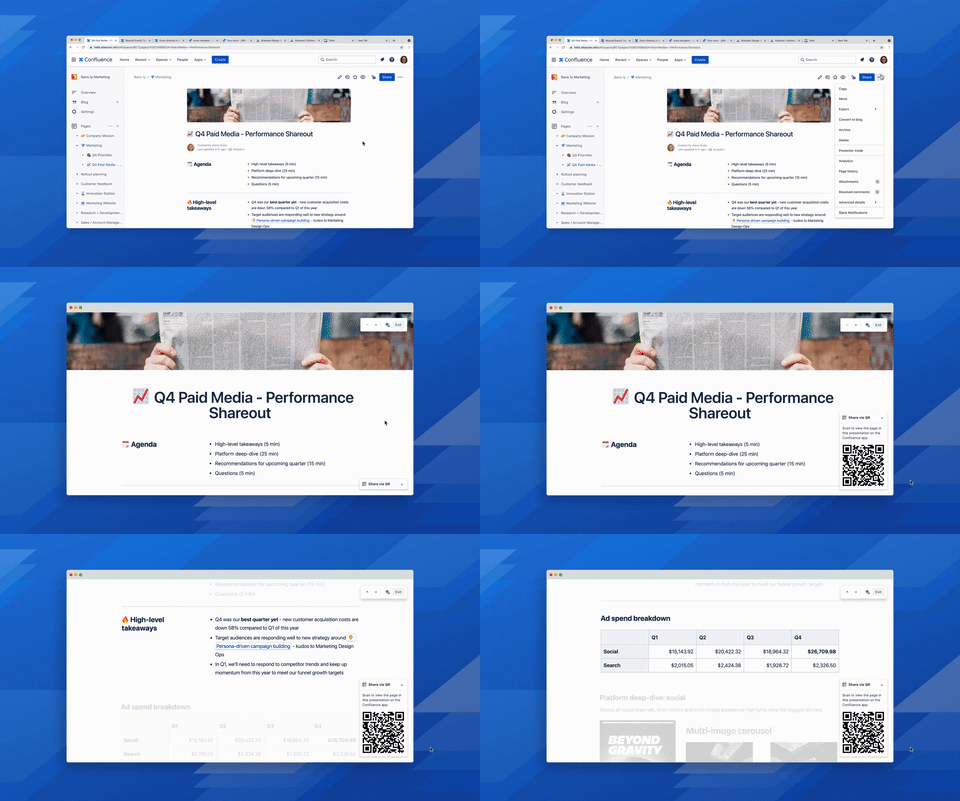
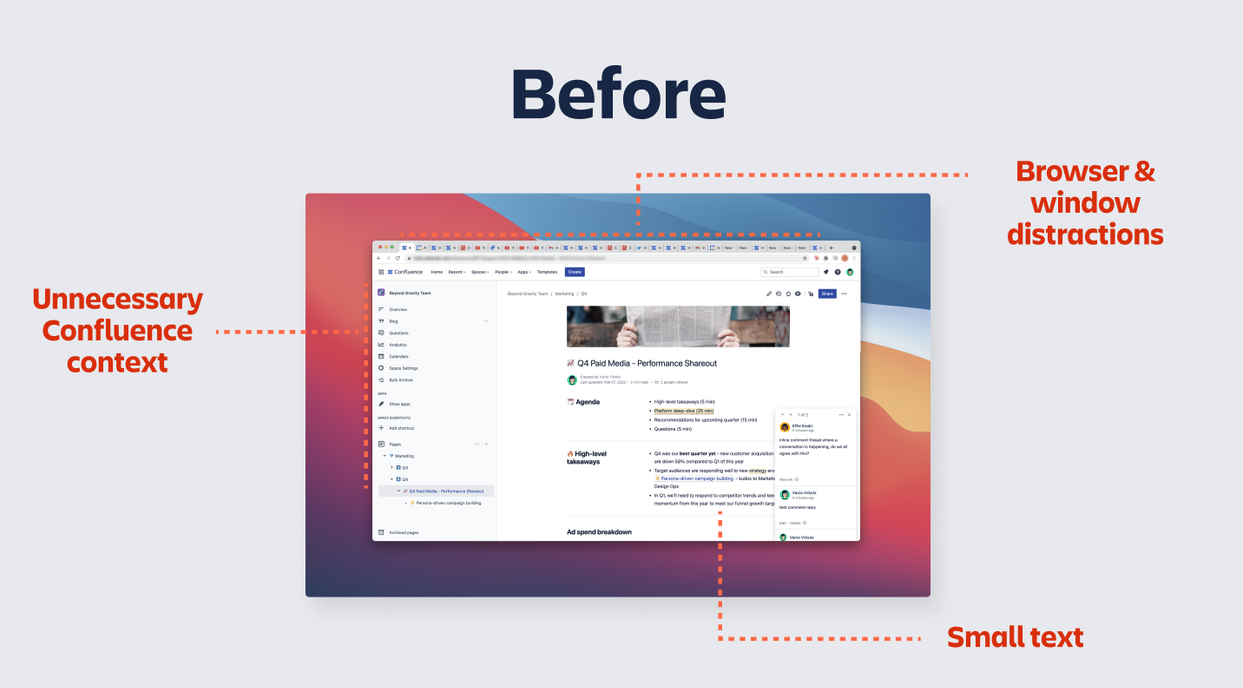
With Presenter Mode, you can bid farewell to the plethora of distractions that arise when sharing a Confluence page with your team. Instead, you can proudly let your work shine and selectively guide your audience through your narrative.
-
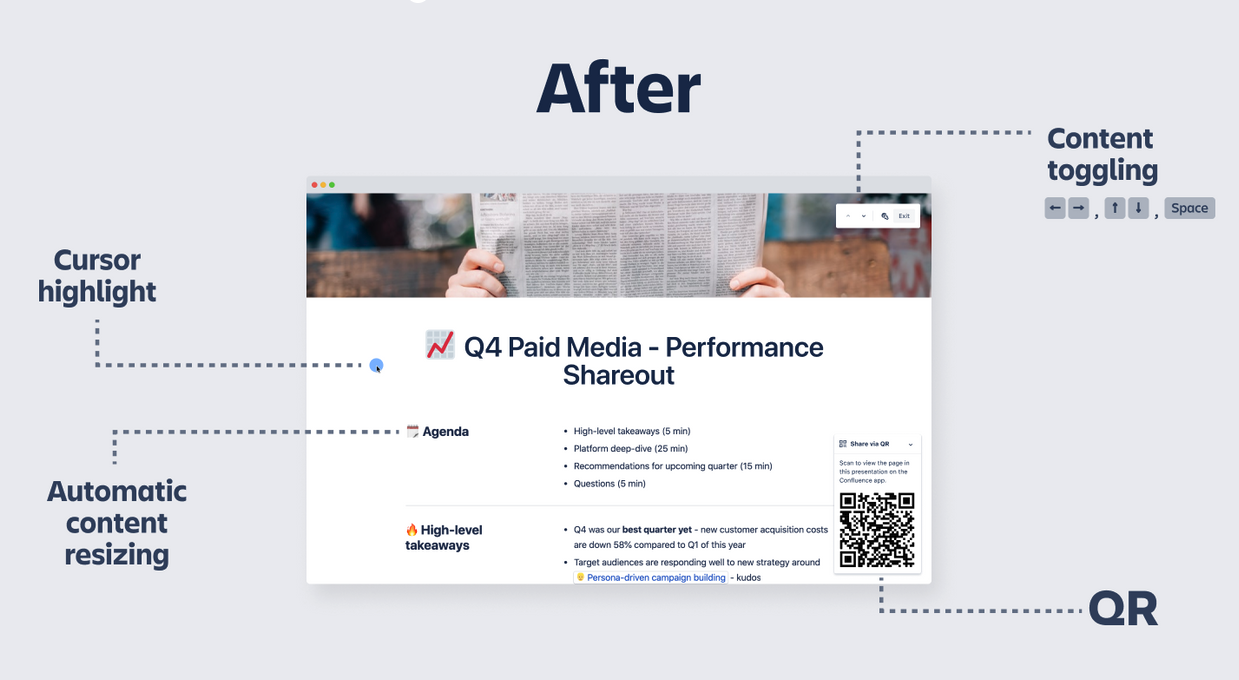
Your content is front and center with full-screen & automatic resizing of the page
-
Keep your audience engaged by hiding the left navigation, inline comments and update toasts
-
Control the flow of information with selective focus.
-
Focus your audience on specific sections or areas of the page with mouse effect
-
Seamlessly share your presentation via QR without the fuss of sending links. P.S. if you haven’t downloaded the mobile app, check it out here for iOS and here for Android.
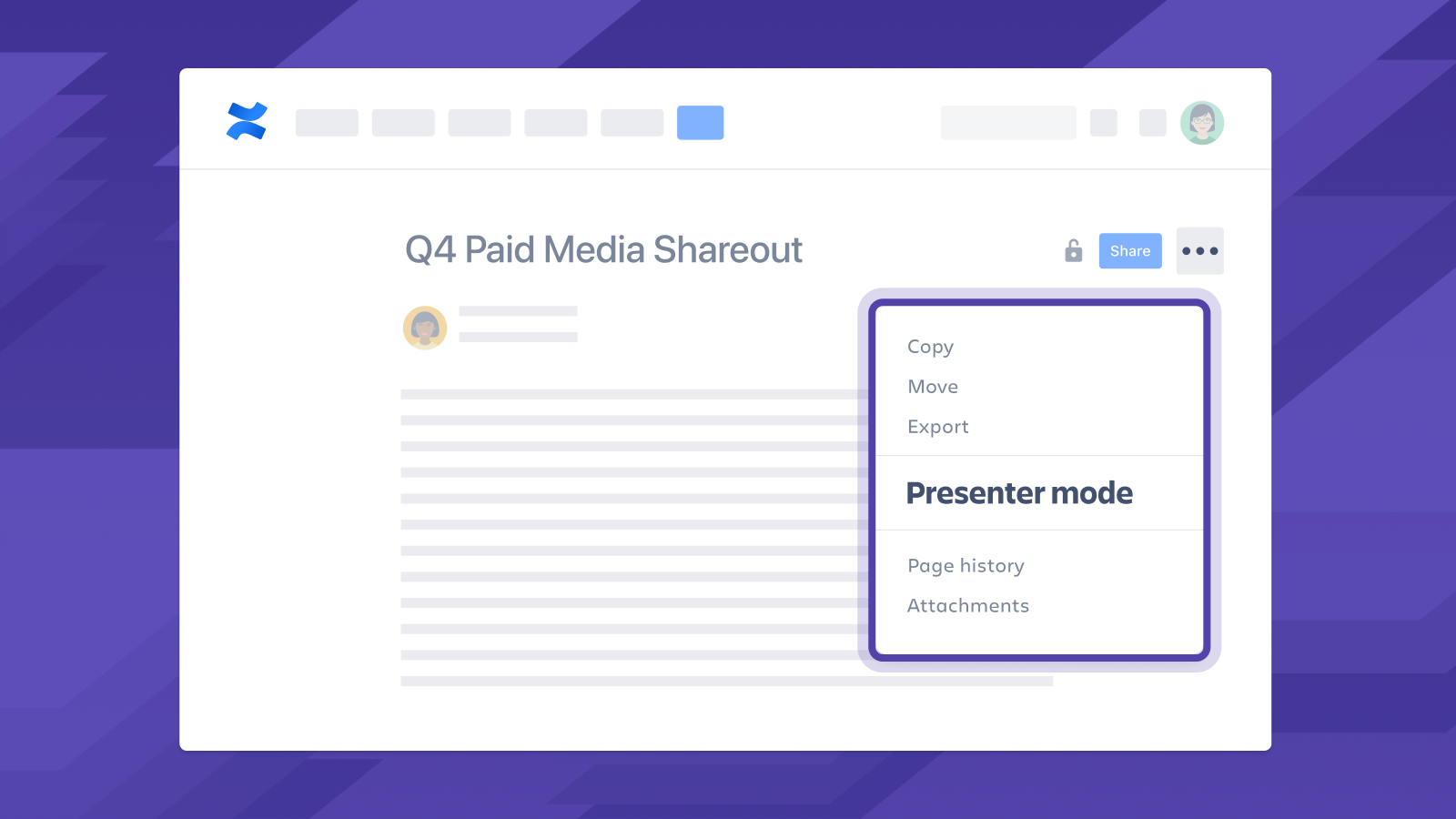
To access Presenter Mode, simply click on the overflow (…) dropdown on the top right of any Confluence page and select “Presenter mode.”
Presenter Mode is currently rolling out so if you don’t see it yet you should within the next few weeks.
If you want to learn more about Presenter Mode in the context of our product vision, watch our Work Differently, Together keynote here from our Team '22 conference.
Questions, feedback or comments? Check out our support article here and let us know in the thread below! 


![Photo of Huwen Arnone [Deiser/Devoteam]](https://us.v-cdn.net/6038660/uploads/avatars/6f/bc/n6fbcb837e47ed9842db045142dbc9275.png)


