Hi,
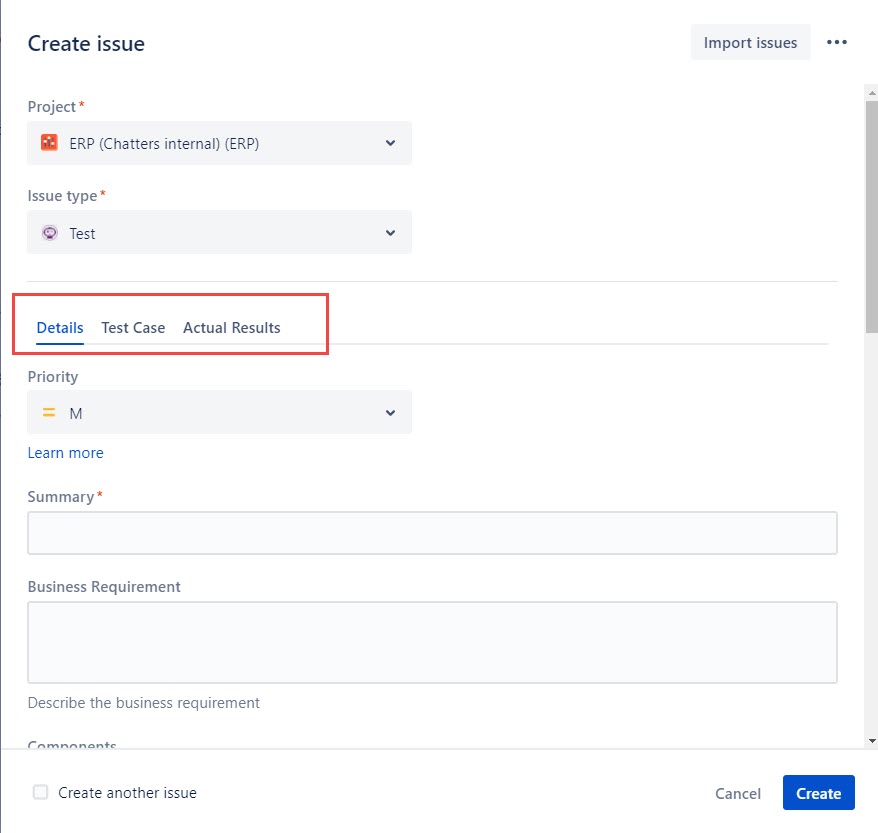
I created a new issue type and screen and added to a scheme etc..
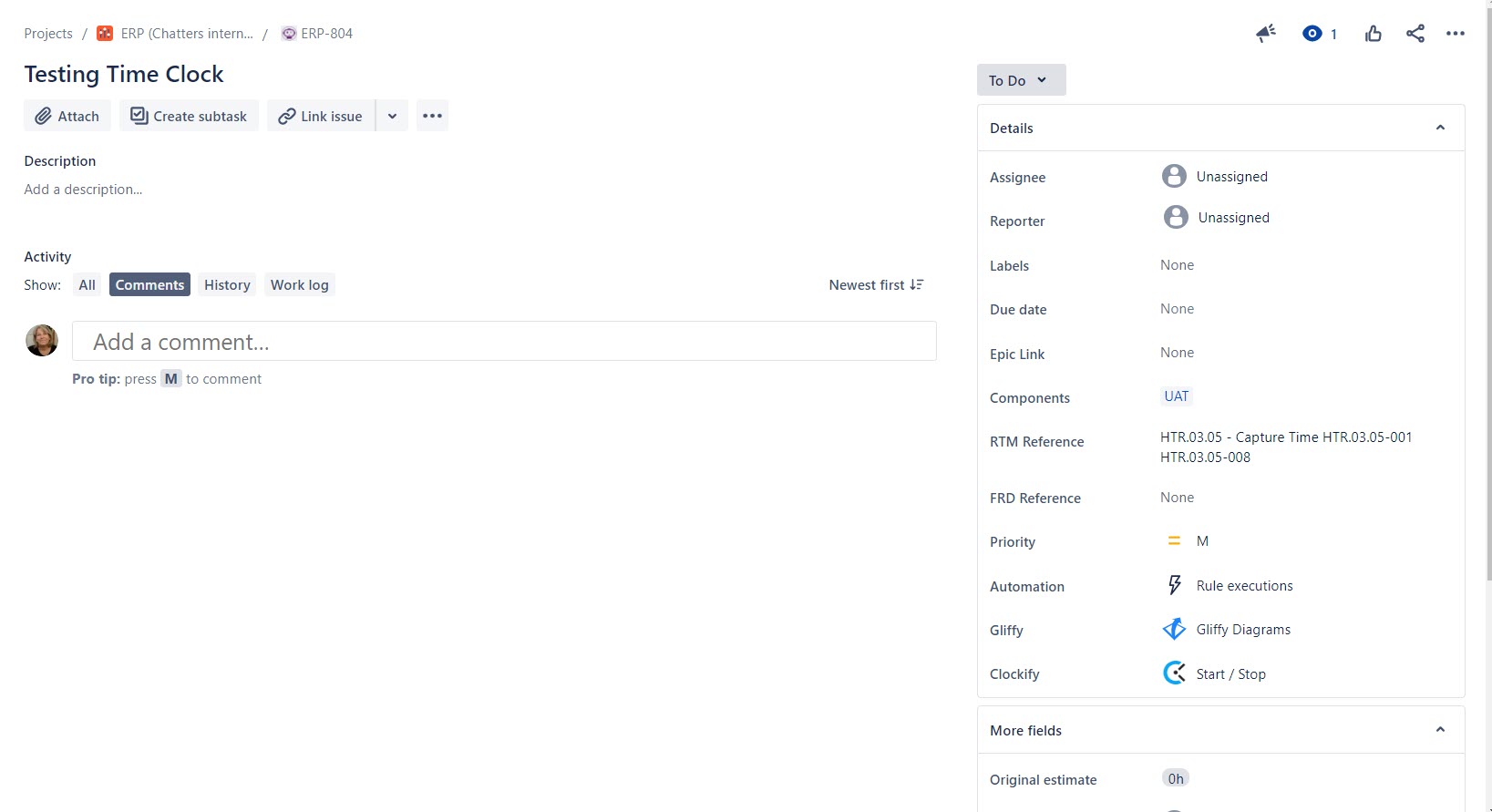
I can see and populate the tabs when I click create but when I 'view' the issue the tabs are not there. I have followed the instructions below with no luck.
Cause
- Specific custom fields are assigned to various places on the View Issue screen:
- Date custom fields will show up in the Dates section.
- Any custom fields involved with a user picker will show up in the People section.
- If a custom field does not have any data in it it will not be rendered.
- If there are no custom fields that meet either of the above conditions, the tab will not show up.
- If just one tab has custom fields filled, the tab will not be represented and the fields from this tab will be rendered at the Default Field Tab.
The logic behind the functionality comes down to the distinction between what should be visible when viewing (only relevant information) and editing (all editable fields) an issue. We’re hiding empty custom fields and tabs on the “View issue” screen to improve readability and performance (by rendering a lower number of fields). Displaying all custom fields would make the issue unclear especially when a large number of custom fields are defined.
Resolution
Ensure that the following conditions are met:
- All of the tabs have custom fields on them (including the default Field Tab).
- At least one of those custom field types must not be a Date or People type (as those will show up in their respective sections in the view issue screen).
- At least one of those custom fields must have a value.
- At least two tabs (including the Default Field Tab) should have Fields filled (others than System Fields as Summary, Description, Labels, Priority, Issue link).