Hello! I'm trying to create an automation, but I'm failing to do so. Any kind of help is appreciated :
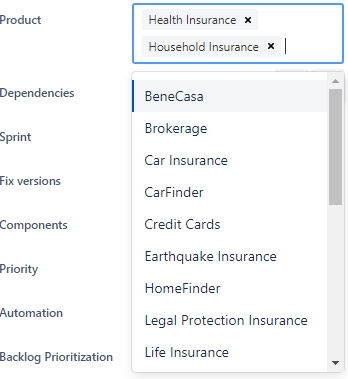
I have a Product field with multiple values:
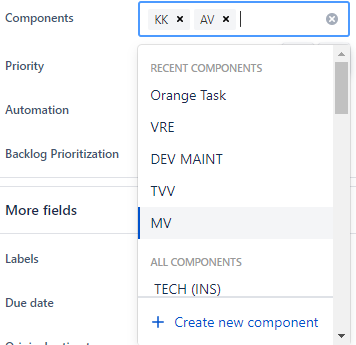
I also have a Components with the abbreviation of each of those Products (among other values):
What I would like to do is to automatically update the Components field based on what the user selects in the Product field.
So I managed to create an automation which updates the field and everything works. But it always replaced the value instead of "keep the existing ones and add the new one".
I found this page here : https://support.atlassian.com/cloud-automation/docs/edit-issue-fields-with-jira-automation/
As you see from the section Add values to multi-select fields, it should be fairly simple as I can just select 'Copy from Issue' and then also together, add the new value. The screenshot below shows the example for that:
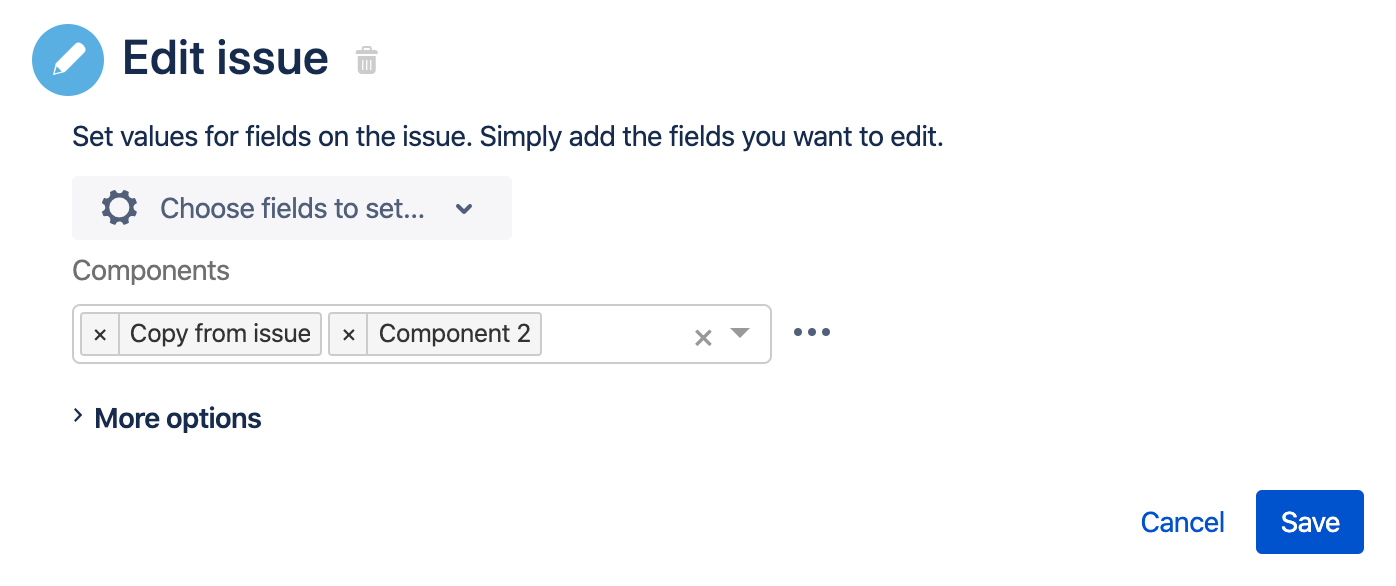
However, my JIRA (cloud version) doesn't have that option to 'Copy from issue'.
Any idea how can I achieve that (or any other ideas on how to do that in an easier way is also appreciated).
Thanks,


