In Jira Server, when you have the Jira Toolkit installed, you can create and configure the default value of a Message Custom (for edit) field type with the following sample AUI markup:
<div class="aui-message aui-message-info">
<p>If this change is related to an existing Service Desk ticket (SD-####) or other Jira issue, please provide it below in the Linked Issues.</p>
</div>
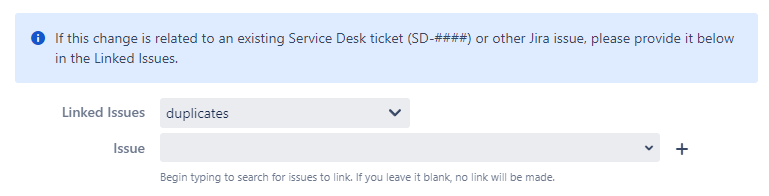
And it displays quite nicely on the create screen when added:
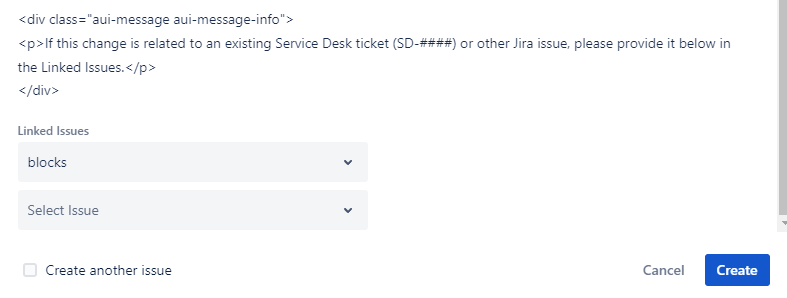
In Jira Cloud, to my surprise, this Message field is also available for usage. After using the same code I have in Jira Server, and setting the default value, it displays like this instead on the create screen:
Additionally, when revisiting the default value configuration, it changes to this:
<p><div class="aui-message aui-message-info"><br/>
<p>If this change is related to an existing Service Desk ticket (SD-####) or other Jira issue, please provide it below in the Linked Issues.</p><br/>
</div></p>
Am I not configuring this field properly in Jira Cloud?


