I am attempting to edit the meeting notes page that was autogenerated in my space to use as a meeting notes template. I do not understand how to achieve the effects that are present in this page. Each section of the document has a friendly icon to the left of the section title. How do you do that? I tried placing an image aligned as wrap-left, but it won't line up correctly. Here is a screen shot of what I am seeing:
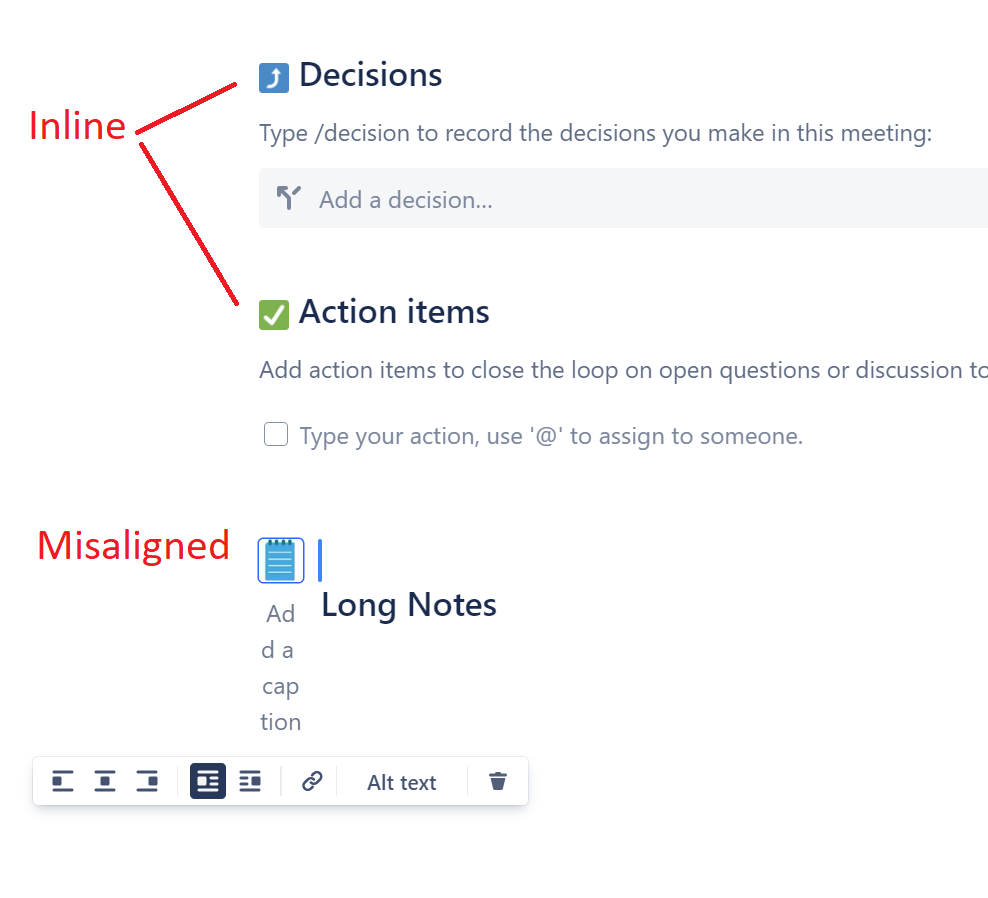
I have tried placing the cursor to the right of the icon and pressing delete, but that deletes the icon itself, not the space.
Something else to note is that when I click on the icon I added as an image, I am presented with a menu with options for alignment and alt text. That does not happen when I click on the icons that were already present in this sample doc, which leads me to believe they are not being inserted as images.
Could someone show me how they managed to put in the nice-looking icons to the left of the section titles?

