Hello Confluence Community!
💝 Let’s not bury the lede—read on for an opportunity to win a Love Month gift!
This month is a great time to think about all of the perfect pairs we see in the world—macaroni and cheese, tea and cookies, copy + paste, pen and paper, and much more.
Here on the Confluence team, we certainly have a favorite perfect pair of our own: Confluence’s better half is Jira Software 💙.
This dynamic duo helps people manage agile projects to boost productivity, empowering teams to deliver more. When used together, Jira and Confluence help you bring project planning and project execution closer together.
We have some new favorite integrations focused on Confluence embedded page experiences: Smart Link embeds and Confluence embedded pages in Jira Software.
Smart Link embeds
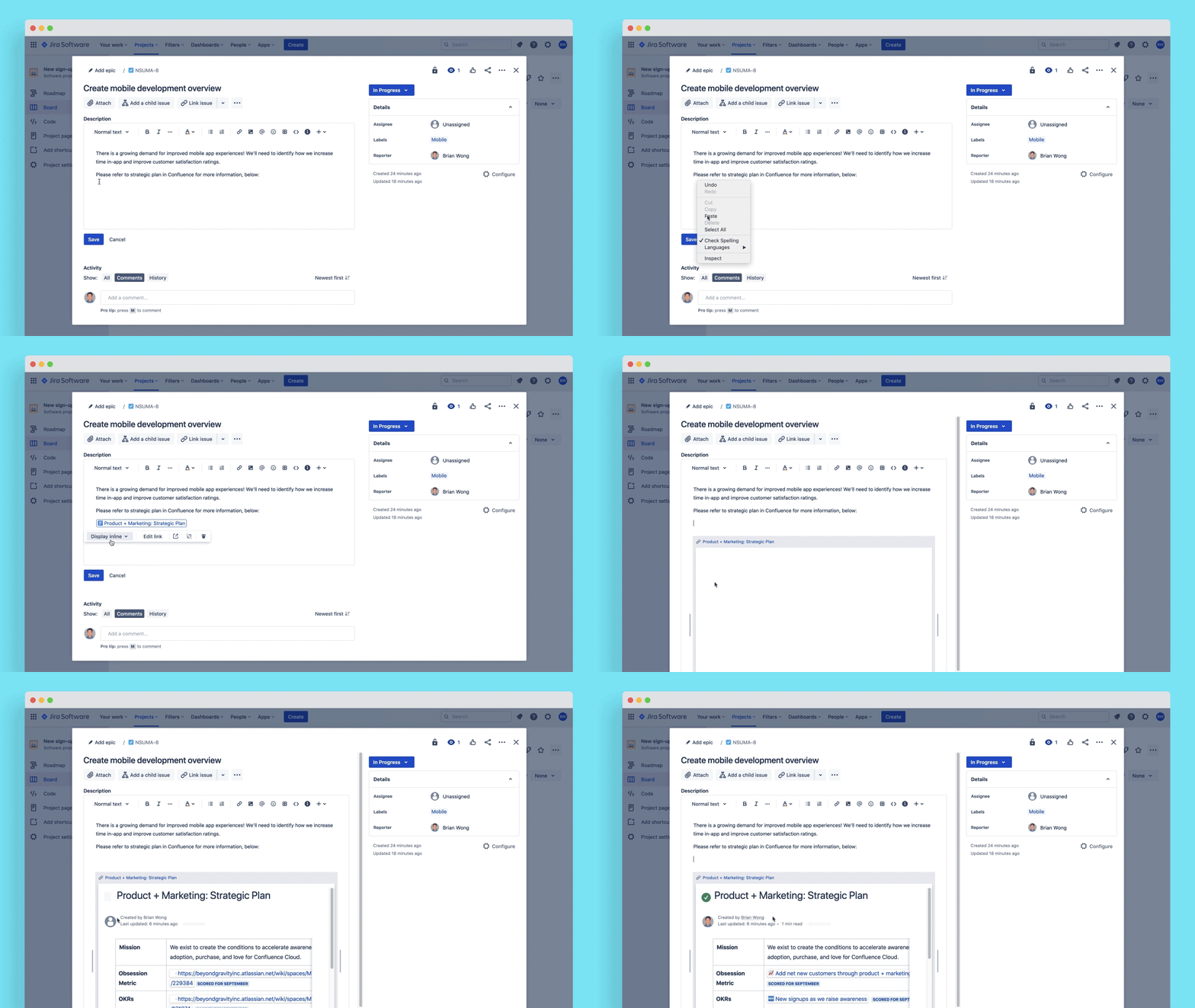
🆕 Confluence Smart link embeds is a new feature designed to keep your pages at the center of all your work. Need to add more context? Simply add a Confluence Smart Link to your Jira issue and select to ‘Display embed’. This allows you to easily add context to your issues, so you don’t have to switch products so frequently or re-write content from Confluence into Jira.
Confluence embedded pages in Jira Software
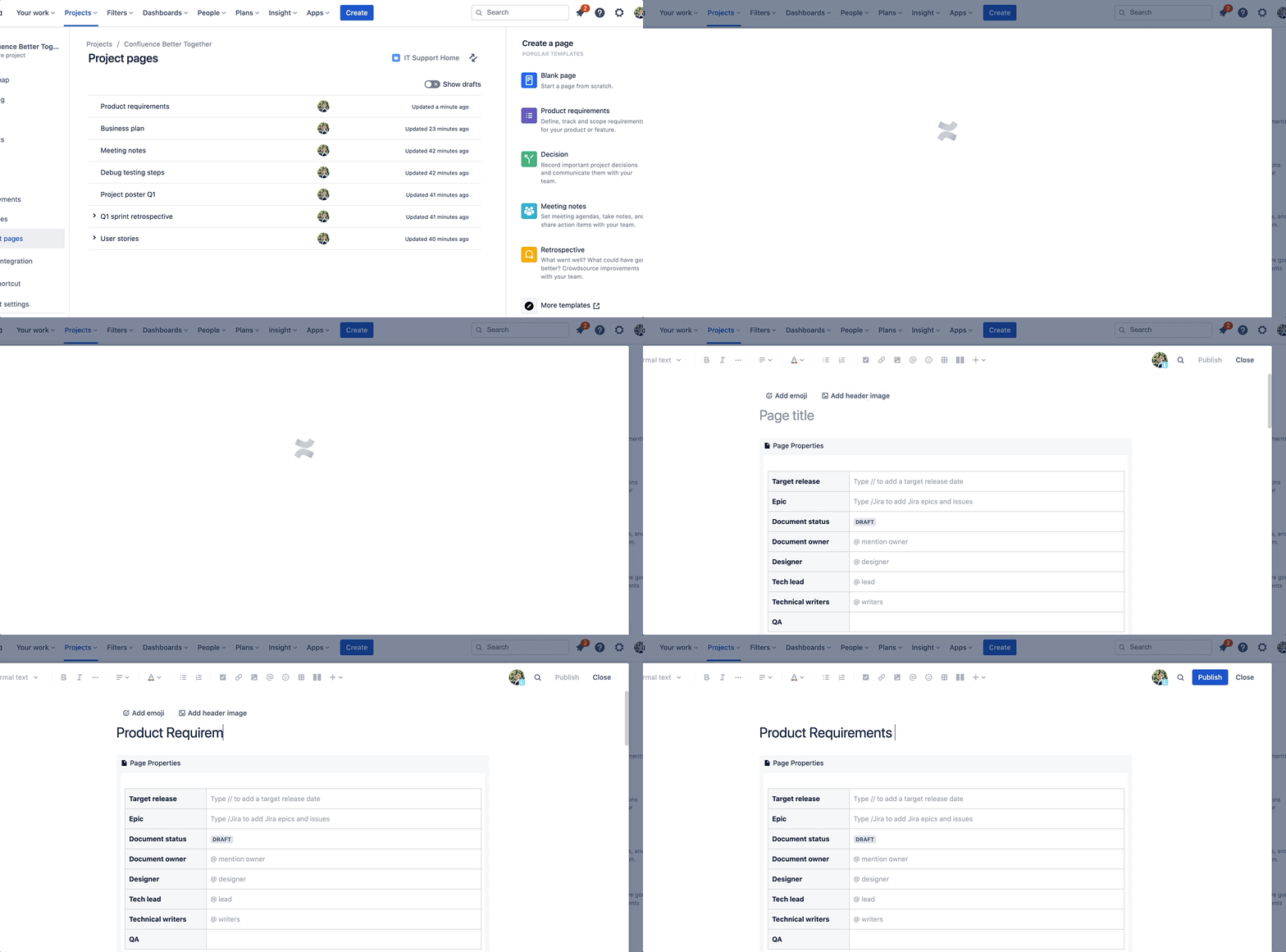
🆕 Jira Software and Confluence have an even tighter embedded page experience when managing Project Pages inside Jira Software. Now, you’re be able to view, edit, and create Confluence content from within Jira, without having to leave the product. Creating content is as easy as one click—kickstart your work with a Confluence template, meaning you spend less time planning to work and more time getting the job done.
💝 As promised, participate to win a Love Month gift:
Drop a comment below, highlighting your favorite way(s) to use Jira Software and Confluence together. We’ll send you a limited edition pair of ‘Jira 💙's Confluence’ socks as special gift!