Hello Jira community! Help with this bug would be greatly appreciated:
[UPDATE: Fix for this is to create a new workflow with the same statuses etc and assign it to the relevant workflow scheme.]
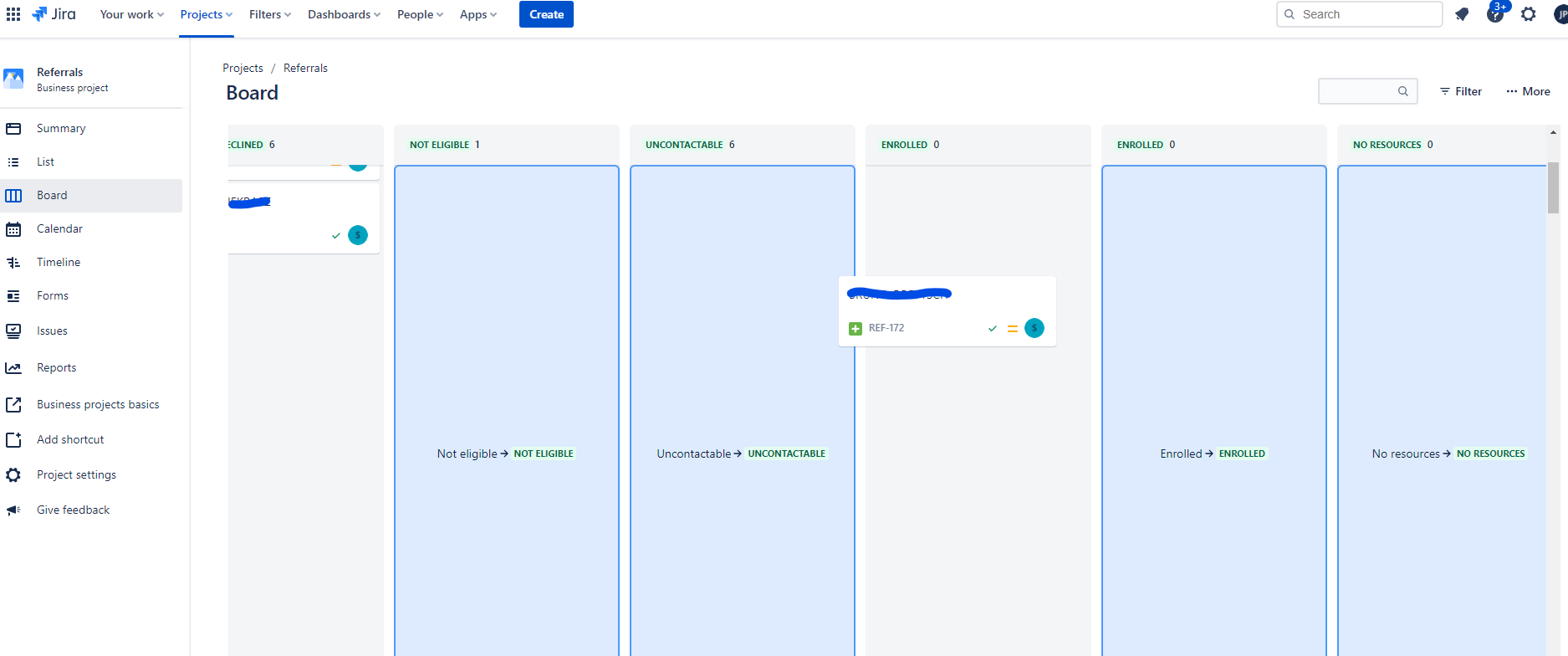
A few weeks ago I removed a particular status ("Enrolled") from our project workflow, however it remained on the project board. One is not able to transition issues into the status. When one clicks on or tries to drag that status column on the board then Jira freezes. One has to then reload the page.
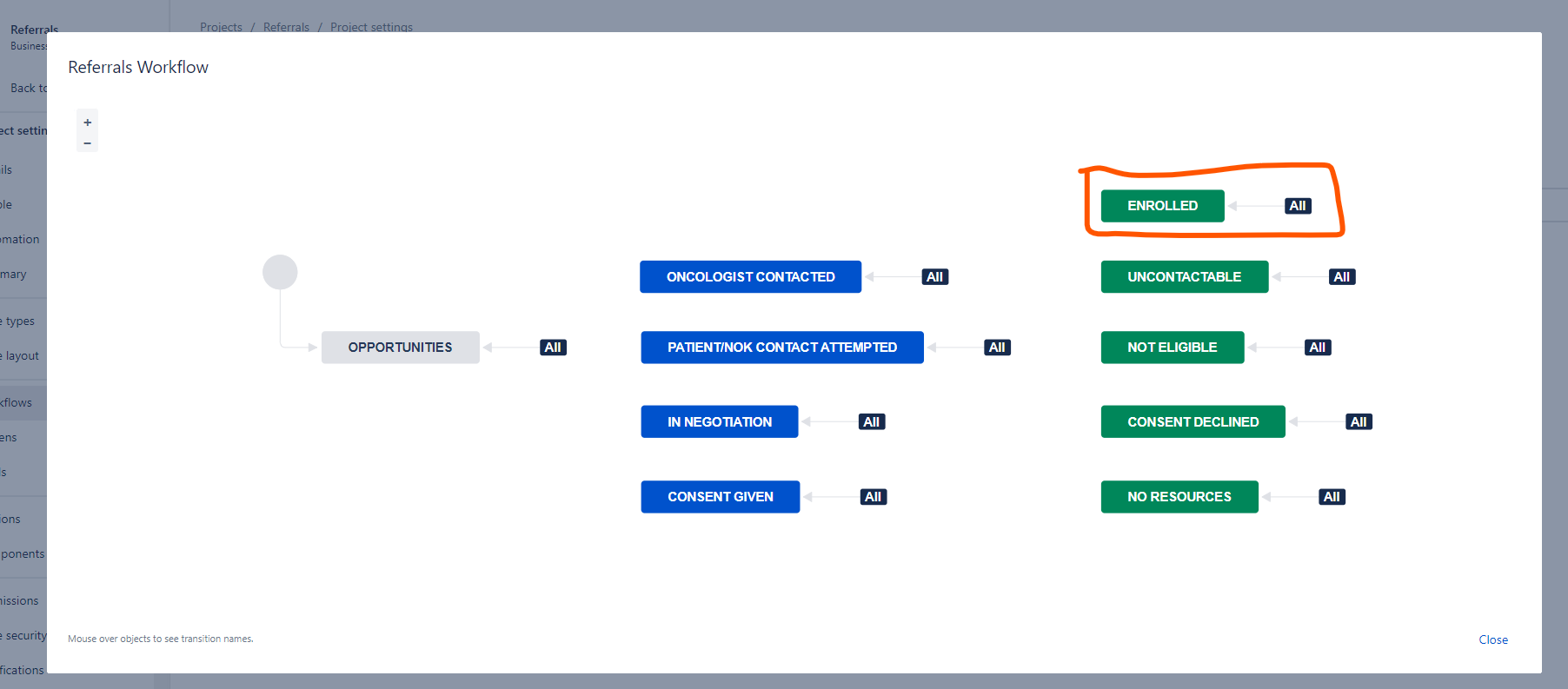
Please note that I removed the "Enrolled" status from every workflow and workflow schema of the project. None of the issues were associated with it. It did not exist anywhere else in the project except on the board as an unusable status column.
To make things more complicated, some time after I removed the "Enrolled" status, my team wanted it back. So I created another "Enrolled" status and added it to the workflow. But now there are two "Enrolled" columns!
I have attached two screenshots:
- The first shows that one is unable to transition issues to the old/problematic "Enrolled" status column. This can be seen by the fact that it is greyed out whereas the column representing the new "Enrolled" status I added is blue.
- The second shows the current project workflow. There is only one "Enrolled" status in the workflow. After I first removed the original "Enrolled" status and before I recently added it back, there was no "Enrolled" status in the workflow.
I'm pretty sure this is a bug in the backend and that no matter what changes I make to the project settings, the bug will persist.